

I have a list of the Best Cloud Hosting Services for WordPress in 2026 and beyond.
Your hosting is the foundation everything else sits on.
You can have the best theme, the best plugins, and the best content strategy in the world.
None of that matters if your host chokes the moment Google sends you real traffic.
“Cloud hosting” gets thrown around a lot in this industry.
Honestly, not every host using the label deserves it.
Some of these companies run on real distributed cloud infrastructure like Google Cloud, AWS, and DigitalOcean.
Others are shared hosting with a cloud-shaped sticker slapped on the pricing page.
I’ll tell you which is which as we go.
Hosting is step one, not the whole game.
 Let’s get into it.
Disclosure: Some links on this page are affiliate links. If you buy through one of them, I may earn a commission at no extra cost to you. My recommendations are based on the factors explained in the methodology section below, not on which host pays the highest commission.
Hosting companies change renewal terms often, so treat exact dollar figures as a snapshot, not a permanent promise.
The Quick Answer
You’re looking for the best cloud hosting for WordPress in 2026, and you want the answer before you read 4,000 words.
Fair.
The Summary
Best overall: Kinsta – best balance of Google Cloud performance, included Cloudflare Enterprise CDN, and WordPress‑specific tooling.
Best for membership and community sites: Levamo – purpose‑built for logged‑in traffic (WooCommerce, BuddyBoss, LearnDash) with object caching included.
Best for support speed: WPX – consistently sub‑30‑second live chat responses and unlimited free migrations.
Best for no renewal hikes: Rocket.net – flat renewal pricing, Cloudflare Enterprise edge, and unmetered visits on standard plans.
Best budget option: Hostinger – cheapest usable entry point if you accept the renewal price and long prepay term.
Best flexible cloud infrastructure: Cloudways – choose DigitalOcean, AWS, Google Cloud, Linode, or Vultr with pay‑as‑you‑go pricing.
Best for agencies: WP Engine – phone support, white‑label client billing, and agency workflow tools on Google Cloud (AWS/Azure on higher tiers).
Best for beginners: Hostinger – guided setup, custom control panel, and very low intro pricing.
Best Automattic-backed option: Pressable – WordPress.com‑grade infrastructure, strong WooCommerce performance, and no renewal price jumps.
Keep reading for the reasoning, full comparison tables, and honest tradeoffs for each one.
Why Trust This List?
I’ve spent years working with WordPress sites, SEO, and affiliate marketing.
That means I evaluate hosting from the perspective of someone who actually needs a site to rank, survive a traffic spike, and convert visitors into revenue.
I have not personally load-tested every server on this list.
Where I say something is fast or reliable, that’s based on publicly available specs, independent industry testing, and how these companies are discussed across the hosting review space, not a private lab I ran myself.
I’ll tell you exactly where that line is as we go.
Your hosting is the foundation everything else sits on.
You can have the best theme, the best plugins, and the best content strategy in the world.
None of that matters if your host chokes the moment Google sends you real traffic.
Most WordPress site owners will need reliable hosting combined with a solid page builder and a decent email marketing platform to actually turn traffic into revenue.
Hosting is step one, not the whole game.
How I Ranked These WordPress Cloud Hosts
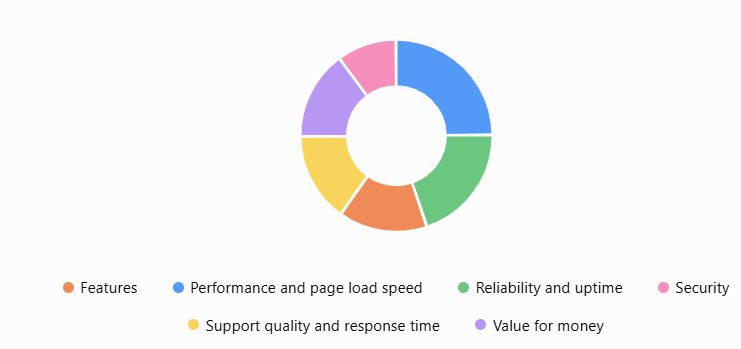
Here are the criteria I weighed, and how much each one counted:
-
Performance and page load speed: 25%
-
Reliability and uptime: 20%
-
Features (staging, backups, CDN, caching): 15%
-
Support quality and response time: 15%
-
Value for money, including renewal pricing: 15%
-
Security: 10%
I did not run my own independent speed benchmarks (TTFB, LCP, load testing under simulated traffic) on every host in this list. Where I reference performance, it’s based on:
-
The host’s published infrastructure (e.g., Google Cloud C2/C3D for Kinsta, Cloudflare Enterprise edge for Rocket.net and Pressable, custom LiteSpeed for WPX).
-
Third‑party reviews and speed tests from established outlets (e.g., WPBeginner, HostingStep, analyzebench, HostProdigy, ecommerceparadise) that publish real-world benchmarks for 2026.
-
Provider pricing pages for current 2026 plan details and renewal policies (Kinsta, WP Engine, Rocket.net, Levamo, SiteGround, Pressable, etc.)
I’m telling you that upfront because plenty of “we tested every host” articles quietly aren’t.
My goal is to match you with a host that can rank, survive traffic spikes, and convert visitors—not to pretend I have a private data center in my basement.
What Google and Your Visitors Expect From WordPress Hosting
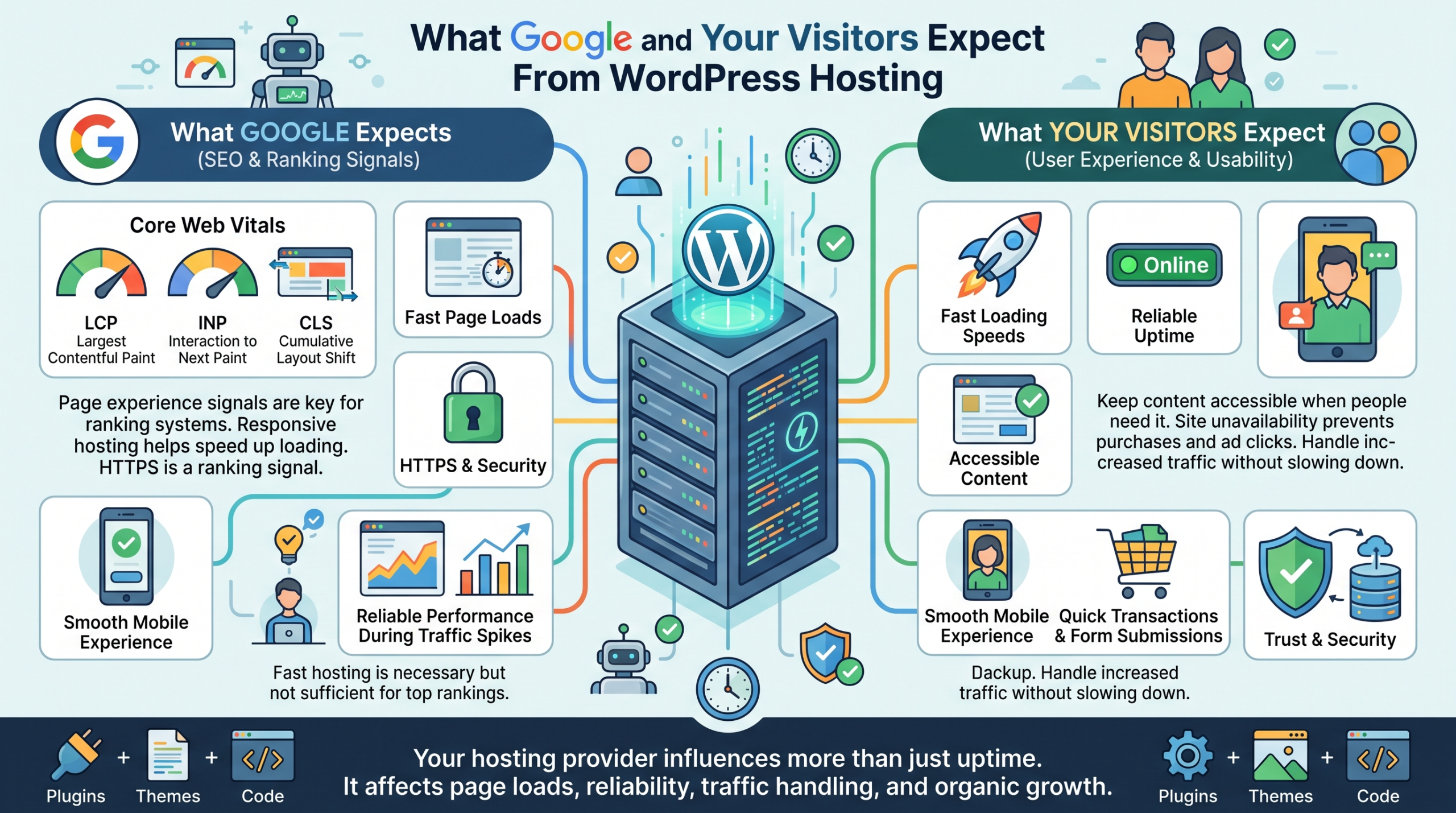
Your hosting provider affects more than your website’s uptime.
It also influences how quickly your pages load, how reliably visitors can access your content, and how well your site handles traffic as it grows.
If you’re building a website to attract organic traffic and generate revenue, these are the factors worth paying attention to.
Fast loading speeds. Google uses page experience signals, including Core Web Vitals, in its ranking systems.
A responsive hosting environment can help your site deliver faster page loads, although your theme, plugins, images, caching, and code also play important roles.
Reliable uptime. When your website is unavailable, visitors can’t read your content, click your affiliate links, or complete purchases.
Reliable hosting helps keep your content accessible when people need it.
Good Core Web Vitals. Pay attention to Largest Contentful Paint (LCP), Interaction to Next Paint (INP), and Cumulative Layout Shift (CLS).
These metrics measure loading performance, responsiveness, and visual stability.
A smooth mobile experience. Many visitors access websites from mobile devices.
Your hosting should work alongside a responsive theme, optimized images, and efficient scripts to deliver a consistent experience across screen sizes.
Security and HTTPS. SSL/TLS encryption, regular backups, malware protection, and sensible access controls help protect your site and its visitors.
HTTPS is also a Google ranking signal.
Reliable performance during traffic spikes. A post that gains traction in Google Search can attract more visitors than usual.
Your hosting needs enough resources to handle that demand without making pages painfully slow or unavailable.
One important distinction: fast hosting alone won’t get your pages to the top of Google.
You still need helpful content, relevant keywords, sound technical SEO, and links that help search engines discover your pages.
Hosting provides the technical foundation that supports those efforts, not a replacement for them.
Before choosing a plan, check your website’s actual performance using Google PageSpeed Insights and monitor your search visibility through Google Search Console.
The goal is simple: choose hosting that helps search engines crawl your site efficiently and gives visitors a fast, reliable experience.
How to Choose Hosting for SEO: A Quick Checklist
- Server location or CDN coverage. Pick a host with a data center or CDN presence near your main audience, not just near you.
- Caching. Server-level caching (not just a plugin) cuts load times before a visitor’s browser does any work.
- Crawlability. Shared hosting under heavy resource strain can slow down or time out on Googlebot requests, same as it does for real visitors.
- HTTPS by default. Free, auto-renewing SSL should be standard at this point. If a host charges extra for it, that’s a red flag.
- Uptime track record. A site that’s down when Googlebot tries to crawl it, or when a visitor clicks through from search, loses on both fronts.
- Room to handle traffic growth. A host that collapses the moment a post ranks defeats the purpose of ranking it in the first place.
A Quick Decision Guide
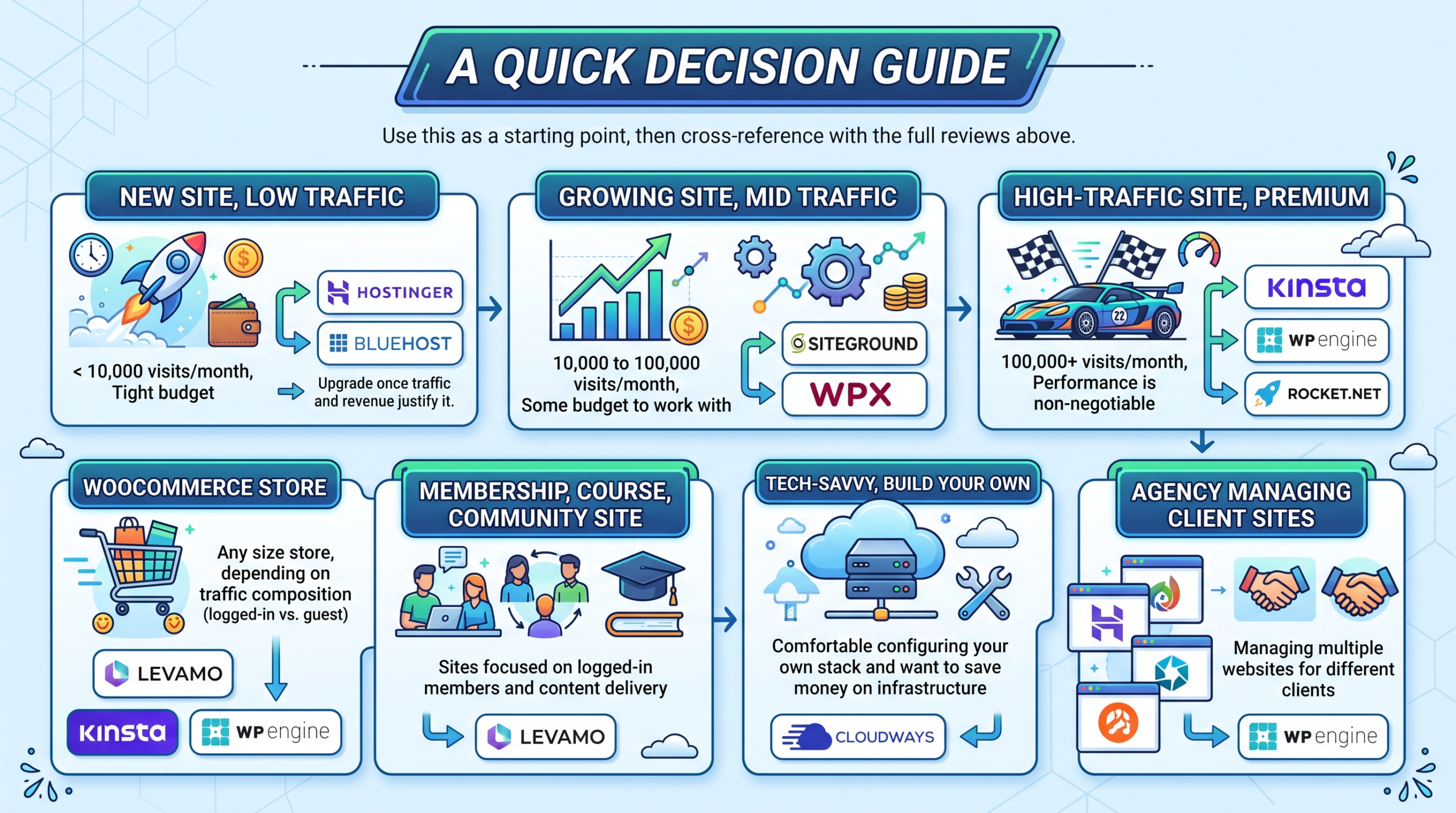 Use this as a starting point, then cross-reference with the full reviews above.
- New site, under 10,000 visits a month, tight budget: Hostinger or Bluehost. Upgrade once traffic and revenue justify it.
- Growing site, 10,000 to 100,000 visits a month, some budget to work with: SiteGround or WPX.
- High-traffic site, 100,000+ visits a month, performance is non-negotiable: Kinsta, WP Engine, or Rocket.net.
- WooCommerce store, any size: Kinsta, WP Engine, or Levamo, depending on how much of your traffic is logged in.
- Membership, course, or community site: Levamo.
- Comfortable configuring your own stack, want to save money on infrastructure: Cloudways.
- Agency managing multiple client sites: WP Engine.
What Counts as Cloud Hosting?
This matters more than most articles admit.
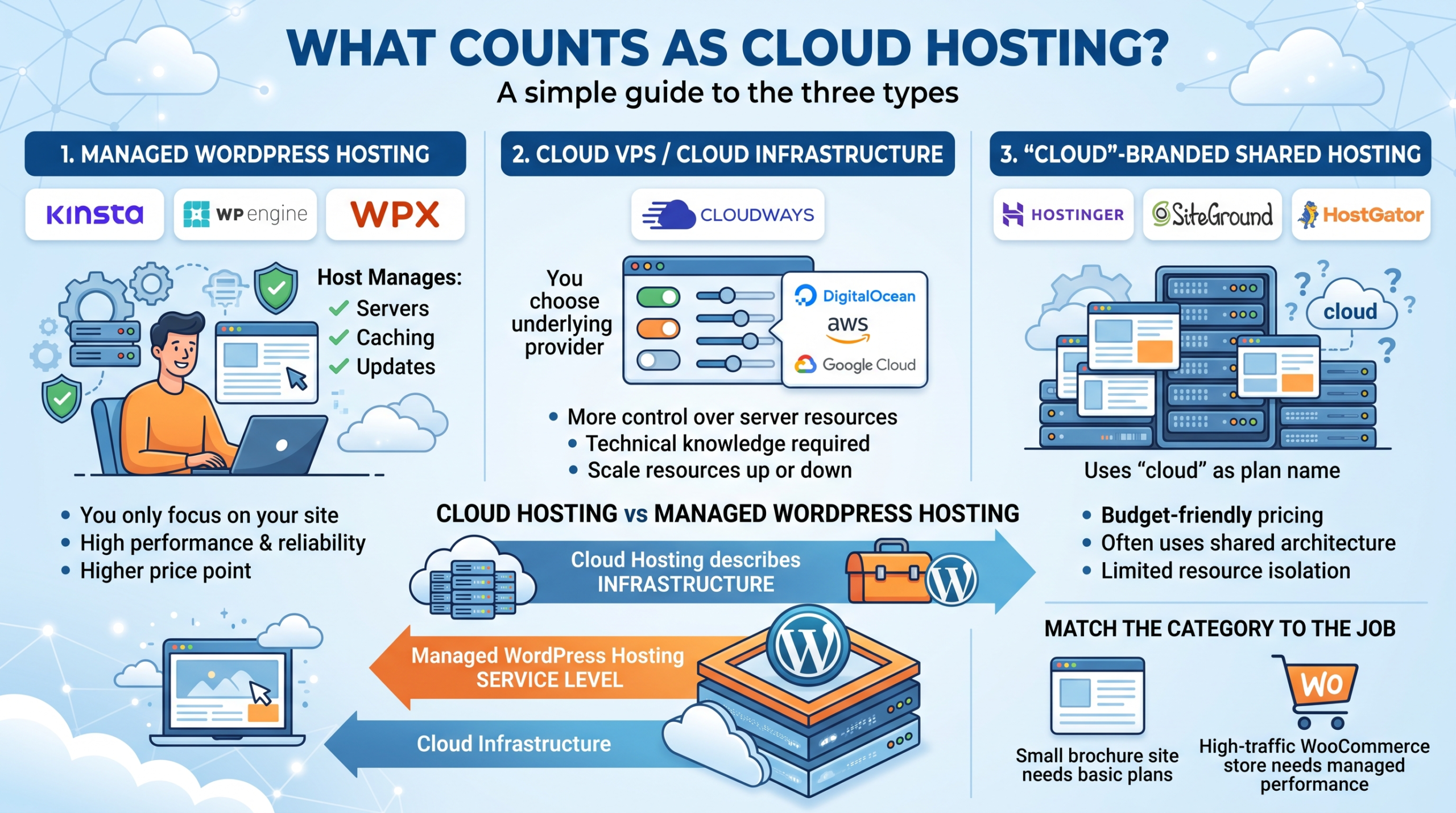
“Cloud hosting” gets used for three genuinely different products, and mixing them up leads to bad buying decisions.
Managed WordPress cloud hosting. Kinsta, WP Engine, WPX, Levamo.
The host runs the servers, caching, and updates.
You just manage your site.
Cloud VPS / cloud infrastructure platforms. Cloudways.
You (or your host’s dashboard) choose the underlying cloud provider, like DigitalOcean, AWS, or Google Cloud, and get more control alongside more responsibility.
Cloud-branded shared hosting. Hostinger, Bluehost, SiteGround, HostGator, and similar budget hosts often use “cloud” as a plan name, even though the underlying architecture and resource isolation differ a lot from the managed platforms above.
None of these is automatically better.
A five-page brochure site doesn’t need Kinsta’s isolation model.
A six-figure WooCommerce store has no business on a $2.99/month shared plan.
Match the category to the job.
Cloud hosting vs. managed WordPress hosting, quickly, since people mix these up: cloud hosting describes the infrastructure model.
Managed WordPress hosting describes the service level on top of it.
A host can run managed WordPress hosting on cloud infrastructure, which is exactly what Kinsta and WP Engine do.
A host can also run cloud infrastructure with zero WordPress-specific management, which is closer to what Cloudways offers unless you pay for their managed layer.
Comparison Table: Top WordPress Cloud Hosts
| Host | Best For | Starting Price | Infrastructure | CDN | Free Migration | Backups | Support | Best Feature |
|---|---|---|---|---|---|---|---|---|
| Kinsta | High-traffic sites | $30-35/mo | Google Cloud | Cloudflare Enterprise, included | Yes | 14-day retention | 24/7 chat, engineer-level | Performance + included CDN |
| WPX | Agencies, bloggers | $17.99/mo | Custom LiteSpeed | XDN (proprietary, 41 endpoints) | Yes, unlimited | 28-day retention | 24/7 chat, ~30 sec average | Support speed |
| WP Engine | Agencies | $30/mo | Google Cloud | Included | Yes | Included | 24/7 chat + phone | Agency workflow tools |
| Cloudways | Developers | $11-14/mo | DigitalOcean/AWS/GCP/Vultr/Linode | Optional add-on | Yes | Server + app level | 24/7, tiered | Infrastructure flexibility |
| Rocket.net | Performance + no renewal hikes | $25/mo | Cloudflare Enterprise edge | Included | Yes | Included | 24/7 chat | No renewal price increases |
| Levamo | Membership/community sites | $29/mo | LiteSpeed + Cloudflare | Included | Yes, white-glove | Included | 24/7 chat | Built for logged-in traffic |
| Hostinger | Beginners | $2.69-2.99/mo intro | Shared / true cloud tiers | Included | Yes | Weekly-daily, plan dependent | 24/7 chat | Price |
| SiteGround | Balanced managed features | $2.99/mo intro | Google Cloud | Included | Yes | Daily | 24/7 chat | SuperCacher performance |
| Bluehost | First-time site owners | $1.99-3.99/mo intro | Oracle Enterprise Cloud | Not included by default | Yes | Paid add-on (CodeGuard) | 24/7 chat | WordPress.org recommendation |
| HostGator | Budget beginners | $3.75/mo intro | Shared/cloud hybrid | Not included by default | No, self-serve tools | Paid add-on | 24/7 chat | Plan flexibility |
| Nestify | AWS-based mid-tier | $8-12/mo | Amazon AWS | Included | Yes | Included | 24/7 chat, no phone | Flat renewal pricing |
Don’t just look at “Yes/No” on this table.
Look at what’s actually included versus sold as an add-on, because that’s where budget hosts make their real money.
Editorial Scorecard
These are Elite Affiliate Hacks editorial ratings, not independent lab benchmark results.
I built them using the weighting above, based on published specs, industry reputation, and how these hosts are reviewed across the space.
I’m only scoring hosts where I have enough independent data to back a number with real confidence.
| Host | Performance | Support | Value | Security | Overall |
|---|---|---|---|---|---|
| Kinsta | 9.4 | 9.0 | 7.0 | 9.3 | 8.8/10 |
| WPX | 8.8 | 9.8 | 8.3 | 8.7 | 8.9/10 |
| WP Engine | 9.3 | 9.0 | 6.8 | 9.2 | 8.6/10 |
| Rocket.net | 9.0 | 8.0 | 8.5 | 8.7 | 8.3/10 |
| Levamo | 8.5 | 8.0 | 8.0 | 8.3 | 8.2/10 |
| Cloudways | 8.7 | 8.0 | 8.8 | 8.0 | 8.4/10 |
| Hostinger | 7.5 | 7.8 | 9.3 | 7.5 | 8.0/10 |
| SiteGround | 7.8 | 8.5 | 7.0 | 8.3 | 7.9/10 |
| Nestify | 8.0 | 7.5 | 8.7 | 7.8 | 7.9/10 |
| Bluehost | 7.3 | 7.5 | 7.8 | 7.8 | 7.6/10 |
| HostGator | 7.0 | 7.2 | 7.5 | 7.0 | 7.2/10 |
I’m intentionally leaving RoseHosting, DreamHost, InMotion, HostPapa, and TD Web Services out of this specific scorecard.
Not because they’re bad, but because I don’t have enough independent, current data on their infrastructure and support quality to assign a confident number.
I’d rather tell you that than make one up.
Quick snippets, if you’re skimming:
Best cloud hosting for WordPress overall: Kinsta.
Best budget cloud hosting: Hostinger.
Best support: WPX.
Best flexible infrastructure: Cloudways.
7 Cloud Hosting Red Flags to Watch For
Before the individual reviews, here’s what should make you pause on any host, including ones not on this list.
- The word “cloud” with zero infrastructure details behind it.
- No clear CPU or RAM allocation listed anywhere.
- Aggressive introductory pricing with no visible renewal rate at checkout.
- Huge “unlimited” claims on bandwidth or storage. Nothing is actually unlimited.
- No backup retention information published anywhere.
- No clear resource limits before you’re mid-checkout.
- Support that’s impossible to reach before you’ve already paid.
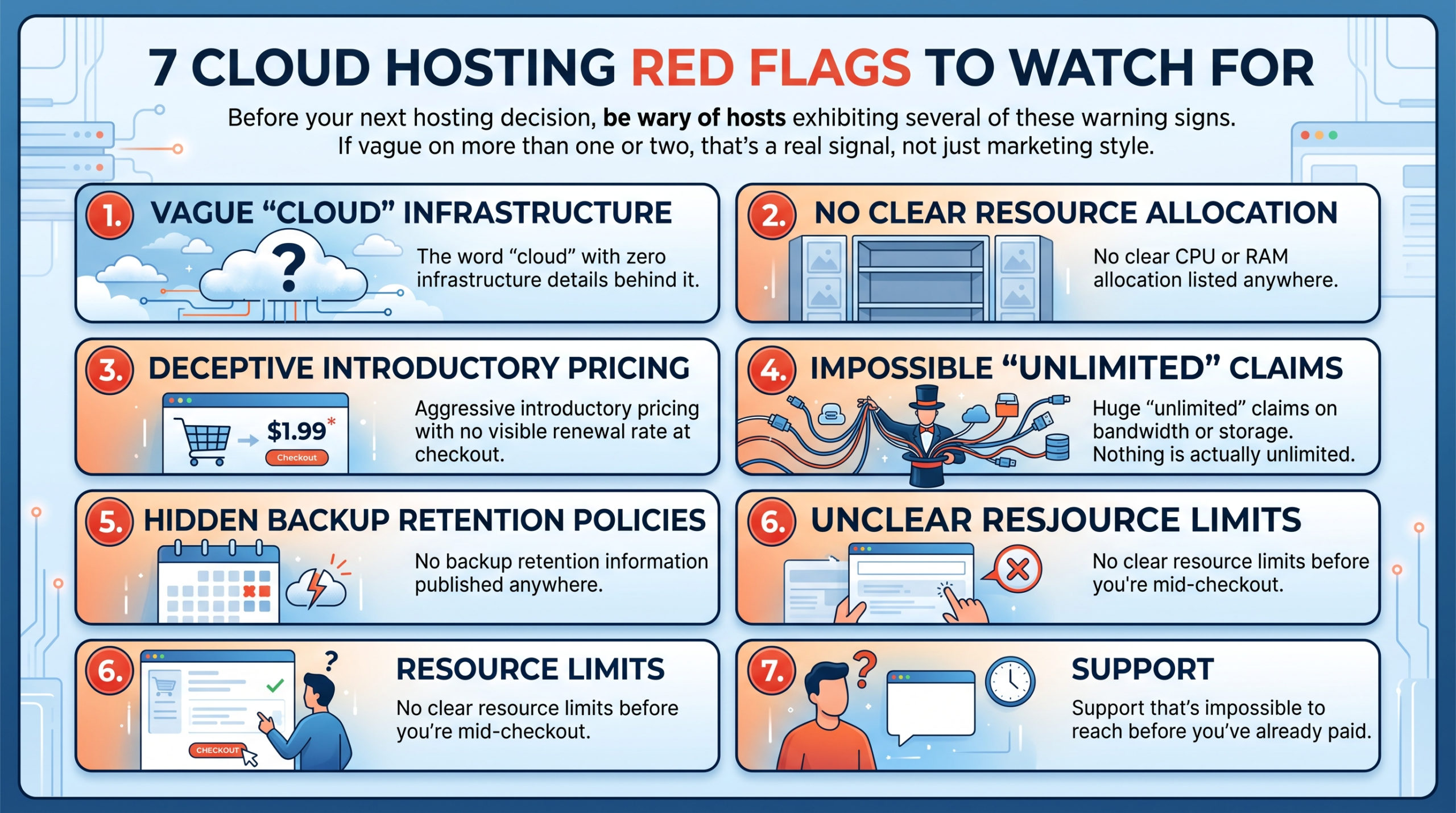 If a host is vague on more than one or two of these, that’s a real signal, not just marketing style.
Kinsta vs WP Engine vs WPX
These three come up together constantly, so here’s the direct comparison.
| Feature | Kinsta | WP Engine | WPX |
|---|---|---|---|
| Infrastructure | Google Cloud | Google Cloud | Custom LiteSpeed |
| CDN | Cloudflare Enterprise, included | Included | XDN, proprietary |
| Free migration | Yes | Yes | Yes, unlimited |
| Staging | Yes | Yes | Yes |
| Backups | 14-day retention | Included | 28-day retention |
| Support | 24/7 chat | 24/7 chat + phone | 24/7 chat, fastest average response |
| WooCommerce | Strong | Strong | Good |
| Agency tools | Good | Best on this list | Limited |
| Starting price | $30-35/mo | $30/mo | $17.99/mo |
| Best for | High-traffic publishers | Agencies managing client sites | Price-to-support ratio |
Verdict: If phone support and white-label client billing matter, WP Engine wins. If you want the best pure performance-to-price ratio among the premium three, WPX.
If you’re running the highest-traffic site of the three and want Google Cloud’s ceiling, Kinsta.
Best Cloud Hosting for WooCommerce
Searchers looking for “best hosting for WooCommerce” or “best hosting for high-traffic ecommerce” want a different comparison than a general blog host list, so here it is.
Kinsta, WP Engine, Cloudways, Levamo, and SiteGround are the five worth actually comparing for a store.
What matters for WooCommerce specifically, more than a blog:
- Object caching (Redis) for cart and session data
- PHP worker count, since checkout traffic is dynamic, not cacheable
- Database performance under concurrent orders
- CDN behavior on product images
- Checkout page speed specifically, not just homepage speed
- How the host handles logged-in traffic, since a shopping cart can’t be served from a static cache the way a blog post can
- Autoscaling during sales or traffic spikes
- Staging environments for testing plugin updates before they touch a live store
- Backup frequency, since losing order data is a real financial hit, not just an inconvenience
Levamo stands out here specifically because it was built around logged-in, dynamic traffic instead of retrofitted for it.
Kinsta and WP Engine both handle WooCommerce well but weren’t purpose-built for it the same way.
Cloudways gives you the most control over PHP worker allocation if you’re comfortable configuring it yourself.
SiteGround is the budget-friendliest of the five, with the tradeoff being less headroom under a genuine traffic spike.
Best Hosting by Use Case
- Best for affiliate websites: WPX, Hostinger or Kinsta, depending on your traffic scale.
- Best for WooCommerce: Kinsta, WP Engine, or Levamo.
- Best for agencies: WP Engine or WPX.
- Best for beginners: Hostinger.
- Best for developers: Cloudways.
- Best for high-traffic publishers: Kinsta.
- Best for membership websites: Levamo.
- Best cheap option: Hostinger.
- Best managed option: Kinsta.
- Best alternative to Kinsta: WPX or WP Engine.
The Cheapest Hosting Isn’t Always the Cheapest
Budget host comparisons love to show you the promotional monthly rate.
They’re a lot quieter about what happens after year one.
| Host | Intro Price | Renewal Price | Term Required |
|---|---|---|---|
| Hostinger Premium | $1.99-2.69/mo | $10.99-11.99/mo | 48 months |
| Hostinger Business | $2.99-3.99/mo | $16.99-18.99/mo | 48 months |
| SiteGround StartUp | $2.99/mo | ~$17.99/mo | 12 months |
| Bluehost Starter | $1.99-3.99/mo | ~$9.99/mo | 36 months |
| HostGator Hatchling | $3.75/mo | ~$10.99-17.59/mo | 36 months, higher on monthly billing |
| Cloudways | $11-14/mo | No lock-in term, pay-as-you-go | None |
| Nestify | $8-12/mo | Flat, no renewal increase | None |
That’s a 200% to 450% increase on most of the budget shared hosts once the intro term ends.
It’s not illegal or hidden if you read the checkout page carefully, but most comparison articles lead with the promotional number because it converts better, not because it’s the number you’ll actually pay in year two.
Cloudways and Nestify are the two standouts here for not playing this game.
You pay closer to what you’ll actually keep paying.
Total Cost of Ownership
Don’t just compare the hosting line item.
A cheap host that requires you to separately buy backups, malware scanning, and a CDN can end up costing more than a managed host that bundles all of it.
As an example, on Bluehost specifically: daily backups through CodeGuard run an extra $47.88 to $107.88 per year depending on tier, and malware scanning through SiteLock adds another $95.88 to $239.88 per year.
Add that to even the discounted renewal rate, and the “budget” host isn’t necessarily cheaper than a $30/month managed host that includes all of that by default.
Before you commit to the cheapest sticker price, add up: hosting, backups, CDN, security scanning, migration, SSL, staging, and support tier.
Then compare that total to a managed host’s all-in price.
Migration Difficulty
Free migration doesn’t always mean the same thing across hosts.
| Host | Migration Rating | Notes |
|---|---|---|
| WPX | 5/5 | Unlimited free migrations, fast turnaround |
| RoseHosting | 5/5 | Free white-glove migration on signup |
| Kinsta | 4/5 | Free, but limited number depending on plan |
| Levamo | 4/5 | White-glove, built for zero-downtime moves |
| WP Engine | 4/5 | Free migration plugin plus team support |
| Cloudways | 3/5 | Free migration plugin, more manual than fully-managed hosts |
| Hostinger | 3/5 | Automated migration tool, self-serve |
| SiteGround | 3/5 | Free migration plugin, one free site typically |
| Bluehost | 2/5 | Migration often requires a paid add-on beyond a basic site |
| HostGator | 2/5 | Largely self-serve tools, limited white-glove support |
One thing people forget: moving your WordPress files isn’t the same as moving your email.
If your domain’s email lives on the old host, check whether the migration includes email, because a lot of “free migration” offers don’t.
Security Comparison
Every host on this list claims “security.” Here’s what that actually breaks down into.
| Host | WAF | DDoS Protection | Malware Scanning | Free Malware Removal | Backup Retention |
|---|---|---|---|---|---|
| Kinsta | Yes, Cloudflare Enterprise | Yes | Yes | Yes | 14 days |
| WPX | Yes | Yes | Yes | Yes, included | 28 days |
| WP Engine | Yes | Yes | Yes | Yes | Included |
| Levamo | Yes, Cloudflare Enterprise | Yes | Yes | Yes | Included |
| Cloudways | Add-on/plan dependent | Yes | Add-on tier | Add-on | Server + app level |
| Hostinger | Basic | Yes | Basic | Paid add-on for full removal | Weekly to daily, plan dependent |
| SiteGround | Yes, AI-driven | Yes | Yes | Yes | Daily |
| Bluehost | Basic | Yes | Paid, SiteLock | Paid | Paid add-on, CodeGuard |
| HostGator | Basic | Yes | Paid add-on | Paid | Paid add-on |
Which host has the best security?
Between Kinsta, WPX, WP Engine, and Levamo, all four bundle enterprise-level WAF and free malware removal into the base price.
That’s the real dividing line between the premium managed tier and the budget shared tier.
On budget hosts, security is frequently the upsell, not the included feature.
Support Comparison
“24/7 support” doesn’t tell you whether the person answering actually knows WordPress.
| Host | Live Chat | Phone | 24/7 | Migration Help | Support Type |
|---|---|---|---|---|---|
| Kinsta | Yes | No | Yes | Yes, free | Engineer-level |
| WPX | Yes, ~30 sec average | No | Yes | Yes, unlimited | In-house, WordPress-specialized |
| WP Engine | Yes | Yes | Yes | Yes | Tiered, WordPress-specialized |
| Cloudways | Yes | No | Yes | Yes | Tiered, three support levels |
| Levamo | Yes | No | Yes | Yes, white-glove | WordPress-specialized |
| Hostinger | Yes | No | Yes | Self-serve tool | General, tier-1 first |
| SiteGround | Yes | No | Yes | Yes | General to WordPress-aware |
| Bluehost | Yes | Limited | Yes | Paid add-on | General, call-center model |
| HostGator | Yes | Yes | Yes | Self-serve | General, call-center model |
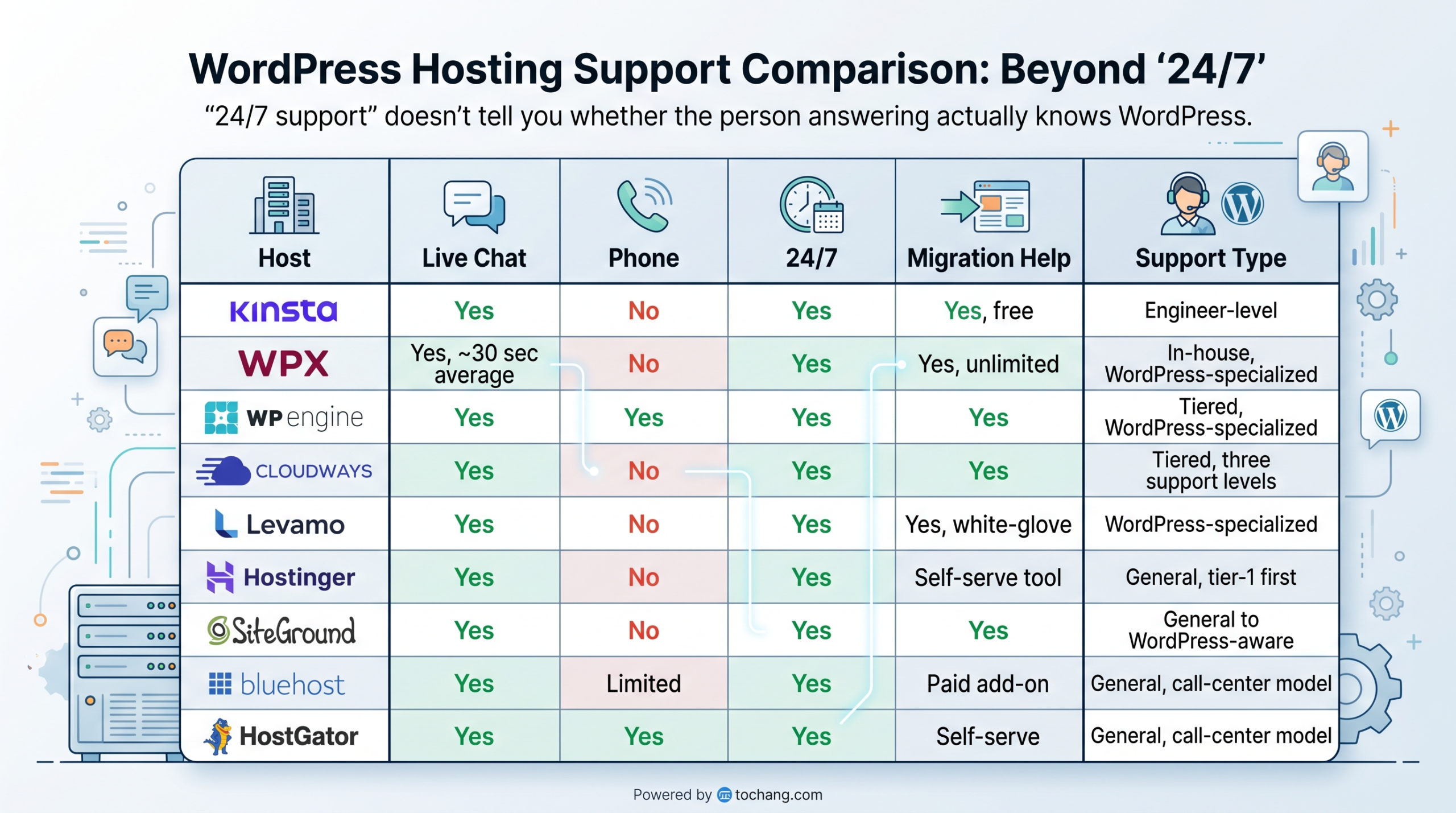
The gap that matters: 24/7 availability and 24/7 technical depth aren’t the same thing.
A host can staff a chat window around the clock with tier-1 agents who escalate everything, or it can staff it with people who actually know WordPress internals.
WPX, Kinsta, WP Engine, and Levamo lean toward the second.
The budget hosts lean toward the first.
The Full Best WordPress Cloud Hosting Reviews
Kinsta
 Best for: high-traffic WordPress sites, publishers, WooCommerce stores.
Starting price: $30-35/month.
Overall rating: 8.8/10.
Infrastructure: Google Cloud.
My verdict: excellent if performance and included tooling matter more to you than the sticker price.
Founded in 2013.
Founder: Mark Gavalda.
Headquarters: Los Angeles.
Infrastructure: Google Cloud’s C2 tier, with Cloudflare Enterprise included on every plan.
Gavalda, a Hungarian developer, built Kinsta after years of frustration with unreliable WordPress hosts.
It’s grown into one of the most respected names in premium managed WordPress hosting, now employing 232+ people.
Pros:
- Google Cloud’s premium C2 compute tier
- Cloudflare Enterprise CDN and WAF included free
- Free migrations, done for you
- Engineer-level 24/7 support, not scripted tier-1 chat
Cons:
- Visit-based pricing means a traffic spike can trigger overage charges
- Expensive relative to shared or cloud-VPS options
- No phone support
Who shouldn’t use Kinsta: if you’re running a new affiliate blog getting 500 visits a month, paying $30+ for managed hosting probably doesn’t make financial sense yet.
Start cheaper, upgrade once your traffic and revenue justify it.
Kinsta alternatives: WPX, WP Engine, Cloudways.
WPX
 Best for: agencies and bloggers who’ve been burned by slow support elsewhere.
Starting price: $17.99/month.
Overall rating: 8.9/10.
Infrastructure: Custom LiteSpeed servers.
My verdict: the best price-to-support ratio in the premium managed tier.
Founded in 2013 by Georgi Petrov and Terry Kyle, and run under K Media Tech.
Terry, the CEO, has said publicly that the company was built around one obsession: support response time.
It shows with a consistent under-30-second average live chat response.
Pros:
- Custom 41-endpoint CDN (XDN)
- Fastest support response times in this list
- Unlimited free migrations
- 28-day backup retention
Cons:
- Renewal pricing jumps noticeably after your first term
- Dashboard feels dated next to Kinsta or WP Engine
- Storage limits are tighter at the same price point as competitors
Who shouldn’t use WPX: if you need phone support specifically or heavy agency white-label billing tools, WP Engine fits that better.
WPX alternatives: Kinsta, WP Engine.
Rocket.net
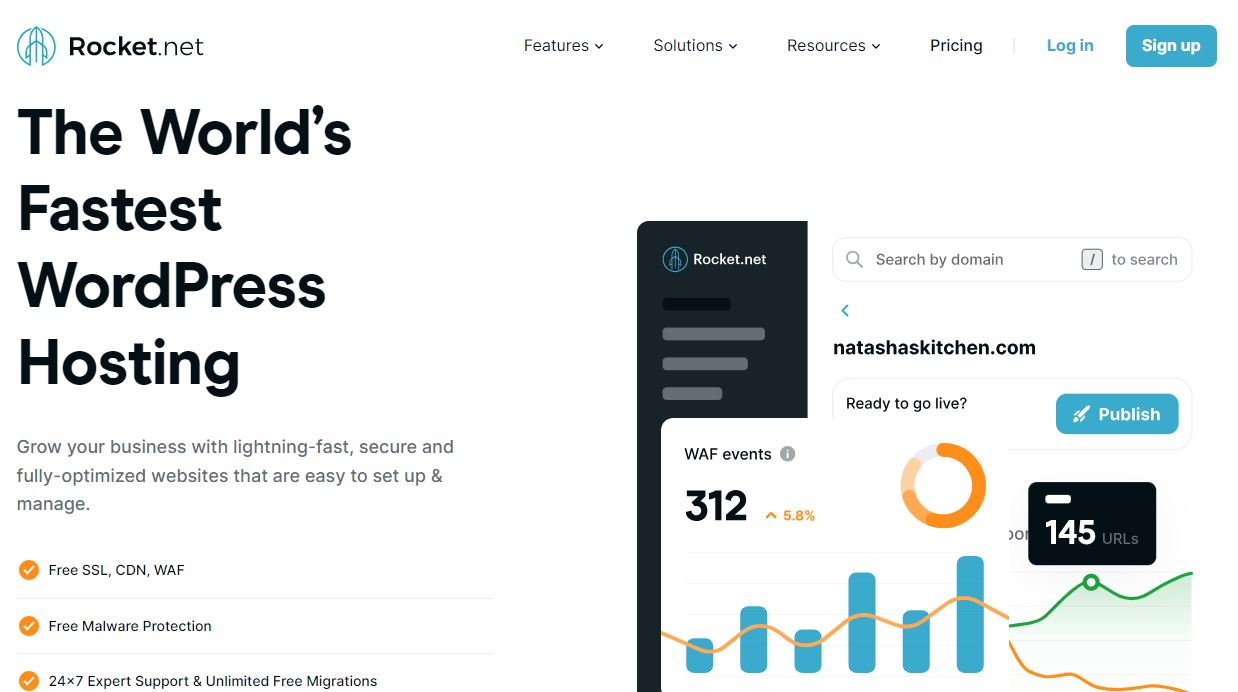 Best for: performance-focused site owners and agencies who want a fast, no-hidden-upsell managed host.
Starting price: $25/month (Starter, 1 install).
Overall rating: 8.3/10.
Infrastructure: Cloudflare Enterprise edge network across 200+ locations, LiteSpeed on top of Apache.
My verdict: one of the fastest managed WordPress hosts around, and rare in this list for explicitly pledging no renewal price increases.
Founded in 2020 by Ben Gabler and Aaron Phillips, with Josip Radan also credited as a co-founder.
Gabler has over 17 years in web hosting and CDN, having previously worked with HostGator, GoDaddy, and StackPath, and he built
Rocket.net specifically to apply that experience to a WordPress-only platform.
The company is based in Jupiter, Florida, and stays lean at around 8 to 25 employees depending on the source, so it’s a genuine boutique operation next to giants like Kinsta.
HostPapa invested $1.1 million into Rocket.net in 2021, and the company also partnered with hosting.com in 2025 on SaaS hosting infrastructure.
Key Features:
- Cloudflare Enterprise CDN bundled in on every plan, deployed across 200+ edge locations
- LiteSpeed caching layer for low time-to-first-byte
- 99.99% uptime guarantee
- Built-in security, staging, backups, and analytics from one dashboard, no extra plugins needed
- Publicly pledges transparent pricing with no hidden upsells or renewal increases
Pricing Packages:
Rocket.net prices per WordPress install rather than per site tier.
Starter runs $25/month for 1 install, Pro is $50/month for 3 installs, Business is $83/month for 10 installs, and Expert is $166/month for 25 installs.
Agency and Enterprise tiers scale well beyond that, up to $2,599/month for the highest-core enterprise plan.
The company states these renew at the same rate you signed up at.
Pros:
- No renewal price hikes, a genuine rarity on this list
- Enterprise-grade CDN and edge caching included standard
- 99.99% uptime guarantee
- Founder-level hosting expertise behind the product
Cons:
- Newer company, less long-term track record than Kinsta or WP Engine
- Pricing is per-install, which can get expensive fast if you’re managing many sites
- Smaller support team given the company’s size
Who shouldn’t use Rocket.net: if you’re managing a large number of low-traffic client sites, the per-install pricing model adds up faster than a visit-based or site-count model like Kinsta’s.
Rocket.net alternatives: Kinsta, WP Engine, WPX.
Levamo
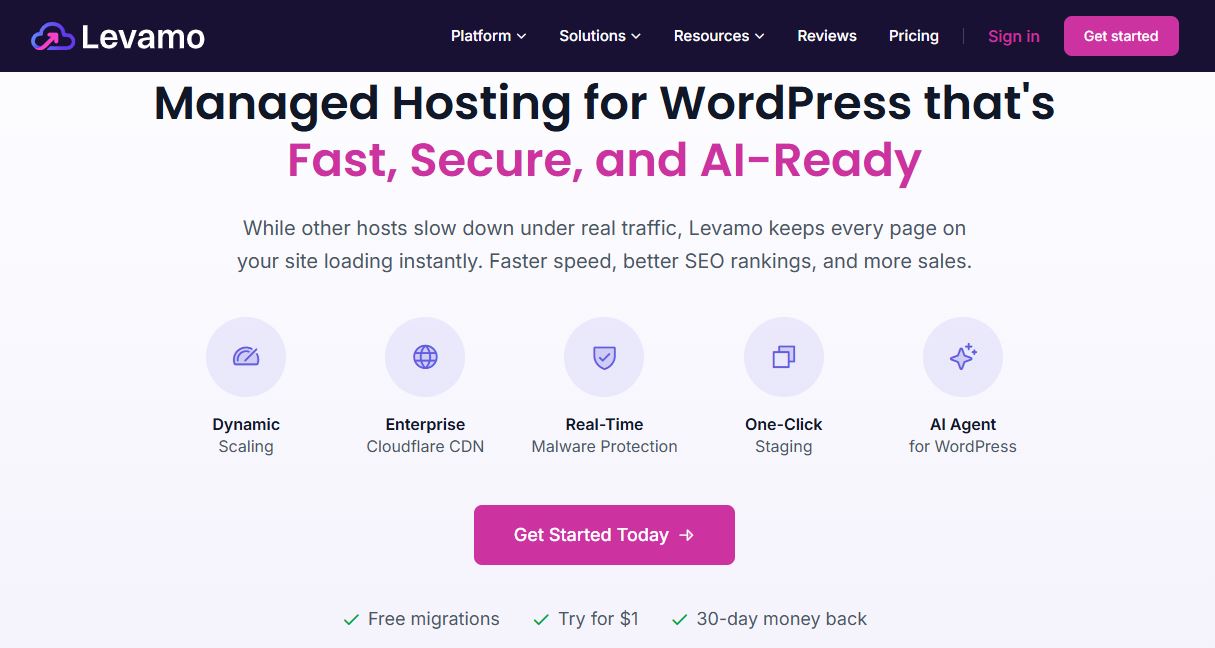 Best for: membership, community, and course sites with mostly logged-in traffic.
Starting price: $29/month.
Overall rating: 8.2/10.
Infrastructure: LiteSpeed + Cloudflare Enterprise.
My verdict: the strongest pick on this list if most of your traffic is logged-in rather than cacheable.
Levamo, formerly known as Rapyd Cloud, was rebranded in 2026.
It was built by the team behind BuddyBoss, one of the biggest WordPress community-plugin companies around.
The platform is optimized for: WooCommerce checkouts, BuddyBoss communities, and LearnDash courses- the kind of dynamic, logged-in traffic that page caching alone can’t help with.
Key Features:
- Built specifically for dynamic, logged-in traffic: WooCommerce, BuddyBoss, LearnDash
- Redis and KeyDB object caching included on every tier
- Free Cloudflare Enterprise CDN
- Auto-scaling PHP workers during spikes
- White-glove, zero-downtime migrations
Pricing Packages:
Levamo plans start around $29/month.
Exact renewal terms aren’t clearly published, so verify current rates directly before recommending a specific tier.
Pros:
- Purpose-built for logged-in, dynamic WordPress traffic rather than retrofitted for it
- Backed by the BuddyBoss team’s deep experience with community and membership sites
- Redis/KeyDB object caching included standard, not an upsell
Cons:
- Overkill and overpriced for a simple blog or brochure site
- Smaller company, less independent review volume than Kinsta or WP Engine
- Recent rebrand (from Rapyd Cloud), so less historical track record under the current name
Who shouldn’t use Levamo: a static blog or five-page business site. Page caching already solves that problem cheaply elsewhere.
Levamo alternatives: Kinsta, WP Engine, Cloudways (for WooCommerce specifically).
WP Engine
Best for: agencies managing multiple client sites.
Starting price: $30/month.
Overall rating: 8.6/10.
Infrastructure: Google Cloud.
My verdict: the only host on this list with real phone support and built-in client billing tools.
Founded in 2010 by Jason Cohen (who’d already built and sold SmartBear Software) alongside Ben Metcalfe.
Pros:
- EverCache proprietary caching system
- Phone support, rare at this tier
- Staging, dev, and production workflow built for agencies
- White-label client billing
Cons:
- Consistently 2-3x the price of Cloudways for comparable specs
- Some plugins restricted on their platform
- Value score is lower than Kinsta or WPX for solo site owners
Who shouldn’t use WP Engine: solo bloggers or small businesses who don’t need agency-style client management tools. You’re paying for infrastructure you won’t use.
WP Engine alternatives: Kinsta, Cloudways.
Pressable vs Kinsta vs WP Engine (2026 Comparison)
All three are premium managed WordPress hosts, but they serve slightly different priorities.
Infrastructure & Performance
-
Kinsta runs on Google Cloud’s compute‑optimized C2/C3D VMs with Cloudflare Enterprise CDN and WAF included on every plan.hostproreviews+2
-
WP Engine also uses Google Cloud by default, with AWS and Azure available only on Premium/Enterprise tiers, plus its own EverCache caching layer.
-
Pressable is owned by Automattic (the company behind WordPress.com and WooCommerce) and runs on WordPress.com‑grade infrastructure with a global edge network and Jetpack security built in.
Independent 2026 tests consistently place all three in the top tier for TTFB and uptime, with Pressable and Kinsta often trading the top spots depending on the test setup and site type.
Pricing & Renewals (2026)
-
Kinsta: Starter at $35/month, then Pro $70, Business 1 $115, Business 2 $225, with visit‑based limits and overage fees.
-
WP Engine: Startup around $27/month, Professional ~$49, Growth ~$98, Scale ~$248, Core ~$400, with higher tiers unlocking AWS/Azure and more advanced features.
-
Pressable: Signature 1 at $25/month (about $20.83/month on annual billing), scaling up to higher tiers for more sites and visits; no renewal price increases reported.
If you hate renewal shocks, Pressable and Rocket.net are the standouts here; Kinsta and WP Engine are transparent but can get expensive as you scale.
Who Should Choose Which?
-
Choose Kinsta if:
-
You want raw Google Cloud performance with minimal configuration.
-
You like a modern dashboard, strong developer tools, and clear scaling tiers.
-
You’re running high‑traffic blogs, publishers, or WooCommerce stores and don’t mind visit‑based pricing.
-
-
Choose WP Engine if:
-
You’re an agency that needs phone support, white‑label client billing, and advanced workflow tools.
-
You may need AWS or Azure at enterprise scale.
-
You’re managing many client sites and value mature agency features over the absolute lowest price.
-
-
Choose Pressable if:
-
You want Automattic-backed infrastructure with strong WooCommerce and multi‑site support.
-
You prefer flat renewal pricing and a simpler plan structure.
-
You’re a solo creator, small business, or small agency that wants “WordPress.com‑grade” hosting without the WordPress.com branding.
-
SEO-friendly takeaway: For most high‑traffic WordPress sites in 2026, Kinsta and Pressable offer the best performance‑to‑price ratio, while WP Engine remains the agency favorite for client management and enterprise options.
Cloudways
 Best for: developers and technically comfortable users who want infrastructure flexibility.
Starting price: $11-14/month.
Overall rating: 8.4/10.
Infrastructure: Choice of DigitalOcean, AWS, Google Cloud, Linode, or Vultr.
My verdict: the best value in this list if you’re comfortable configuring more yourself.
Founded in 2012 by Aaqib Gadit and Pere Hospital out of Malta.
DigitalOcean acquired the company for $350 million in 2022.
Pros:
- Choice of underlying cloud provider
- Meaningfully cheaper than WP Engine for comparable server specs
- Pay-as-you-go, no long-term lock-in
- Server-level and application-level backups
Cons:
- Not beginner-friendly, real learning curve
- CDN and some security features are add-ons, not included
- No phone support
Who shouldn’t use Cloudways: total beginners who want a fully hands-off host.
You’re managing more of the stack than you would on Bluehost or Hostinger.
Cloudways alternatives: Kinsta, RunCloud-style DIY setups, WP Engine.
Hostinger
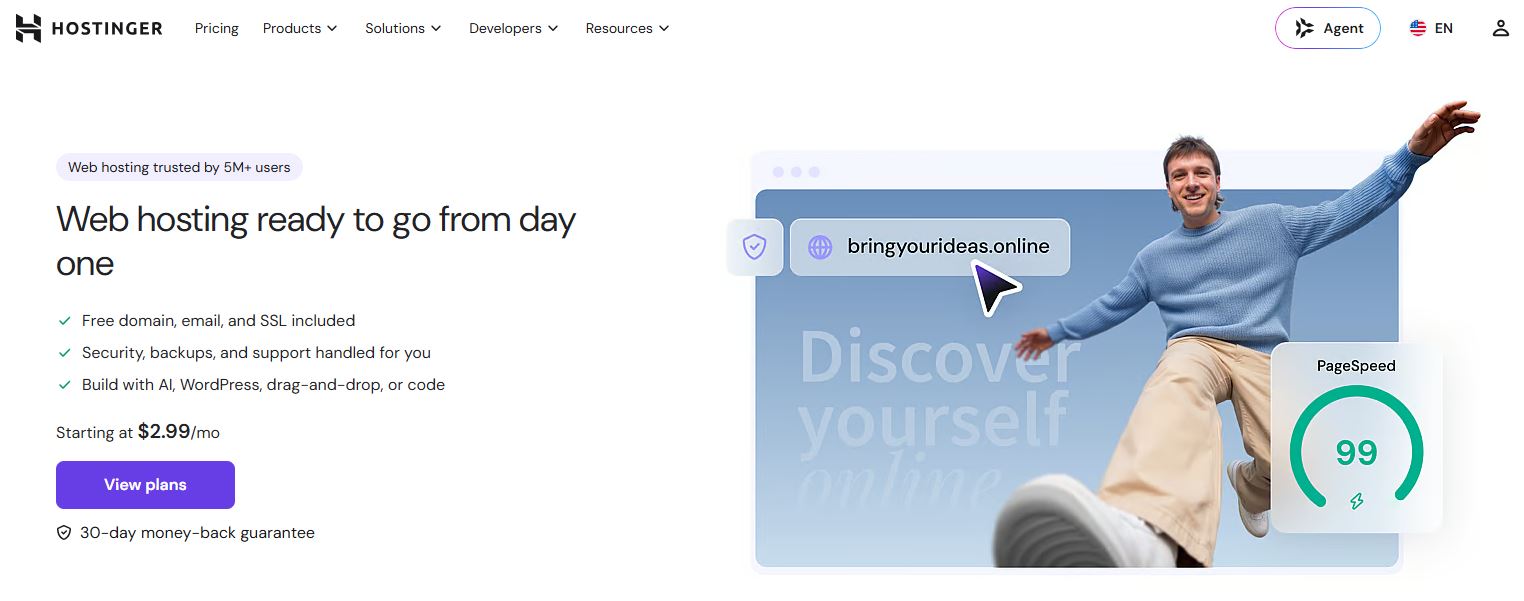 Best for: beginners and budget-conscious site owners.
Starting price: $2.69-2.99/month intro.
Overall rating: 8.0/10.
Infrastructure: shared hosting plus true cloud tiers with dedicated CPU/RAM.
My verdict: the best value entry point if you go in knowing the renewal price.
Started in 2004 as “Hosting Media” in Kaunas, Lithuania.
Became “Hostinger” in 2011, the same year Arnas Stuopelis joined as CEO (now Chairman).
Fully employee-owned today, with 4.6 million+ customers across 150+ countries.
Pros:
- Cheapest genuinely usable entry point in the industry
- True cloud plans with dedicated resources, not just relabeled shared hosting
- Custom control panel, faster and cleaner than cPanel
- NVMe storage across plans
Cons:
- Renewal price jumps 200-450% depending on the plan
- Requires a 48-month term for the lowest advertised rate
- Malware removal often requires a paid add-on
Who shouldn’t use Hostinger: anyone who can’t commit to the long prepay term and would face the full monthly rate, since that erases most of the price advantage.
SiteGround
 Best for: non-technical users who want managed features without going fully premium.
Starting price: $2.99/month intro.
Overall rating: 7.9/10.
Infrastructure: Google Cloud.
My verdict: solid middle ground, but budget for the renewal price before you sign up.
Founded in 2004 in Sofia, Bulgaria, by Ivo Tzenov.
Current CEO Tenko Nikolov started at the company as a tech support agent the same year and moved into the top job within a year.
Pros:
- Built on Google Cloud with in-house SuperCacher tech
- AI-driven malware protection included
- Daily backups and free SSL
- Staging environments included
Cons:
- Renewal price jumps to roughly $17.99/month, one of the steeper increases on this list
- Shorter commitment term available, but the price reflects that
Who shouldn’t use SiteGround: pure budget shoppers planning to keep the site for years without upgrading, since the renewal jump is one of the larger ones here.
Bluehost
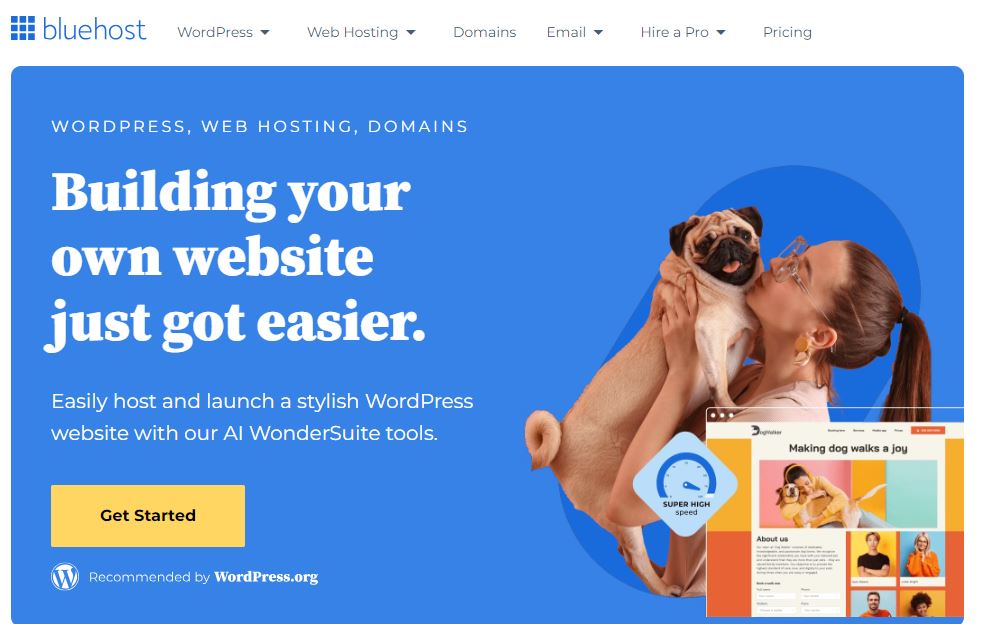 Best for: first-time WordPress owners who want a guided setup.
Starting price: $1.99-3.99/month intro.
Overall rating: 7.6/10.
Infrastructure: Oracle Enterprise Cloud, migrated in 2026.
My verdict: a safe beginner pick with the cheapest renewal rate among the mainstream budget hosts.
Founded in 2003 by Matt Heaton, who’d already built two prior hosting companies.
WordPress.org’s officially recommended host since 2005, the longest-standing endorsement on this list.
Pros:
- Cheapest renewal rate among mainstream shared budget hosts, around $9.99/month on Starter
- Free domain and site transfer
- WordPress.org’s longest-running recommendation
- Supports up to 10 sites even on entry plans
Cons:
- Backups and malware scanning are separate paid add-ons (CodeGuard, SiteLock)
- Raw speed benchmarks lag behind WPX, Kinsta, and other performance-first hosts
- Renewal is still a 151% jump on the Starter plan
Who shouldn’t use Bluehost: anyone who wants backups and malware scanning bundled in by default. Budget those as extra line items here.
HostGator
 Best for: cPanel-familiar beginners on a tight budget.
Starting price: $3.75/month intro.
Overall rating: 7.2/10.
Infrastructure: shared/cloud hybrid.
My verdict: fine for a first site, but budget separately for backups and security.
Founded in October 2002 by Brent Oxley, then a college student in Florida.
Sold in 2012 for roughly $300 million.
Now under Newfold Digital, alongside Bluehost.
Pros:
- Unmetered bandwidth
- Free domain for year one
- Familiar cPanel interface
- Wide plan selection
Cons:
- Backups and malware protection are paid add-ons
- Monthly billing costs noticeably more than a 36-month term (25-38% more)
- Performance under real WordPress/WooCommerce load isn’t competitive with dedicated managed hosts
Who shouldn’t use HostGator: anyone running WooCommerce at meaningful volume. This is a generalist host, not a WordPress specialist.
Nestify
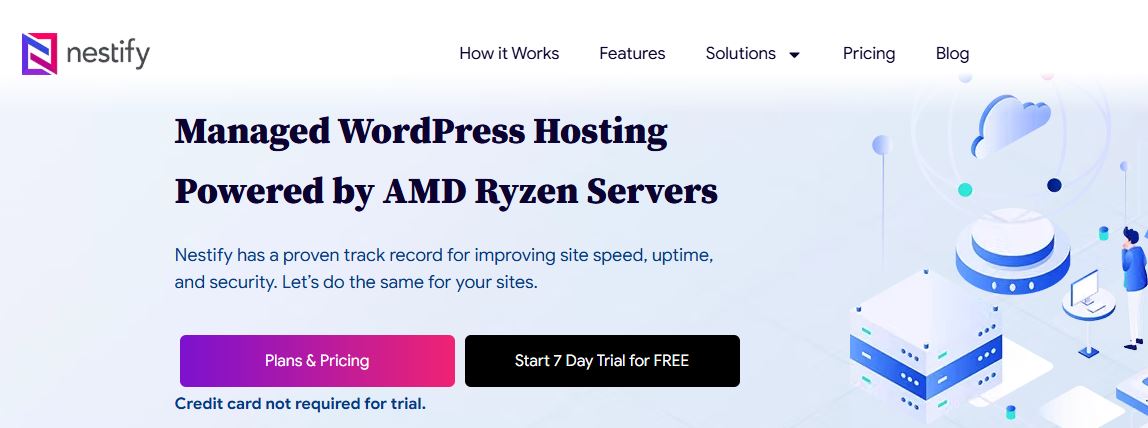 Best for: users who want AWS-backed managed WordPress without Kinsta or WP Engine pricing.
Starting price: $8-12/month.
Overall rating: 7.9/10.
Infrastructure: Amazon AWS.
My verdict: the flat-renewal-pricing standout on this entire list.
Founded in 2013-2014 by Vishal Deshpande.
Stays lean, around 15 employees, while running genuine per-site container isolation on AWS.
Pros:
- Runs on AWS with real per-site isolation
- Month-to-month billing with no renewal price increase
- 30-day money-back guarantee
Cons:
- No phone support
- Smaller company, less independent review coverage than the bigger names
Who shouldn’t use Nestify: if brand recognition and a huge support knowledge base matter to you, Kinsta or SiteGround have more third-party documentation available.
Pressable
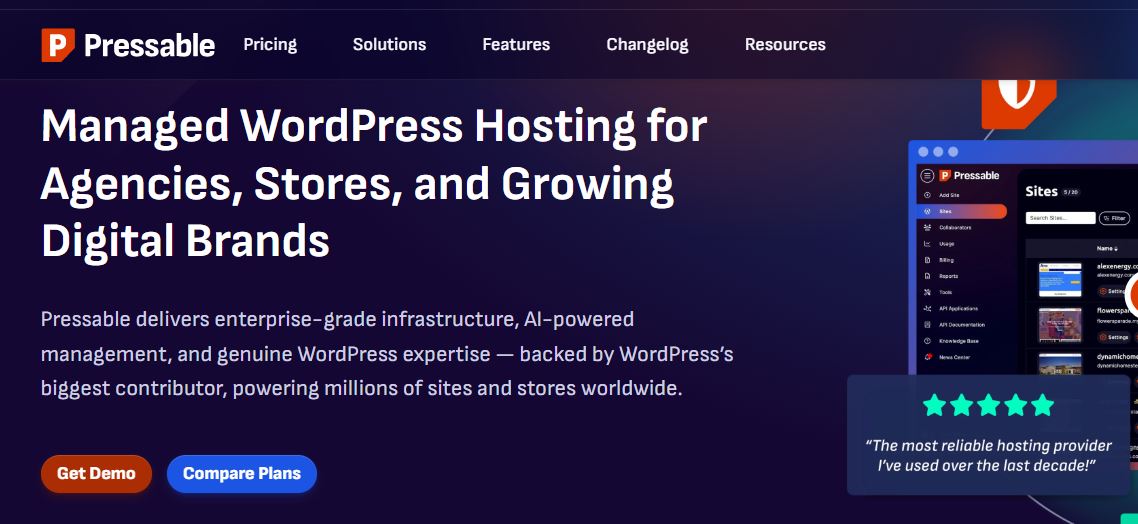 Best for: WooCommerce stores and agencies who want Automattic’s own infrastructure under the hood.
Starting price: $25/month.
Overall rating: 8.1/10.
Infrastructure: WP Cloud, the same global network that runs WordPress.com and WordPress VIP.
My verdict: a legitimate Kinsta and WP Engine competitor that doesn’t get talked about enough, mainly because it doesn’t spend as much on marketing.
Founded in 2010 by Vid Luther, originally under the name ZippyKid.
It rebranded to Pressable a few years later, and then Automattic, the company behind WordPress.com, WooCommerce, and Jetpack, acquired it.
That ownership is the whole pitch: Pressable runs on WP Cloud, the same infrastructure handling millions of WordPress.com sites, and it gets direct access to WordPress core engineers since its parent company employs many of them.
Headquartered in San Antonio, Texas, with 51 to 200 employees.
Key Features:
- Runs on Automattic’s WP Cloud infrastructure, the same network behind WordPress.com
- Deep WooCommerce integration, since Automattic also owns WooCommerce
- 99.999% uptime guarantee
- 24/7 support from WordPress specialists
- No renewal price increase; the intro rate is the ongoing rate
Pricing Packages:
The Personal plan starts at $25/month for 1 site, 30,000 monthly visits, and 20GB storage.
Pricing scales up from there by visits and site count, similar in structure to Kinsta’s model.
Unlike a lot of hosts on this list, Pressable doesn’t quietly hike the price after your first term.
Pros:
- Backed by Automattic’s infrastructure and WordPress expertise directly
- Strong, purpose-built WooCommerce performance
- Flat pricing with no renewal shock
- 99.999% uptime guarantee, higher than most competitors publish
Cons:
- No free domain or email hosting included
- Less brand recognition than Kinsta or WP Engine, despite comparable infrastructure
- Visit-based pricing can get expensive on high-traffic sites, same tradeoff as Kinsta
Who shouldn’t use Pressable: if you need email hosting bundled in, or you’re running a small site where $25/month is overkill, a budget host makes more sense until you grow into this tier.
Pressable alternatives: Kinsta, WP Engine.
I don’t currently have an affiliate link for Pressable. If you get one from your network, send it over and I’ll add the button here.
RoseHosting
Founded in 2001 in St.Louis by Bobi Ruzinov.
RoseHosting was the first hosting company in the world to offer commercial Linux virtual servers.
It’s a managed Linux VPS and dedicated server provider, more than a WordPress specialist, with free white-glove migration and 24/7 sysadmin-level support as its main pitch.
Best for: users who want a managed VPS with real sysadmin support, not just a WordPress control panel.
Not ideal for: anyone who wants a WordPress-only platform with built-in staging and WordPress-specific tooling out of the box.
I’m not assigning this one a numeric score.
There isn’t enough independent, current review data to back a confident number the way I can for Kinsta or WPX.
HostPapa
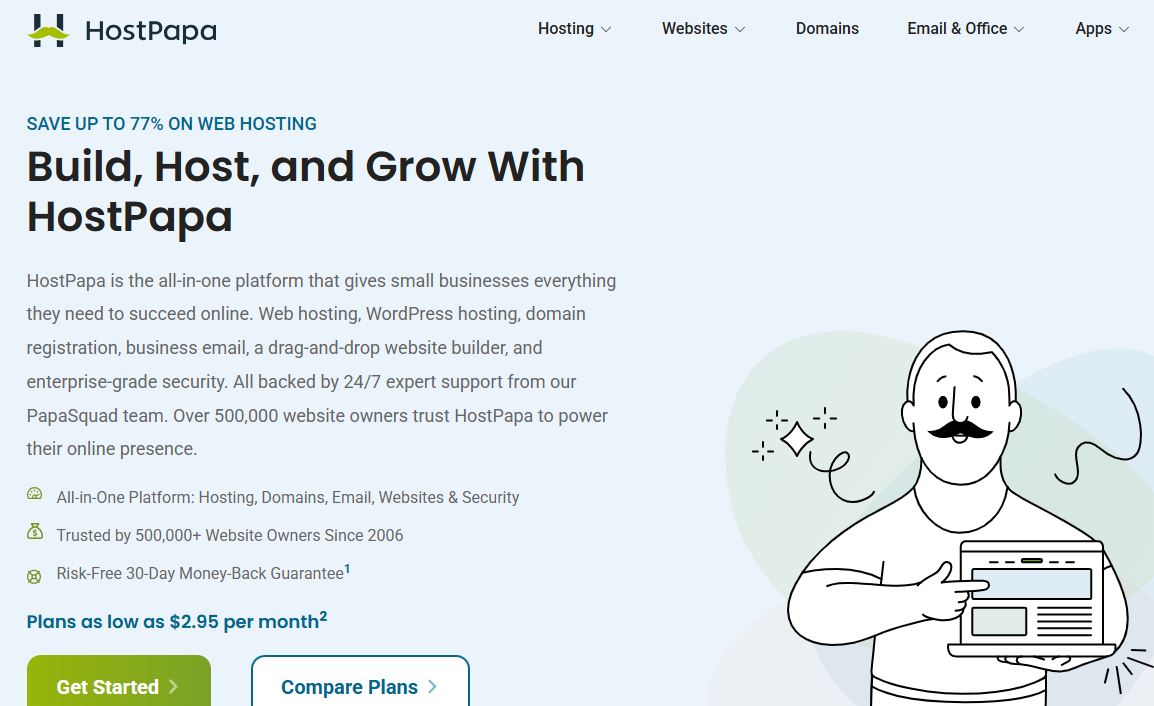 Founded in 2006 in Burlington, Ontario, by Jamie Opalchuk, built around making hosting simple for small business owners.
Best for: small businesses and personal sites, especially in Canada and parts of Europe where HostPapa has stronger regional data center presence.
Not ideal for: high-traffic or WooCommerce-heavy sites; this is a general small-business shared host, not a performance play.
No numeric score here either, for the same reason as RoseHosting.
DreamHost
 Founded in 1996 by four Harvey Mudd College students: Dallas Bethune, Josh Jones, Michael Rodriguez, and Sage Weil.
WordPress.org officially recommends it, and it backs plans with a 97-day money-back guarantee, well beyond the standard 30.
Best for: users who want transparent, low-upsell pricing and a long refund window.
Not ideal for: anyone chasing the absolute lowest advertised price; DreamHost isn’t the cheapest intro rate on this list.
InMotion Hosting
Founded by Todd Robinson, still President today.
Built around small business and WooCommerce hosting, with NVMe SSD storage and a 90-day money-back guarantee.
Best for: small business and WooCommerce sites wanting a middle ground between pure budget and premium managed hosting.
Not ideal for: enterprise-scale or extremely high-traffic sites; this sits in the same general tier as Bluehost and HostGator.
TD Web Services
 Offers shared, VPS, cloud, and managed WordPress hosting with SSD storage and a 30-day money-back guarantee.
I don’t have the independent benchmark data or review volume on this one that the bigger names carry, and I’m not going to pretend otherwise.
If you’re considering it, verify current uptime numbers and read recent reviews before committing budget.
The Rest of the Best (Not on Your Original Radar)
These show up constantly in independent 2026 hosting comparisons and are worth knowing even though they weren’t on your original list.
Pressable. Owned by Automattic, the company behind WordPress.com and WooCommerce.
Flywheel. Built for freelance designers and small agencies with clean client-handoff tools.
Liquid Web / Nexcess. Same parent company.
Liquid Web handles enterprise-grade managed hosting; Nexcess focuses on WooCommerce and Magento specifically.
GreenGeeks. Budget shared hosting with a genuine sustainability angle, purchasing renewable energy credits at 3x the power they consume.
A2 Hosting. Performance-focused shared and VPS hosting, known for its speed-oriented “Turbo” tier.
A Quick Word on Wealthy Affiliate
You may have seen Wealthy Affiliate mentioned alongside hosting companies in some roundups.
It’s actually not a hosting provider.
It’s an affiliate marketing training and community platform that happens to include a basic site builder as part of membership.
I’ve reviewed it in full here if you’re curious what it actually does, but for a straight hosting comparison, it doesn’t belong on this list.
It doesn’t compete with these companies on infrastructure, uptime, or WordPress-specific features.
What I’d Choose
Under 10,000 visitors/month: Hostinger, and upgrade once revenue justifies it.
10,000 to 100,000 visitors/month: SiteGround or WPX.
100,000+ visitors/month: Kinsta or WP Engine.
Running WooCommerce: Kinsta, WP Engine, or Levamo depending on how much of your traffic is logged-in.
Membership or community site: Levamo.
Running an agency with multiple client sites: WP Engine.
Developer-managed, comfortable configuring your own stack: Cloudways.
What Are the Benefits of Cloud Hosting for WordPress?
Better uptime through distributed infrastructure.
Instead of your site living on one physical box, real cloud hosting spreads it across a network of servers.
If one node has an issue, another picks up the slack.
More headroom under traffic spikes, with a caveat.
Cloud infrastructure generally gives you more room to absorb a traffic spike, but it doesn’t make a WordPress site immune to performance problems.
Your database, PHP workers, caching configuration, and application code can all still become bottlenecks even on solid infrastructure.
Faster global load times.
Most of these hosts bundle a CDN, so visitors get served from a data center near them instead of one server halfway around the world.
Built-in security.
Daily backups, malware scanning, and free SSL are close to universal on the premium tier now.
That wasn’t true even five years ago, and it’s still inconsistent on the cheapest shared plans.
Room to grow. You’re not locked into one server’s ceiling.
As your site grows, you move up a tier instead of migrating providers entirely.
FAQ: Best Cloud Hosting Services for WordPress
What is the best cloud hosting for WordPress in 2026?
There’s no single “best”; it depends on your traffic and budget.
Kinsta and WP Engine lead on raw performance for high-traffic sites.
Hostinger leads on price for beginners.
SiteGround and Bluehost balance the two.
For anything beyond a small blog, generally yes.
Cloud infrastructure gives you more room to absorb traffic spikes, though it’s not a substitute for a well-configured site.
How much does cloud hosting cost for WordPress?
Budget cloud-hybrid plans start around $3-8/month.
Premium managed WordPress hosting like Kinsta and WP Engine starts around $30/month and scales up based on traffic and site count.
Which host has the best support response time?
WPX, with a consistent average around 30 seconds on live chat.
Do I need managed WordPress hosting?
Only if you want the host to handle updates, caching, and security for you.
If you’re comfortable managing more yourself, Cloudways gives you similar infrastructure for less money.
What’s the cheapest reliable cloud host for WordPress?
Hostinger, as long as you go in knowing the renewal price and are comfortable with the required prepay term.
Which host has the best security included by default?
Kinsta, WPX, WP Engine, and Levamo all bundle enterprise-level WAF and free malware removal into the base price.
On most budget shared hosts, that’s an upsell instead.
Internal Resources
If you’re building out a WordPress site from scratch, these guides pair well with this one:
- Best WordPress SEO Plugins
- Best Landing Page Builder Softwares
- Best Email Marketing Platforms
- Best WordPress Membership Plugins
- Best Affiliate Marketing Programs for Beginners
- Most Profitable Niches for Affiliate Marketing
Worth building out over time as standalone posts, since they’d all funnel back to this one: Kinsta vs WPX, Kinsta vs WP Engine, Kinsta alternatives, Cloudways vs Kinsta, Hostinger vs SiteGround, and best hosting for affiliate marketing specifically.
Conclusion on the Best Cloud Hosting Services for WordPress in 2026
There’s a version of this list built for a five-page brochure site.
There’s a completely different version built for a WooCommerce store doing six figures a month.
Don’t shop both categories the same way.
Match your host to what your site actually needs to do.
Budget and simplicity: Hostinger, HostGator, Bluehost.
A balance of price and managed features: SiteGround, InMotion, HostPapa.
Raw performance for serious traffic: Kinsta, WP Engine, WPX.
Infrastructure control at a lower price: Cloudways.
Running a membership, course, or community site: Levamo is worth a serious look, since almost nothing else on this list is built for logged-in traffic the way it is.
We’re in the AI era, so hosting is only one piece of the stack now.
If you’re building a SaaS product or tool alongside your content site, my MakerAI review covers an AI-powered way to go from idea to launch without hiring a dev team.
And if you want to go deeper on using AI across sales and marketing in general, AI Marketing World 2026 is a live event worth checking out.
Which host are you running right now?
Drop it in the comments below.
That’s it for the Best Cloud Hosting Services for WordPress in 2026 and beyond.



 Live Bootcamp with a HighLevel Coach





 : Free Bootcamp