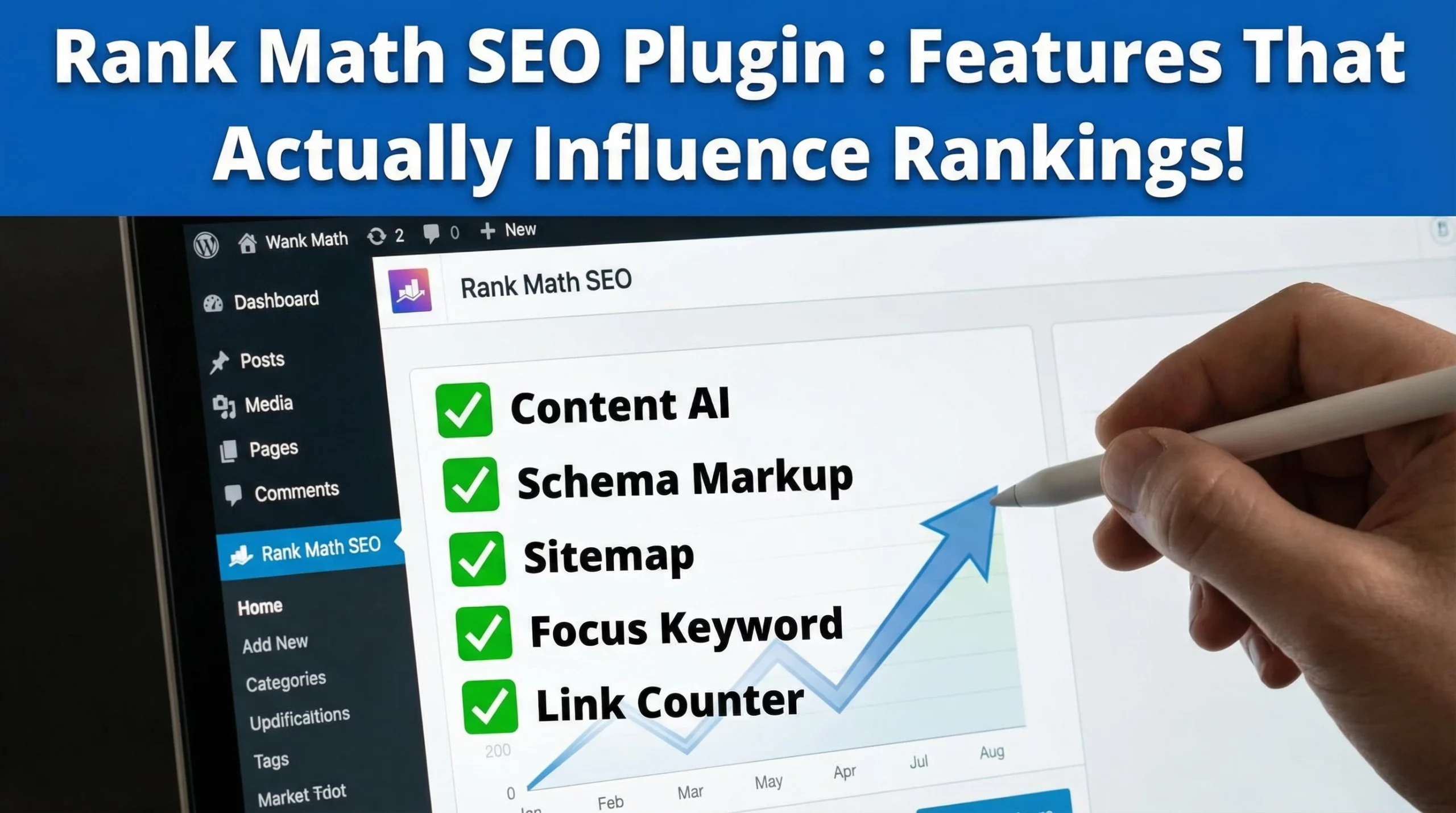

Hey, and welcome to my RankMath AI Link Genius Review 2026.
Let me ask you something.
When did you last audit every internal link on your site?
If the answer is “never” or “I don’t even know where to start,” you’re not alone.
Internal linking is one of those SEO tasks most bloggers and site owners know they should do, but never actually get around to doing properly.
And the bigger your site grows, the messier it gets.
Pages buried deep with no links pointing to them.
 Old posts are leaking authority to random pages. Broken links quietly kill your crawl budget.
Anchor text that makes no sense to Google. It’s chaos in slow motion.
That’s exactly what RankMath AI Link Genius was built to fix.
AI Link Genius is RankMath’s brand-new internal linking suite built directly into Rank Math PRO.
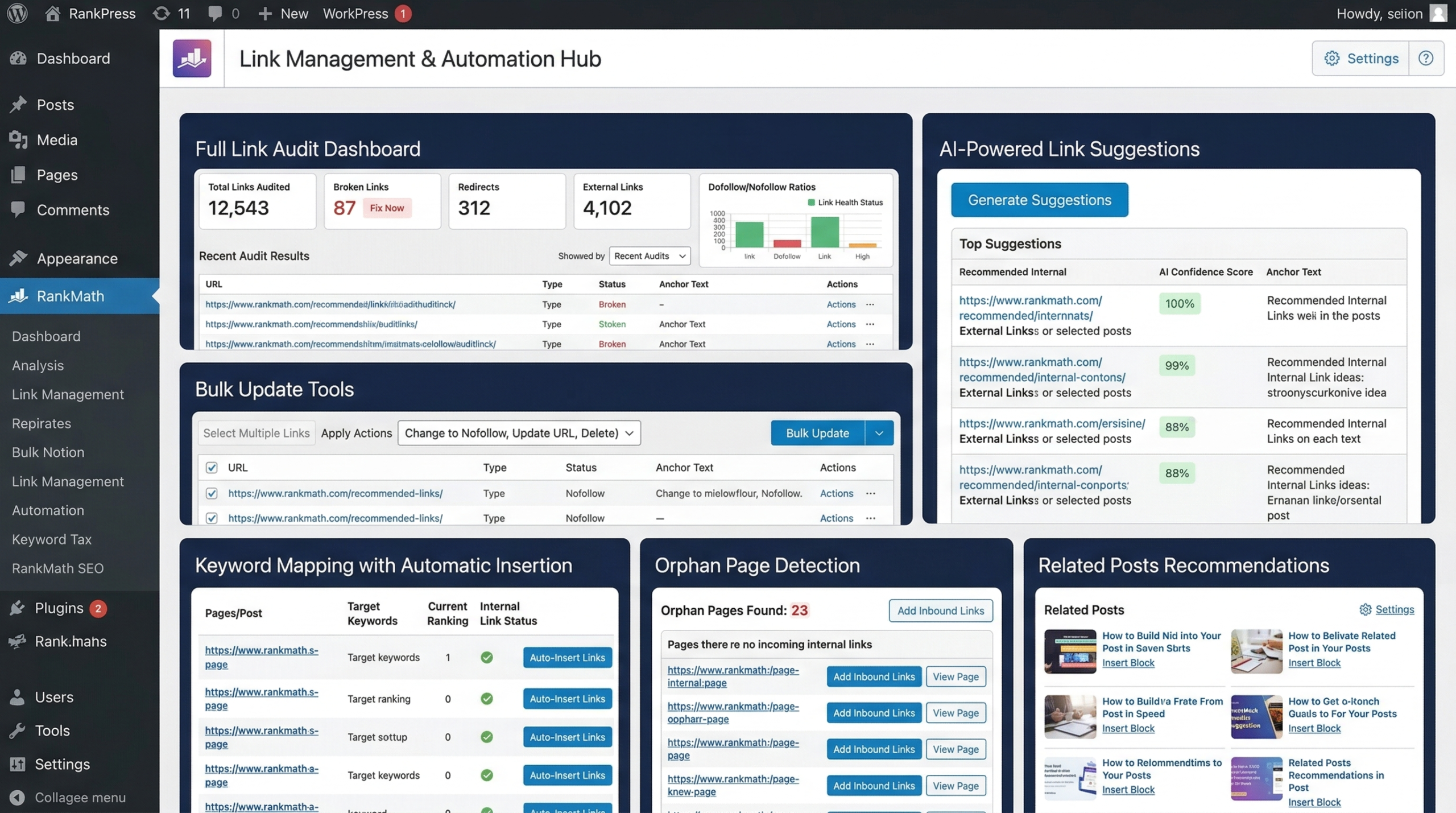
It combines a full link audit dashboard, bulk update tools, AI-powered link suggestions, keyword mapping with automatic insertion, orphan page detection, and related posts recommendations, all inside your WordPress dashboard without any external tools.
 If you’ve followed my previous RankMath Review or my RankMath Content AI Review, you already know how I feel about this plugin.
AI Link Genius takes everything I love about RankMath and adds another layer that most SEO tools charge separately for.
Name: RankMath AI Link Genius
Website: rankmath.com/ai-link-genius

Owners: Bhanu Ahluwalia, Nimit Kashyap, and Suraj Vibhute
Included In: Rank Math PRO, Business, and Agency Plans
Price: From $7.99/month (billed annually)
Category: WordPress SEO, Internal Linking
Verdict: Highly Recommended
Here is what you will learn in this RankMath AI Link Genius Review:
- What AI Link Genius is and why it matters for your SEO
- Every feature is explained in plain English
- Who it’s for and who should skip it
- Full pricing breakdown
- Pros and cons
- How to get started in under 5 minutes
- Frequently asked questions
- My honest personal take and final verdict
Why Internal Linking Is Your Most Underused Ranking Lever
 Before we get into the features, let’s talk about why this even matters.
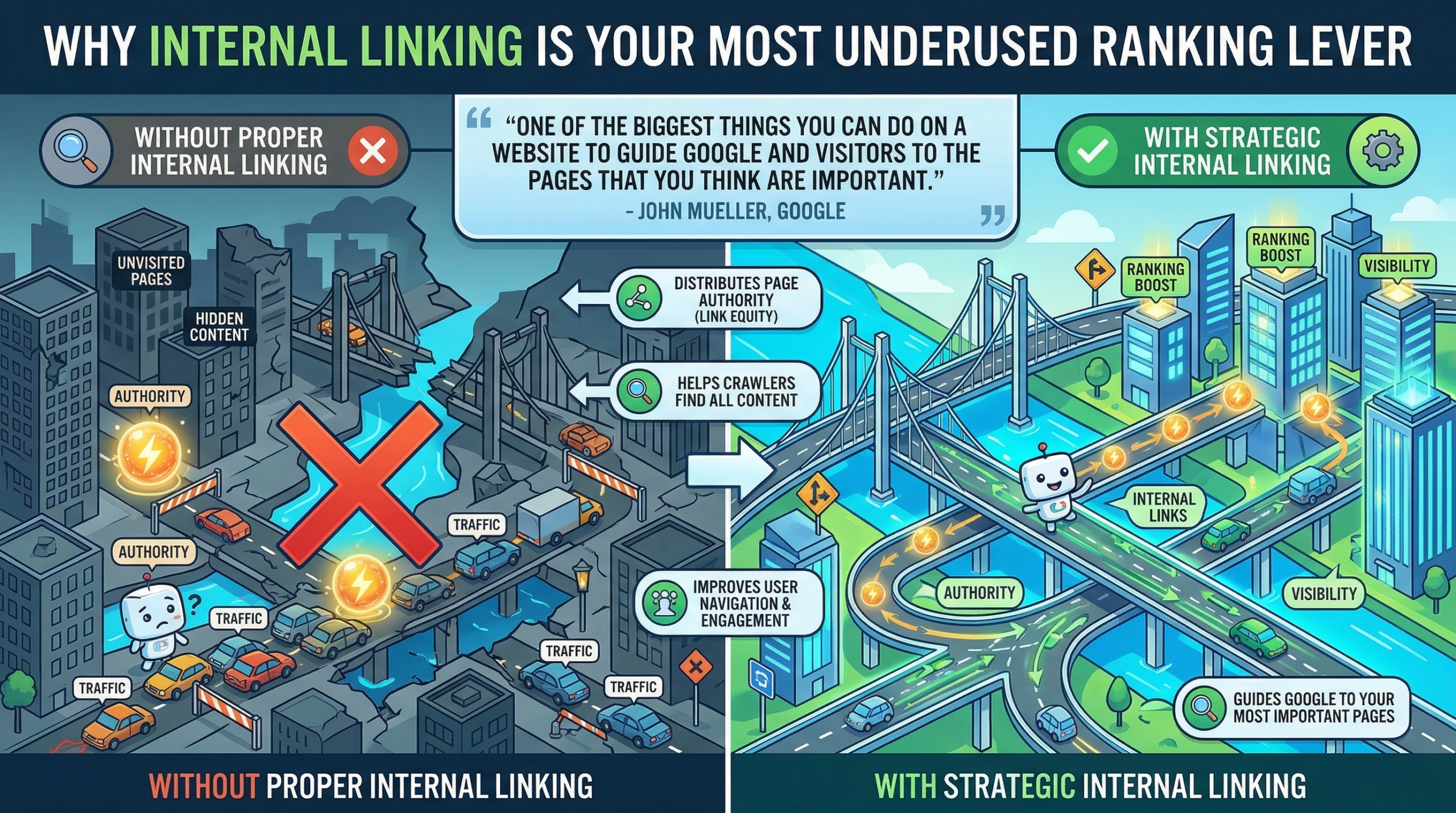
Internal linking is the SEO equivalent of laying good roads inside a city.
Without them, traffic gets stuck, authority pools in the wrong places, and certain neighborhoods (pages) never get visited.
Google’s own John Mueller called internal linking “one of the biggest things you can do on a website to guide Google and visitors to the pages that you think are important.”
That’s not a small claim coming from Google.
Here’s what the data says:
- A well-optimized internal linking strategy can boost search rankings by up to 40% and improve crawl efficiency by 40% to 70%. (Upward Engine)
- Websites with structured internal linking drive traffic increases of 31% or more within a few months of implementing a proper strategy. (Upward Engine)
- A Semrush case study from August 2025 showed a startup with contextually relevant internal linking achieving over 4x the monthly organic traffic of a competitor with similar authority scores, purely because of better internal structure. (Semrush via Upward Engine)
- 94% of published web pages have zero backlinks, making internal linking the most reliable authority distribution method under your direct control. (Ahrefs via Sure Oak)
- Orphan pages, those with no internal links pointing to them, are essentially invisible to Google. Fixing them is one of the fastest SEO wins on any established site. (Intero Digital)
The problem has never been understanding that internal linking matters.
The problem has always been doing it at scale without losing your mind in the process.
That’s the gap AI Link Genius fills.
What is RankMath AI Link Genius?
RankMath AI Link Genius is a complete internal link management suite built directly into Rank Math PRO.
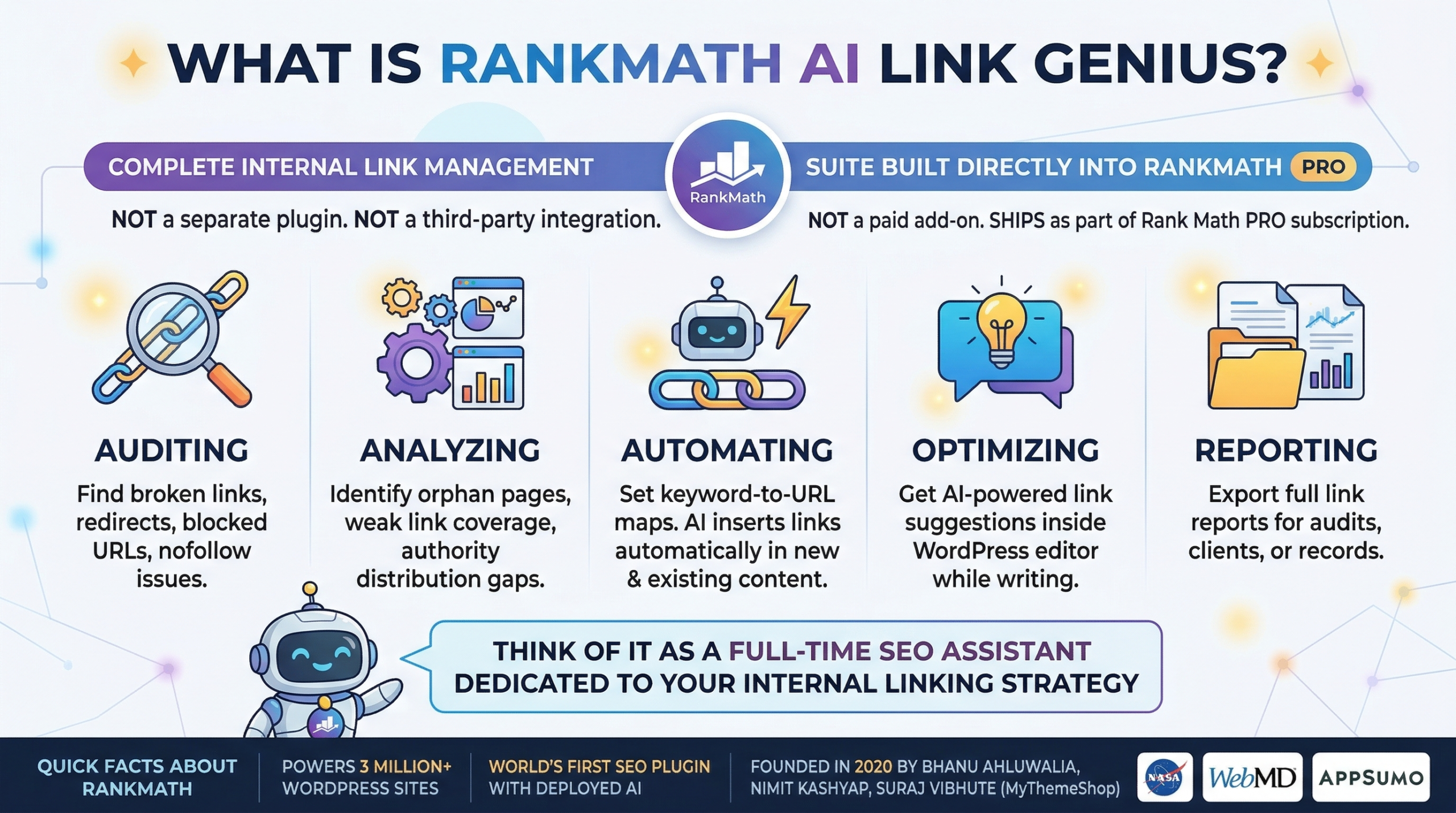 It’s not a separate plugin, not a third-party integration, and not a paid add-on. It ships as part of your existing Rank Math PRO subscription.
The tool covers every stage of internal link management:
- Auditing: Find broken links, redirects, blocked URLs, and nofollow issues across your entire site.
- Analyzing: Identify orphan pages, weak link coverage, and authority distribution gaps.
- Automating: Set up keyword-to-URL maps and let AI insert links automatically in new and existing content.
- Optimizing: Get AI-powered link suggestions right inside the WordPress editor as you write.
- Reporting: Export full link reports for audits, clients, or your own records.
Think of it less like a link suggestion tool and more like a full-time SEO assistant dedicated to your internal linking strategy, working in the background while you focus on creating content.
Quick Facts About RankMath
Before we go deep on AI Link Genius, here’s a quick overview for anyone new to RankMath:
- RankMath powers over 3 million WordPress websites worldwide, including brands like NASA, H&M, WebMD, Twitch, AppSumo, and Jeep.
- It’s the first SEO plugin to deploy AI inside WordPress according to official WordPress listing.
- It was founded by Bhanu Ahluwalia, Nimit Kashyap, and Suraj Vibhute of the MyThemeShop team in 2020.
AI Link Genius is the latest addition to RankMath’s already powerful ecosystem, and it fills the one gap that most WordPress SEO tools have always ignored.
Who is RankMath AI Link Genius For?
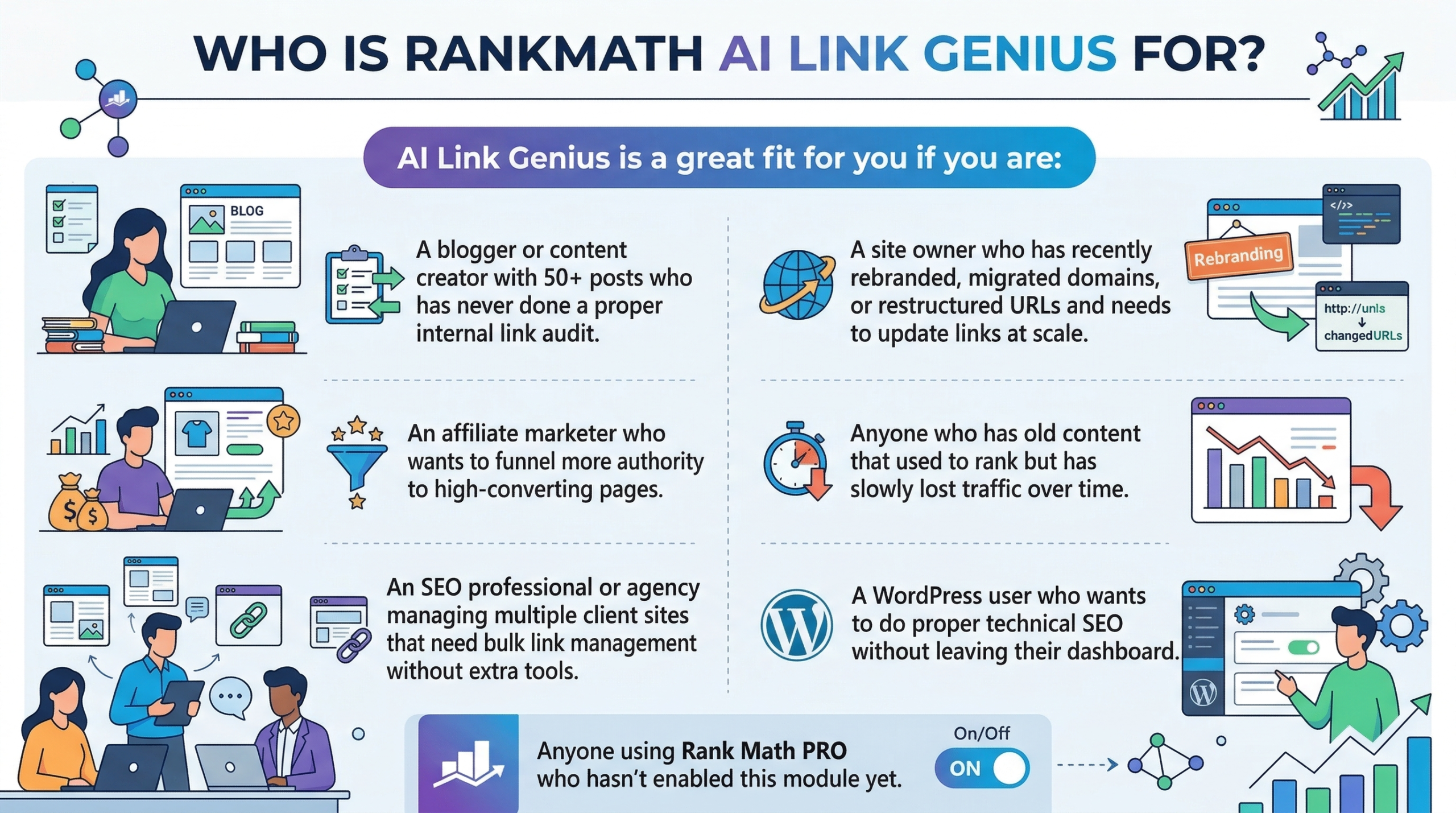 AI Link Genius is a great fit for you if you are:
- A blogger or content creator with 50+ posts who has never done a proper internal link audit.
- An affiliate marketer who wants to funnel more authority to high-converting pages.
- An SEO professional or agency managing multiple client sites that need bulk link management without extra tools.
- A site owner who has recently rebranded, migrated domains, or restructured URLs and needs to update links at scale.
- Anyone who has old content that used to rank but has slowly lost traffic over time.
- A WordPress user who wants to do proper technical SEO without leaving their dashboard.
- Anyone using Rank Math PRO who hasn’t enabled this module yet.
Who is RankMath AI Link Genius NOT For?
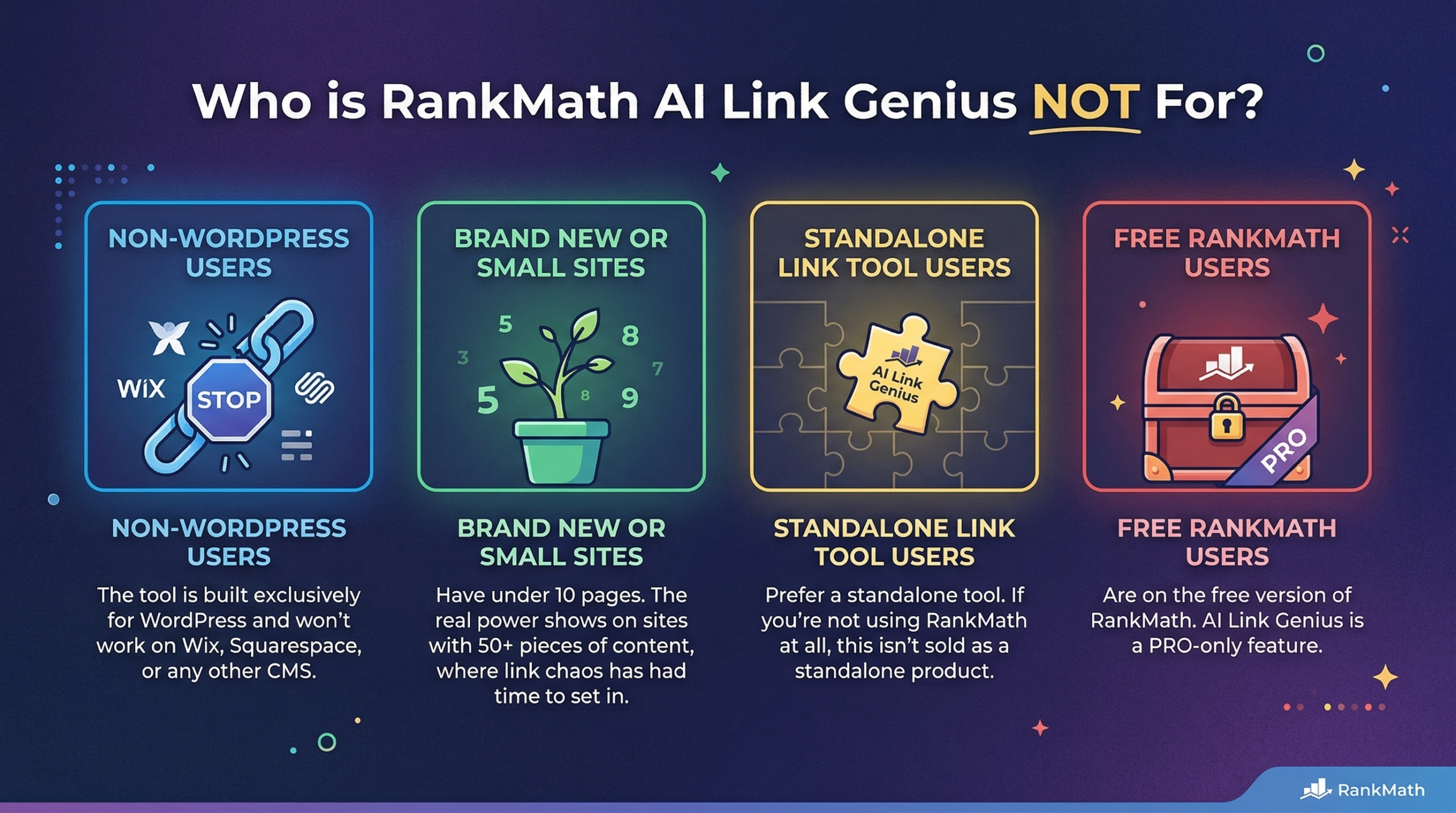 AI Link Genius may not be the right fit if you:
- Don’t use WordPress. The tool is built exclusively for WordPress and won’t work on Wix, Squarespace, or any other CMS.
- Have a brand new site with under 10 pages. The real power shows on sites with 50+ pieces of content where link chaos has had time to set in.
- Prefer a standalone link tool. If you’re not using RankMath at all, this isn’t sold as a standalone product.
- Are on the free version of RankMath. AI Link Genius is a PRO-only feature.
Pros and Cons of RankMath AI Link Genius
✅ Pros
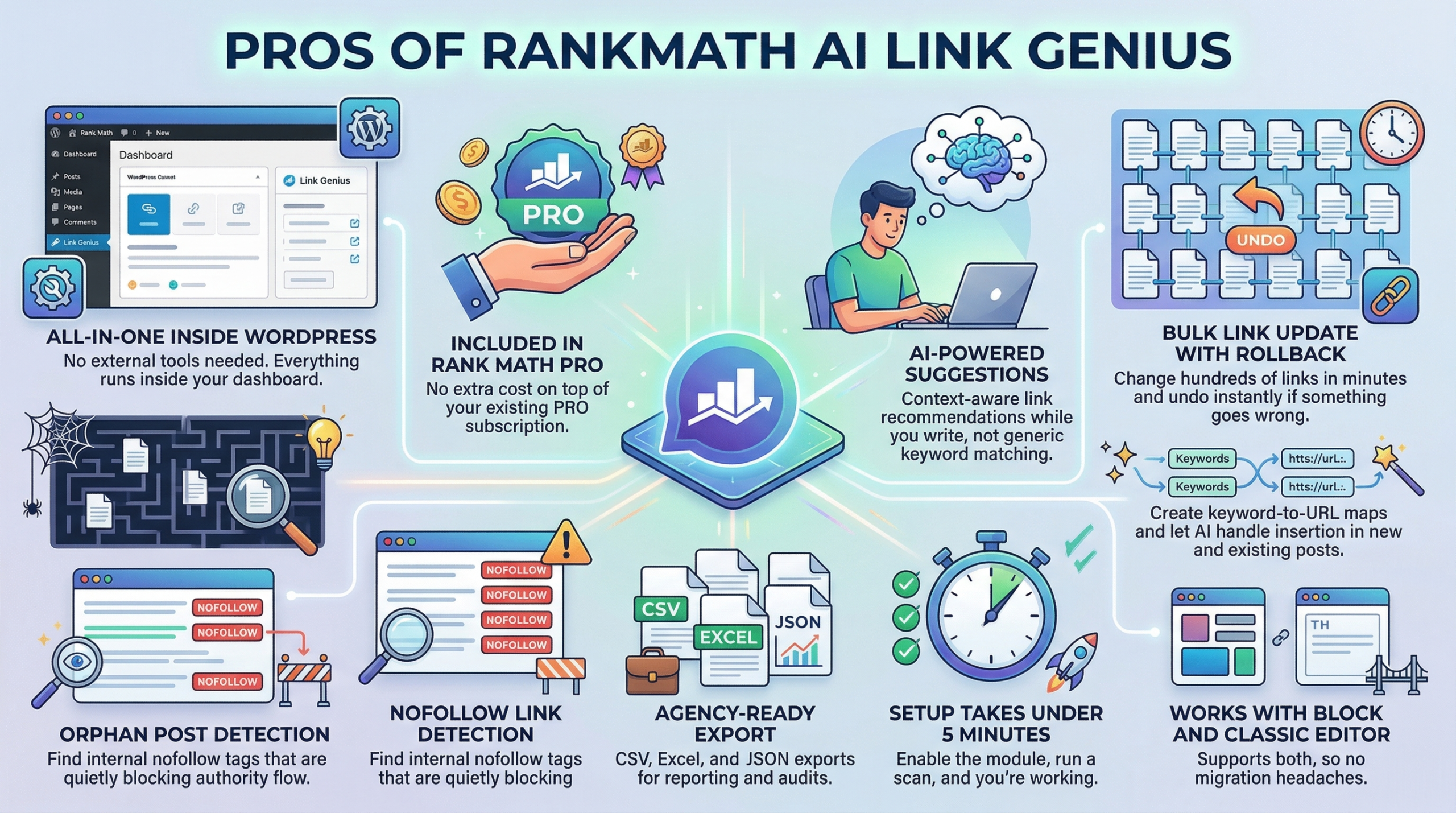
- All-in-one inside WordPress: No external tools needed. Everything runs inside your dashboard.
- Included in Rank Math PRO: No extra cost on top of your existing PRO subscription.
- AI-powered suggestions: Context-aware link recommendations while you write, not generic keyword matching.
- Bulk link update with rollback: Change hundreds of links in minutes and undo instantly if something goes wrong.
- Orphan post detection: Spot pages Google can’t find and fix them with a click.
- Keyword mapping with automation: Create keyword-to-URL maps and let AI handle insertion in new and existing posts.
- Nofollow link detection: Find internal nofollow tags that are quietly blocking authority flow.
- Agency-ready export: CSV, Excel, and JSON exports for reporting and audits.
- Setup takes under 5 minutes: Enable the module, run a scan, and you’re working.
- Works with Block and Classic Editor: Supports both, so no migration headaches.
 ❌ Cons
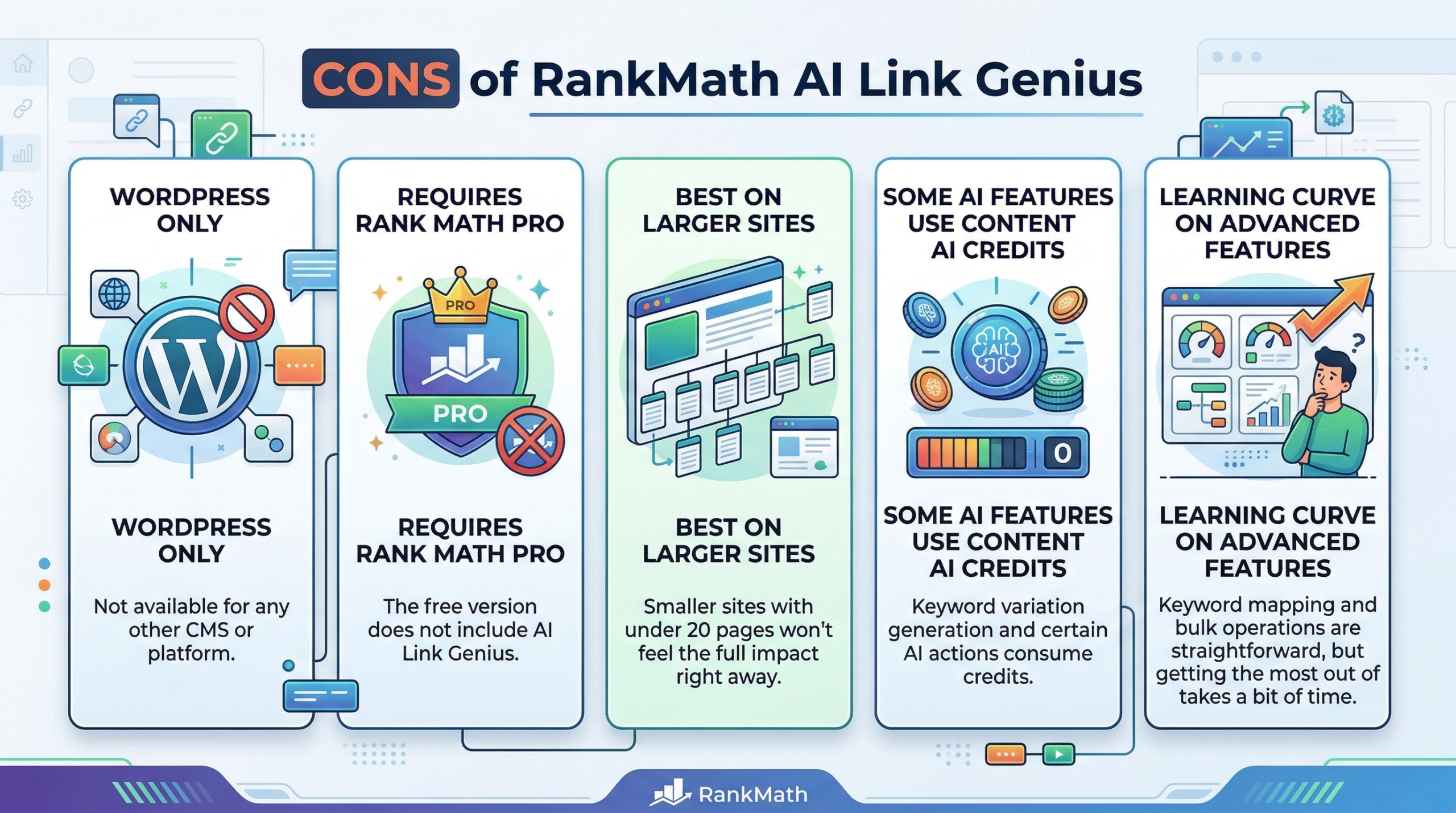
- WordPress only: Not available for any other CMS or platform.
- Requires Rank Math PRO: The free version does not include AI Link Genius.
- Best on larger sites: Smaller sites with under 20 pages won’t feel the full impact right away.
- Some AI features use Content AI credits: Keyword variation generation and certain AI actions consume credits.
- Learning curve on advanced features: Keyword mapping and bulk operations are straightforward, but getting the most out of them takes a bit of time.
Key Features and Benefits of RankMath AI Link Genius
This is where AI Link Genius genuinely earns its place in your SEO toolkit. Let me walk you through every feature, not just the highlights.
🔑 Key Features
1. Centralized Links Dashboard (Overview Tab)
This is your bird’s-eye view of every internal and external link across your entire site.
Navigate to Rank Math SEO → Links → Overview, and you’ll see the full picture from a single screen.
 From here, you can filter internal and external links, detect broken links, redirects, and blocked URLs, review HTTP status codes, and instantly identify pages with weak internal link coverage.
Before AI Link Genius, getting this kind of visibility required Screaming Frog, Ahrefs, or a manual crawl. Now it sits inside your WordPress dashboard, updated automatically.
2. Posts Tab (Your Internal Linking Control Center)
The Posts tab gives you a post-level view of your entire site’s link health.
For each post, you can see outgoing internal links, external links, incoming links, SEO score, and orphan status, all at a glance.
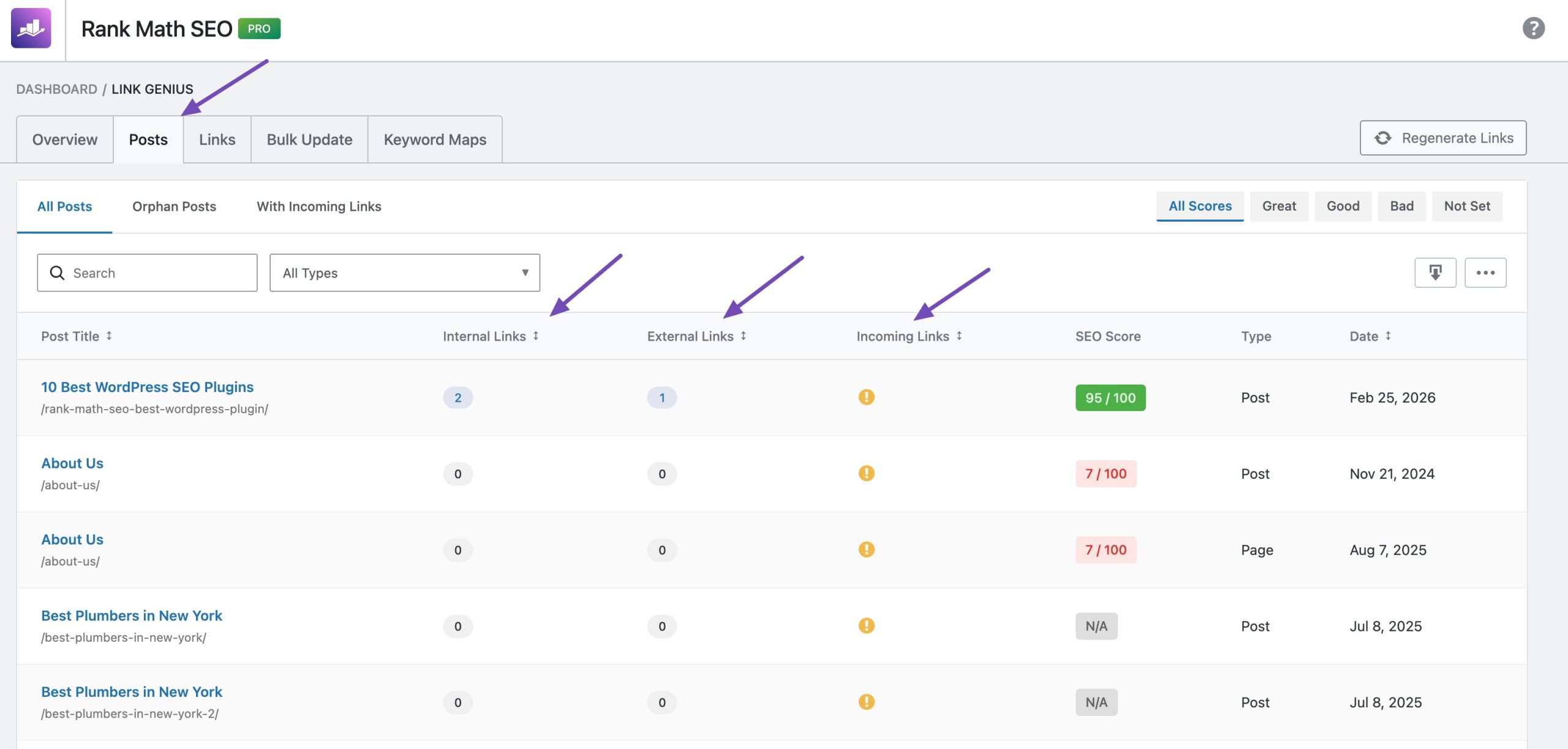 This makes it easy to spot which posts are isolated, which pages are strong, and where to focus your linking efforts without bouncing between tools.
You can also filter by post type, orphan status, or SEO score range, and export the filtered data as CSV, Excel, or JSON for client reporting.
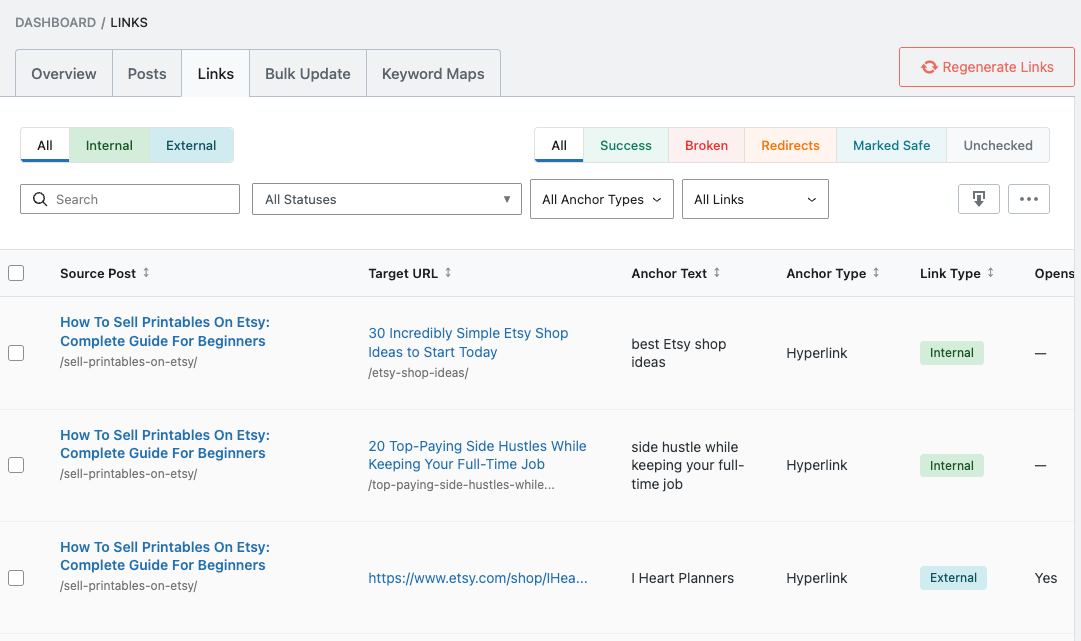
3. Links Tab (Complete Link Management Hub)
The Links tab is the operational core of AI Link Genius.
It gives you a real-time inventory of every link on your site, complete with anchor text, link type, live HTTP status codes, and inline editing options, all inside a searchable, filterable table.
From here, you can spot 404 errors, redirects, and timeouts instantly, edit URLs, anchor text, nofollow attributes, and new-tab settings directly from the table, bulk fix or remove multiple links at once, mark trusted links as “Not Broken” to silence false alarms, restore accidentally deleted links within 30 seconds, and export everything for audits or reporting.
This alone replaces most standalone link audit tools.
4. Advanced Bulk Update Tool (With Rollback)
If you’ve ever changed a domain, rebranded, or restructured your URLs, you know what it’s like to manually hunt down hundreds of instances of an old link.
That job used to take hours or days.
AI Link Genius handles it in minutes.
Go to Rank Math → Links → Bulk Update and replace URLs, modify anchor text, or do both simultaneously across your entire site.
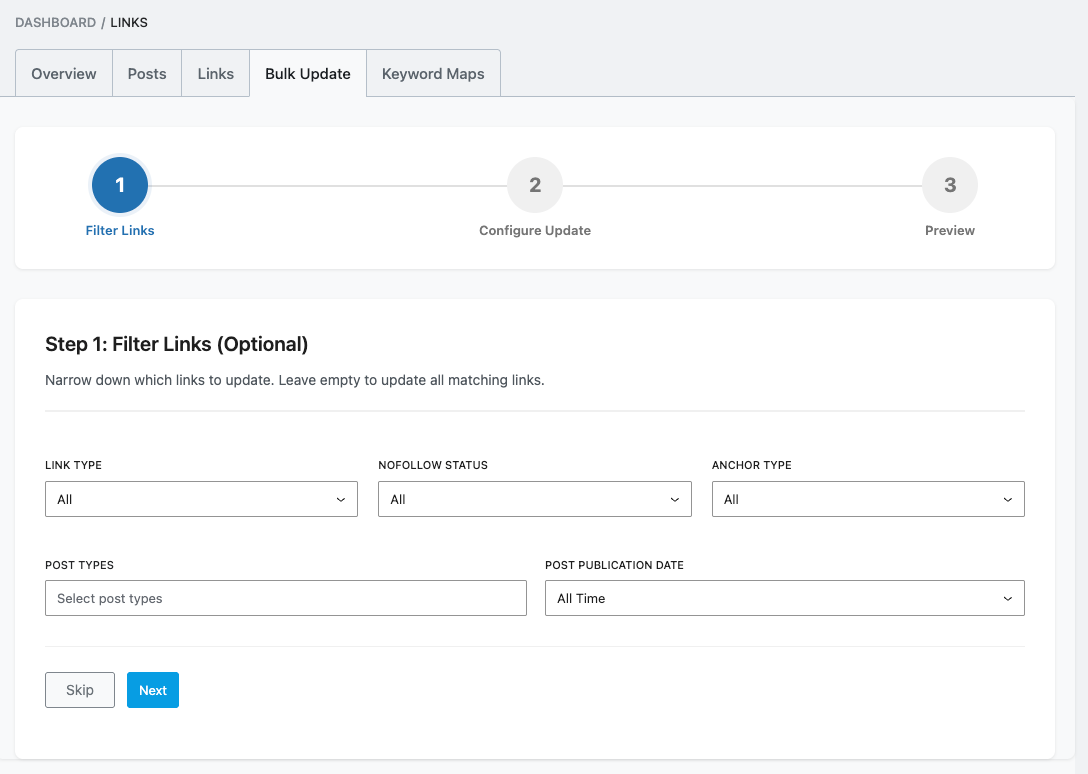
You can filter by link type, post type, dofollow/nofollow, date range, and match type (exact, contains, or regex).
Before applying, you get a full preview of every change.
And if anything looks wrong, one click on Rollback reverts everything instantly.
Every bulk action is logged in the update history for full transparency.
5. Keyword Mapping with AI Variations
This is where AI Link Genius starts to feel genuinely different from anything else on the market.
Go to Rank Math → Links → Keyword Maps and create a keyword-to-URL relationship.
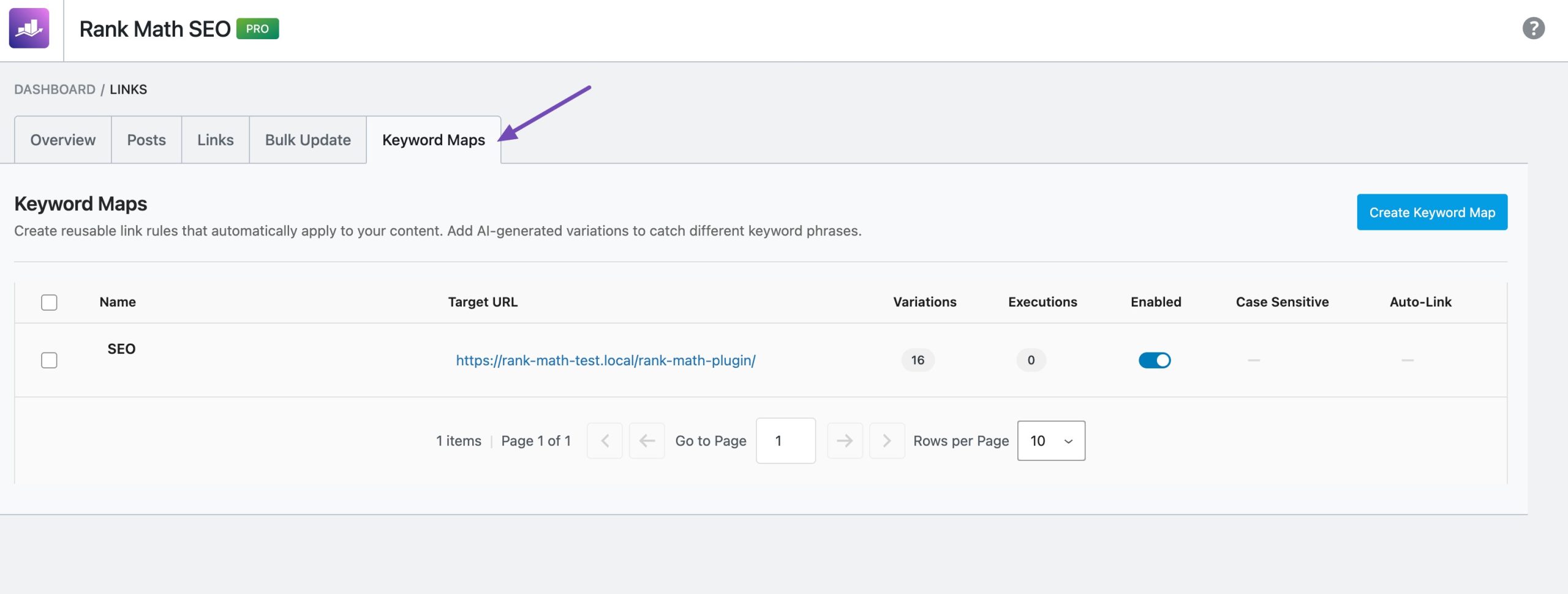 Pick a target page, whether that’s a pillar post, affiliate review, or high-value landing page, assign a primary keyword, and add variations.
Either manually or by generating them automatically using RankMath’s Content AI integration.
Once configured, AI Link Genius automatically inserts internal links to that page every time your target keyword or its variations appear across your site, in new and existing content.
You control frequency, set limits on how many times a link appears per post, and preview all suggested placements before applying. Full automation or manual approval: your choice.
This is the internal linking equivalent of setting it and mostly forgetting it.
6. AI-Powered Link Suggestions Inside the WordPress Editor
As you write, AI Link Genius watches your content and surfaces relevant internal link opportunities in real time.
Click Generate under Link Opportunities in the sidebar, and AI analyzes your content and suggests the most relevant pages to link to.
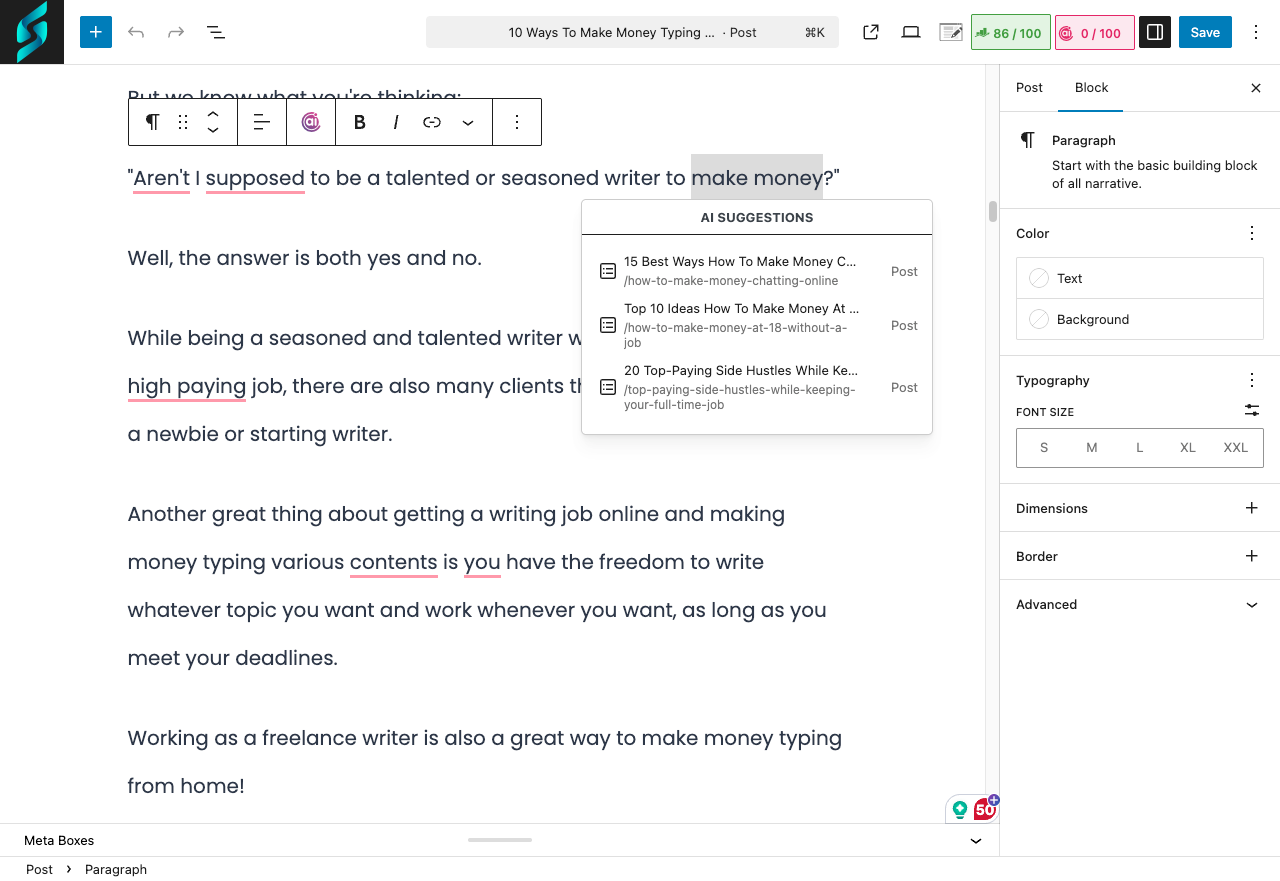 Not sure which page fits a specific phrase?
Highlight the text, use the AI command, and it recommends the best target page based on context.
One click inserts the link, no copy-pasting URLs, no separate research tabs, no guessing.
7. AI-Powered Related Posts
Standard-related posts plugins match content by category, tag, or basic keywords.
AI Link Genius goes further by using semantic understanding and user intent analysis to recommend genuinely relevant content.
You can insert the Related Posts block directly, customize the layout, number of posts, images, titles, and buttons, add custom CSS, save designs as reusable patterns, and even apply them globally via block patterns or hooks.
For sites focused on reducing bounce rate and increasing session duration, this feature alone makes a measurable difference.
8. Orphan Post Detection
An orphan page is a page with zero internal links pointing to it.
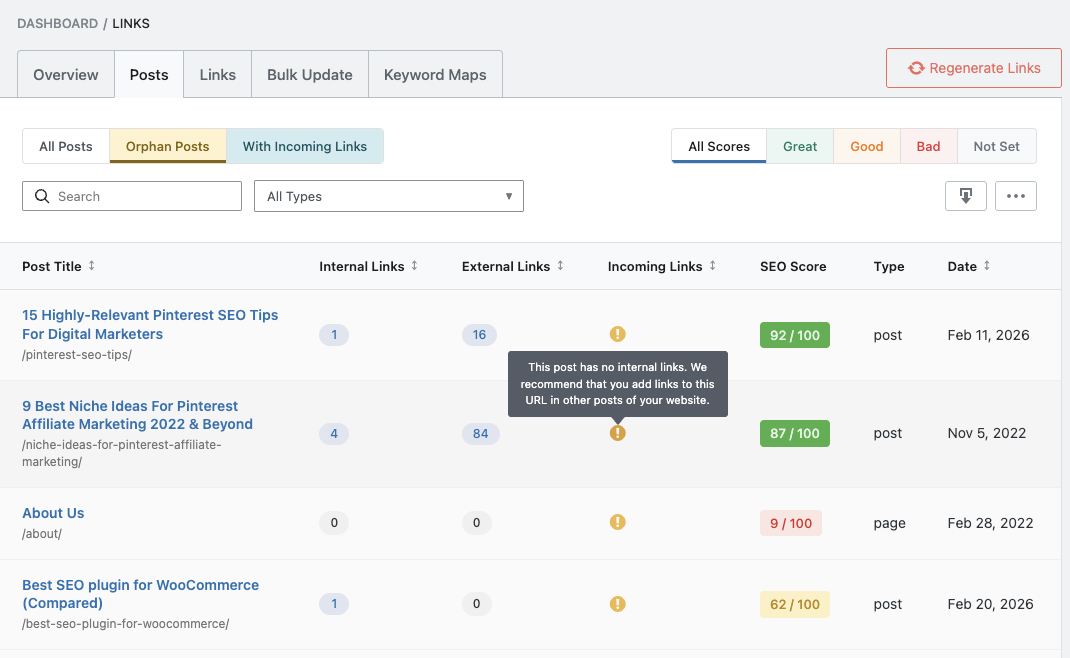 Google discovers content through links, so a page with no links pointing to it is essentially invisible to search engines.
AI Link Genius includes a dedicated Orphan Posts filter inside the Posts tab that instantly surfaces every page on your site with zero incoming internal links.
From there, you can sort pages by incoming link count, identify your weakest pages, and take targeted action to bring them back into your site’s authority flow.
This is one of the fastest SEO wins on an established site, and most site owners have no idea how many orphan pages they’re sitting on.
9. Nofollow Link Detection
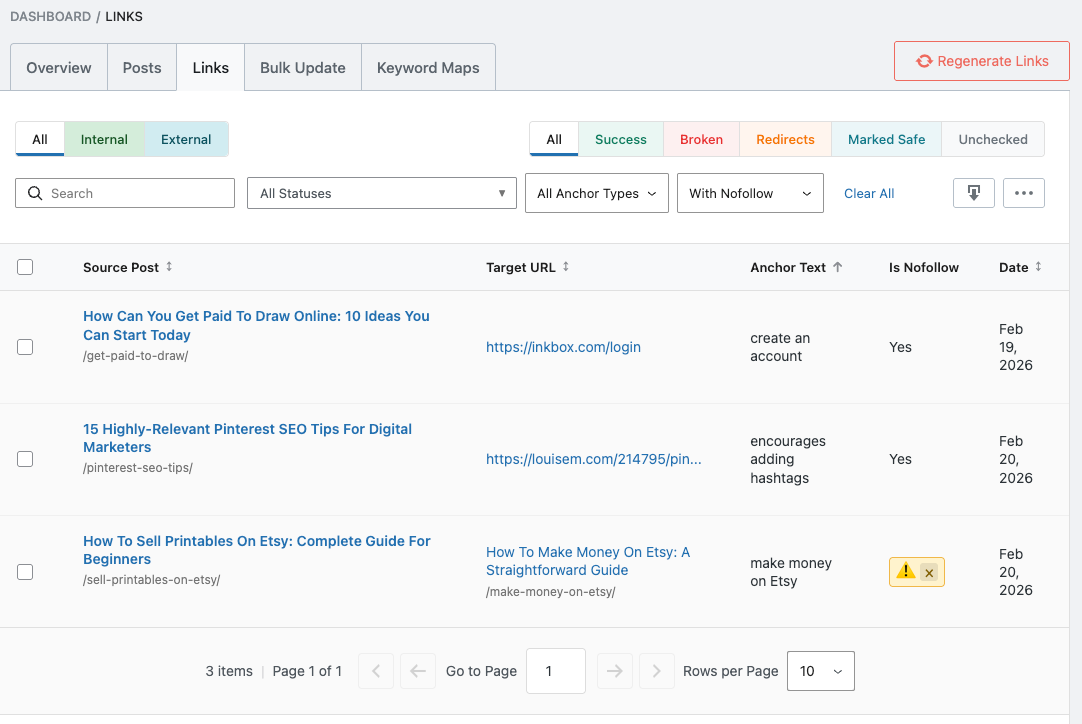 Internal nofollow links block PageRank from flowing to the linked page, which is rarely what you want for your own content.
AI Link Genius gives you a quick view of every internal nofollow link across your site, with bulk removal available in a single click.
If you’ve been applying nofollow to internal links without realizing the SEO impact, this feature will clean that up fast.
10. Automatic Link Health Audits
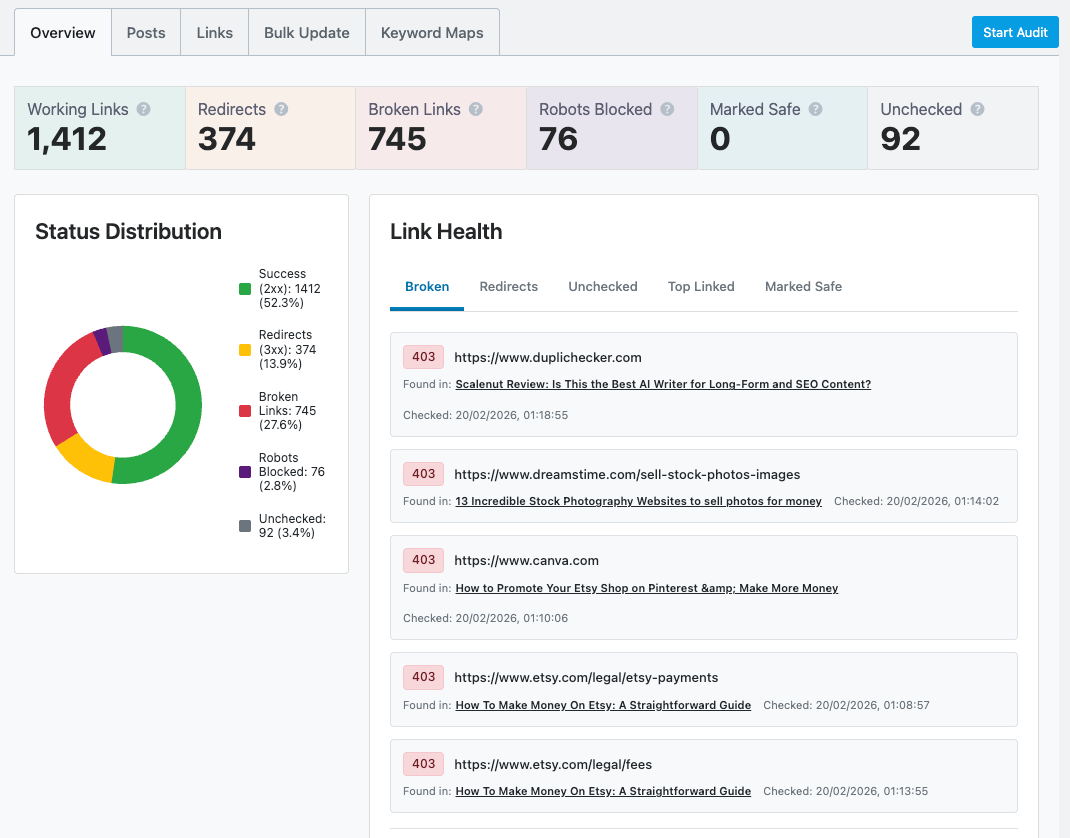 AI Link Genius monitors your entire link structure automatically and alerts you to issues before they affect rankings.
Every HTTP status code is tracked (2xx, 3xx, 4xx, 5xx), and audits run automatically whenever link changes are detected.
Historical audit data is saved so you can track improvement over t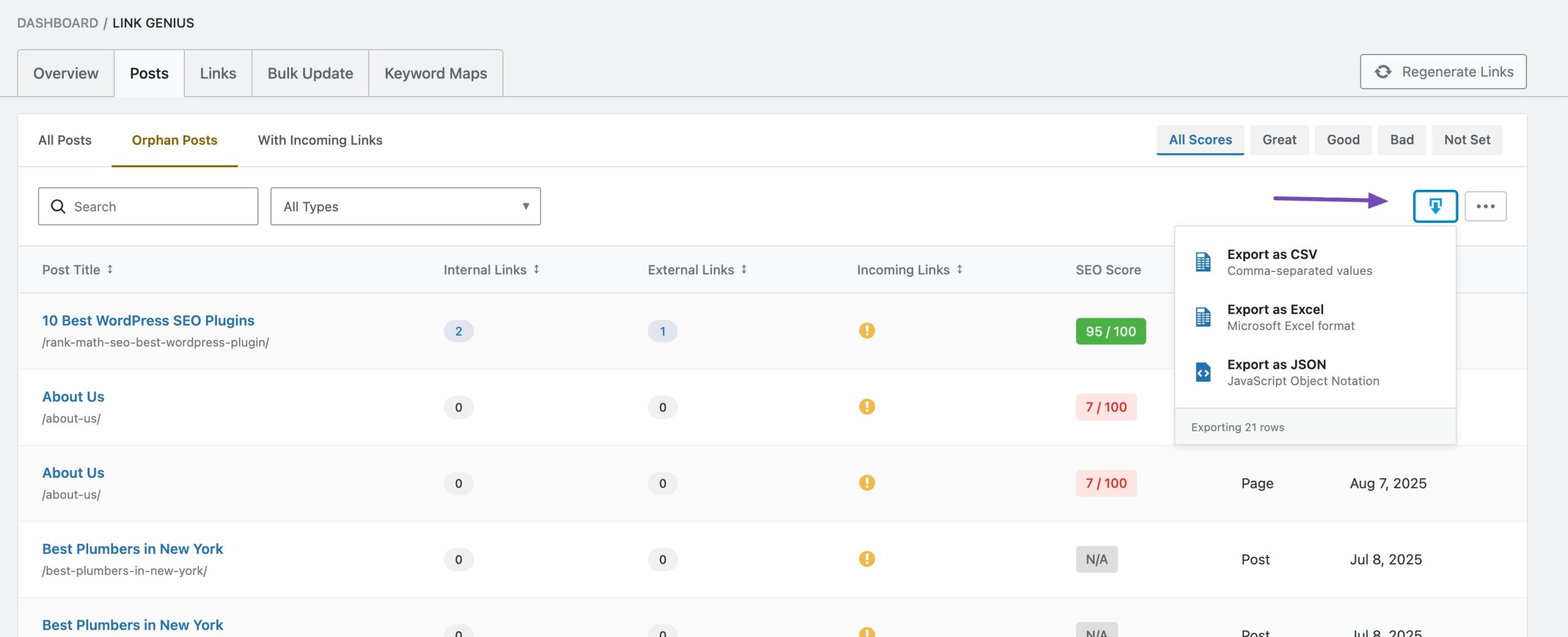 ime.
ime.
11. Export and Reporting (Agency-Ready)
Built-in export functionality lets you download comprehensive link reports, post data, and audit logs in CSV, Excel, or JSON formats.
This is genuinely useful for agencies that need to show measurable link health improvement to clients.
🎯 Key Benefits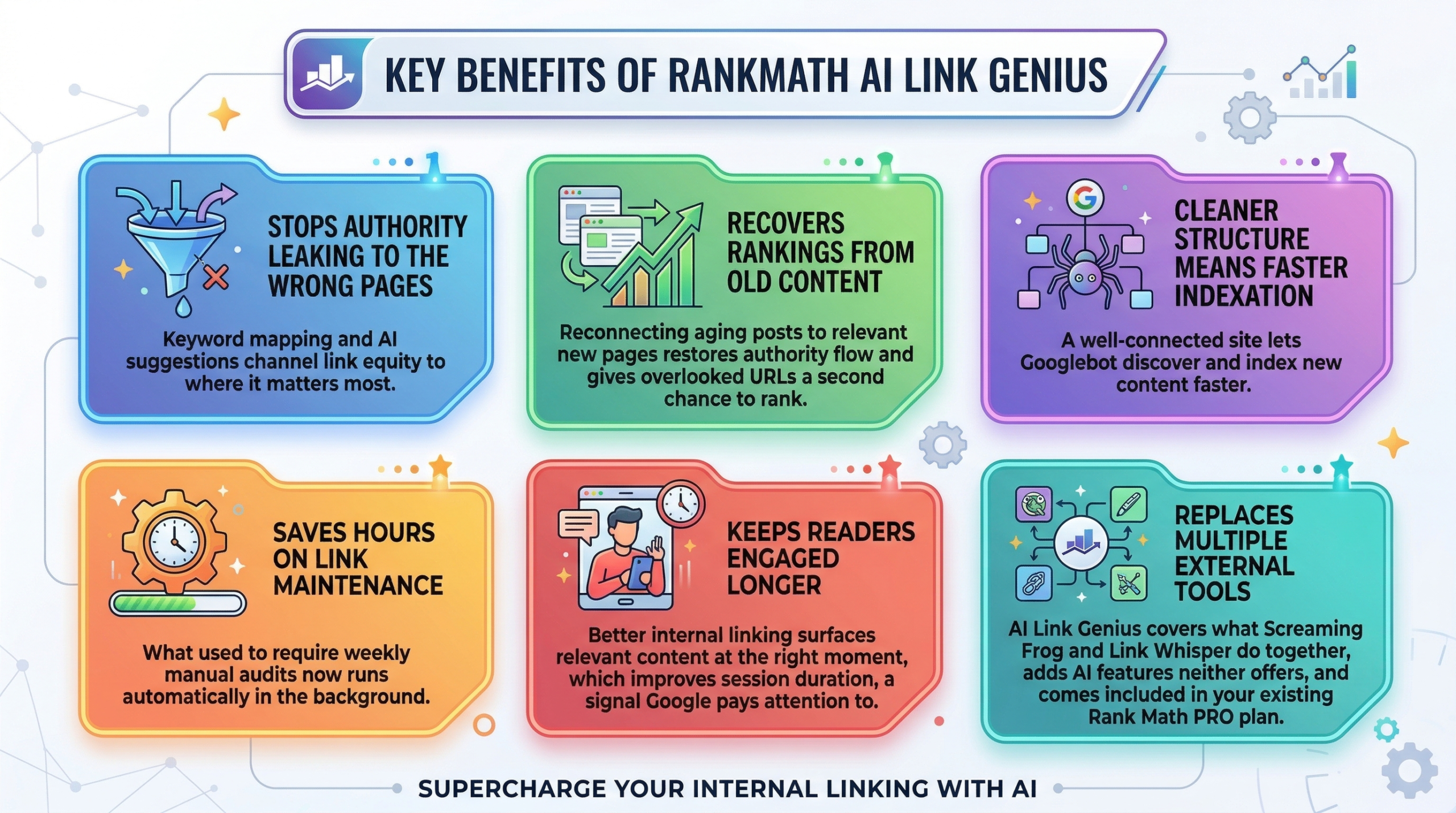
- Stops authority leaking to the wrong pages: Keyword mapping and AI suggestions channel link equity to where it matters most.
- Recovers rankings from old content: Reconnecting aging posts to relevant new pages restores authority flow and gives overlooked URLs a second chance to rank.
- Cleaner structure means faster indexation: A well-connected site lets Googlebot discover and index new content faster.
- Saves hours on link maintenance: What used to require weekly manual audits now runs automatically in the background.
- Keeps readers engaged longer: Better internal linking surfaces relevant content at the right moment, which improves session duration, a signal Google pays attention to.
- Replaces multiple external tools: AI Link Genius covers what Screaming Frog and Link Whisper do together, adds AI features neither offers, and comes included in your existing Rank Math PRO plan.
How to Set Up RankMath AI Link Genius (Step by Step)
Getting started takes less than 5 minutes.
- Go to Rank Math SEO → Dashboard and enable the Link Genius module.
- Navigate to Rank Math → Links → Overview and run your first audit.
- Check the Posts tab for orphan pages and weak coverage.
- Set up your first Keyword Map for your most important page.
- Open any post, click Generate under Link Opportunities, and insert your first AI suggestion.
What is the Price of RankMath AI Link Genius?
AI Link Genius is included in all paid Rank Math PRO plans at no extra cost.
There’s no standalone purchase option.
Rank Math PRO Pricing
| Plan | Price | Best For | Websites Supported |
|---|---|---|---|
| PRO | $7.99/month (billed annually) | Bloggers and solopreneurs | Unlimited personal sites |
| Business | $24.99/month (billed annually) | Freelancers and small agencies | 100 client websites |
| Agency | $54.99/month (billed annually) | Large agencies | 500 client websites |
All three plans include AI Link Genius, Broken Link Checker, Automated Keyword Linking, Advanced Rank Tracker, Schema Generator, and a Content AI Trial.
Which Plan Should You Choose?
If you’re a blogger or affiliate marketer managing your own sites, the PRO plan at $7.99/month is all you need.
Unlimited personal websites means you can run AI Link Genius across every site you own for less than the price of a cup of coffee a week.
If you manage client sites, the Business plan at $24.99/month gives you 100 client website licenses, which covers most freelancers and boutique agencies.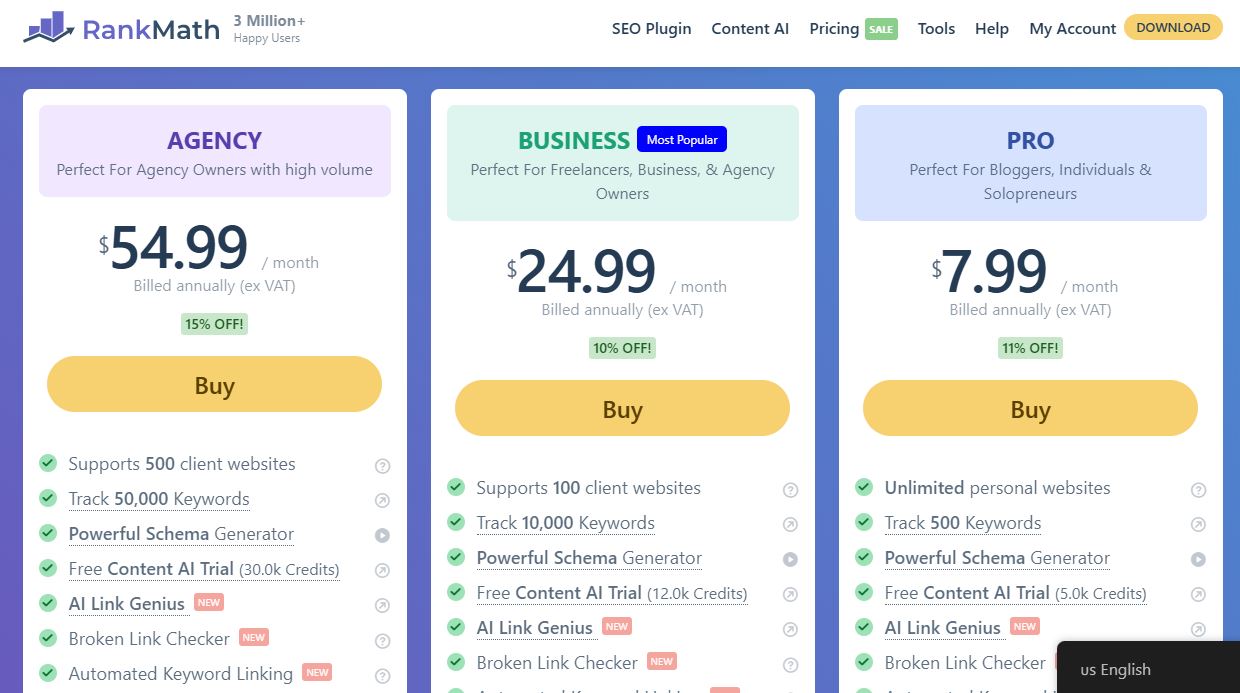
The Agency plan at $54.99/month is built for high-volume shops managing 100+ client sites who need everything at scale.
At $7.99/month for the PRO plan, you’re getting AI Link Genius, a full SEO suite, a rank tracker, schema generation, and a Content AI trial together. Standalone tools that do less cost significantly more.
Get RankMath AI Link Genius here.
Is RankMath AI Link Genius Worth It?
Let me be straight with you.
If you’re serious about SEO and you’re on WordPress, AI Link Genius is not a luxury.
It’s the kind of feature that used to require multiple paid tools, hours of manual work, and a spreadsheet habit most people never actually maintain.
The Bulk Update Tool alone is worth the price for anyone who has ever gone through a domain migration or URL restructure.
The orphan post detection has probably already found pages on your site that are bleeding authority right now without you knowing.
And the keyword mapping automation turns internal linking from a weekly chore into a system that runs in the background while you focus on writing.
 My one honest note: don’t expect overnight results.
The impact of internal linking builds over weeks and months.
But sites that rank consistently in competitive niches almost always have excellent internal link structures.
AI Link Genius makes that achievable for every WordPress user, not just technical SEO specialists.
If you’re already on Rank Math PRO, there’s no reason not to enable this right now.
If you’re not on PRO yet, this is one more compelling reason to make the switch.
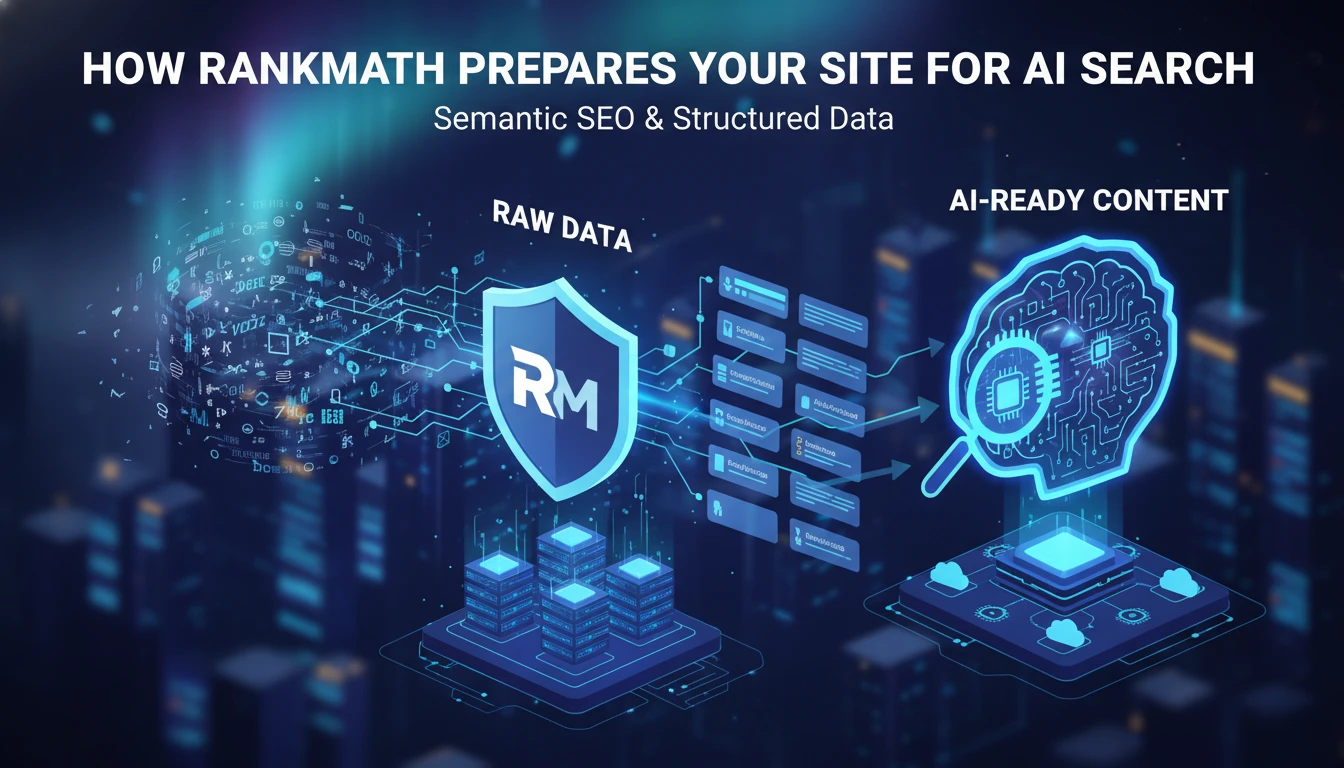
Also worth reading: my guide on how RankMath prepares your site for AI search, which ties directly into why your internal link structure matters more than ever in 2026.
Frequently Asked Questions About RankMath AI Link Genius
What is RankMath AI Link Genius?
RankMath AI Link Genius is a complete internal linking suite built into Rank Math PRO.
It handles link auditing, broken link detection, AI-powered suggestions, keyword mapping, orphan page detection, nofollow management, and bulk link updates, all from your WordPress dashboard.
Is AI Link Genius a separate plugin or purchase?
No. It’s included in all paid Rank Math PRO plans at no extra cost. You don’t need to buy anything separately.
Does the free version of RankMath include AI Link Genius?
No. The free plugin shows basic link counts but doesn’t include the full Link Genius module. You need a PRO plan.
How do I enable AI Link Genius?
Go to Rank Math SEO → Dashboard in WordPress, find the Link Genius module, and toggle it on. You’re ready to go in under 5 minutes.
Does AI Link Genius work with the Block Editor and Classic Editor?
Yes. It works with both the Gutenberg Block Editor and the WordPress Classic Editor, so no workflow changes required.
Can AI Link Genius automatically insert internal links?
Yes. With Keyword Mapping, you create keyword-to-URL relationships, and AI Link Genius automatically inserts links whenever those keywords appear in new and existing content.
You control frequency and can preview all changes before applying.
What is Keyword Mapping?
Keyword Mapping lets you define a primary keyword, a target URL, and optional variations (manually or via AI).
Once set, AI Link Genius links those keywords to your target page automatically across your site.
What is an orphan page, and how does AI Link Genius fix it?
An orphan page has no internal links pointing to it, making it hard for Google to discover and rank.
AI Link Genius identifies these pages in the Posts tab and flags them so you can connect them back into your site’s authority structure.
Can I fix broken links inside AI Link Genius?
Yes. The Links tab shows every link’s live HTTP status, including 404 errors.
You can edit or remove broken links directly from the table without opening individual posts.
What is the Bulk Update Tool?
It lets you update URLs, anchor text, or link attributes across your entire site in one operation.
You preview changes before applying and can rollback everything instantly if something goes wrong.
Does AI Link Genius work on non-WordPress sites?
No. It’s built exclusively for WordPress.
Does using AI Link Genius require Content AI credits?
Some AI-powered features, like generating keyword variations, use Content AI credits.
Basic features like link auditing, bulk updates, and orphan detection do not consume credits.
Can I use AI Link Genius to manage links on client sites?
Yes. The Business plan supports 100 client websites, and the Agency plan supports 500, both with full AI Link Genius access.
How is AI Link Genius different from Link Whisper?
Link Whisper is a standalone WordPress plugin focused on internal link suggestions.
AI Link Genius adds a full audit dashboard, bulk update tools with rollback, keyword mapping automation, orphan detection, nofollow management, and agency-ready reporting on top of the suggestions layer.
And it comes included in your Rank Math PRO subscription.
Is my existing link data safe when I enable AI Link Genius?
Yes. Enabling the module only scans and reports.
No links are changed until you explicitly take action, and the Rollback feature protects you during bulk operations.
What types of links does AI Link Genius detect?
Internal links, external links, dofollow and nofollow links, broken links (4xx), redirects (3xx), blocked URLs, and links with weak or missing anchor text.
Can I export link data for reporting?
Yes. Filtered link data, post lists, and audit logs can be exported as CSV, Excel, or JSON.
Yes. Keyword Mapping strengthens topical clusters by automatically linking keyword variations to your most important pages, reinforcing semantic relationships between content.
How does AI Link Genius improve page indexation?
By reducing orphan pages, fixing broken links, and strengthening internal link distribution, AI Link Genius helps Googlebot discover more of your content during each crawl.
More discovered pages means faster indexation and better ranking potential for new and updated content.
What is a nofollow internal link, and why does it matter?
A nofollow attribute tells search engines not to pass authority (PageRank) through that link.
On internal links, this usually hurts more than it helps because you’re blocking authority from flowing to your own content.
AI Link Genius finds and removes these with a single click.
Can I control how many times a keyword auto-links in a post?
Yes. When setting up a Keyword Map, you can set a maximum number of times a link is inserted per post to keep your content reading naturally.
Yes. The AI-Powered Related Posts feature uses semantic analysis and user intent to recommend genuinely relevant content, not just posts with the same category or tags.
Is there a limit to how many keyword maps I can create?
RankMath doesn’t publish a hard cap. Focus your maps on your most important pillar pages, money pages, and evergreen content for maximum impact.
RankMath AI Link Genius vs. Other Internal Linking Tools
Here’s a direct comparison with the most common alternatives.
| Feature | AI Link Genius | Link Whisper | Screaming Frog | Yoast SEO |
|---|---|---|---|---|
| Platform | WordPress only | WordPress only | All websites | WordPress only |
| Full link audit dashboard | Yes | Limited | Yes, comprehensive | No |
| AI link suggestions | Yes, context-aware | Yes, AI-assisted | No | Basic |
| Keyword mapping and auto-insert | Yes | Partial | No | No |
| Orphan page detection | Yes | Yes | Yes | No |
| Bulk link update with rollback | Yes | No | No | No |
| Nofollow detection and cleanup | Yes | Limited | Yes | No |
| Related posts (AI-powered) | Yes | No | No | No |
| Export reports | Yes (CSV, Excel, JSON) | Limited | Yes | No |
| Included in the existing plan | Yes (Rank Math PRO) | Separate ($77+/year) | Separate ($259+/year) | Separate plan |
| Works inside the WordPress editor | Yes | Yes | No | Yes |
The biggest advantage here is consolidation.
AI Link Genius does what Link Whisper and Screaming Frog do together, adds AI features neither offers, and it comes included in your existing Rank Math PRO plan.
If you’re paying for Link Whisper on top of Rank Math PRO, you might be paying for something you no longer need.
My Personal Take on RankMath AI Link Genius
I’ll say it straight: this is the most practical SEO feature RankMath has shipped since Content AI.
Internal linking is one of those tasks that everyone knows matters, but almost nobody executes consistently.
The manual approach doesn’t scale. You write 200 posts over two years, and there’s no realistic way to maintain a coherent link structure without a system.
AI Link Genius is that system.
What impresses me most isn’t the AI suggestions, as useful as they are.
It’s the combination of the Bulk Update Tool with rollback, the orphan post detection, and the keyword mapping automation working together.
That’s a workflow that used to require three separate tools and a spreadsheet.
It now lives inside one dashboard at $7.99/month.
The one thing I’d like to see improved is tighter coordination between the AI editor suggestions and the keyword map automation.
Right now, they work as slightly separate systems.
Bringing them closer together would make this nearly perfect.
For where it is right now, AI Link Genius is the most useful upgrade Rank Math PRO users have received in a long time.
If you haven’t enabled it yet, go do it today.
Conclusion on RankMath AI Link Genius
Internal linking has always been one of the highest-leverage SEO activities available to you. It’s free, it’s within your control, and it directly impacts how Google crawls, indexes, and ranks your content.
The only real problem has always been executing it consistently at scale.
RankMath AI Link Genius removes that barrier entirely.
It gives you a complete audit dashboard, AI-powered suggestions, keyword mapping automation, orphan detection, nofollow cleanup, bulk update tools with rollback, and agency-ready reporting, all inside WordPress, all included in your existing Rank Math PRO plan.
If you’re serious about SEO, this is not a feature to sleep on.
Whether you’re an affiliate marketer trying to push money pages higher, a blogger with years of content that needs organizing, or an agency managing SEO for multiple clients, AI Link Genius gives you the infrastructure to make your internal linking work as hard as the rest of your SEO efforts.
Click here to get RankMath AI Link Genius.
Already on Rank Math PRO?
Go to your dashboard, enable the Link Genius module, and run your first audit today.
You’ll be surprised by what you find.
Thanks for reading my RankMath AI Link Genius Review 2026. Drop your questions and thoughts in the comments below. I’d love to know how you’re using it on your own site.