

This Kit review 2026 (formerly ConvertKit) is going to save you hours of research and probably a few wrong decisions.
I’ve been deep inside this platform, studying the features, stress-testing the pricing, and comparing it against every serious competitor out there so you don’t have to guess.
Here’s a number that puts everything in context.
According to Litmus, email marketing delivers an average ROI of $36 for every $1 spent.
Not social media. Not paid ads. Email.
And yet most creators are either using the wrong email platform, paying for features they don’t need, or stuck on a free plan that limits what they can actually do with their list.
 I’ve spent serious time inside Kit (formerly ConvertKit) researching exactly what it offers, how the pricing actually stacks up, and whether it’s the right platform for content creators, bloggers, and affiliate marketers in 2026.
According to Kit’s own creator economy report, the platform now serves over 600,000 creators who collectively earn more than $2 billion annually from their audiences.
That’s not a vanity metric.
That’s 600,000 individual creators building real businesses on the back of email, and they chose this platform over every other option available to them.
This review covers everything: features, pricing, the new Kit MCP integration, head-to-head comparisons with Mailchimp, MailerLite, Beehiiv, ActiveCampaign, GoHighLevel, and Systeme.io, the affiliate program, and honest takes on where Kit falls short.
Let’s get into it.
Kit at a Glance
| Full Name | Kit (formerly ConvertKit) |
| Founded | 2013 by Nathan Barry |
| Best For | Creators, bloggers, authors, podcasters, course creators |
| Free Plan | Yes, up to 10,000 subscribers |
| Paid Plans | Creator from $25/mo, Creator Pro from $50/mo |
| Affiliate Commission | 30% recurring, 90-day cookie |
| Deliverability | Excellent (consistently above industry average) |
| Standout Feature | Creator Network + Visual Automations + Kit MCP |
| Our Rating | 4.6 / 5 |
Kit Review :Executive Summary
Email marketing is one of those spaces where every platform sounds the same in the marketing copy.
“Grow your audience. Send beautiful emails. Automate your funnels.”
You’ve heard it all before.
Kit actually means it, at least for a specific type of person.
Since Nathan Barry launched it in 2013, Kit has become the go-to email platform for serious content creators.
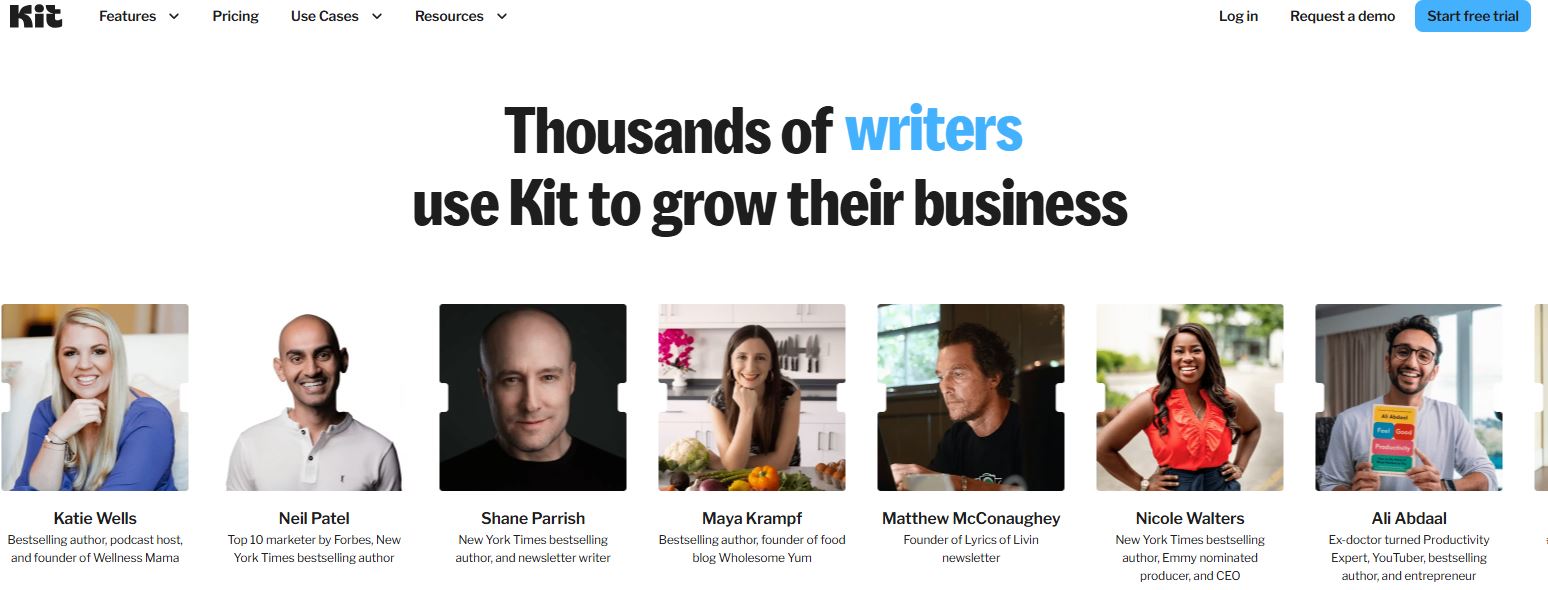
We’re talking Tim Ferriss, James Clear (author of Atomic Habits), Andrew Huberman, Ali Abdaal, and Neil Patel.
Not small names.
These are people with hundreds of thousands of subscribers, and they chose Kit over every other option on the market.
According to their creator economy report, over 21 billion emails have been sent through the platform.
The numbers back it up.
What makes Kit different?
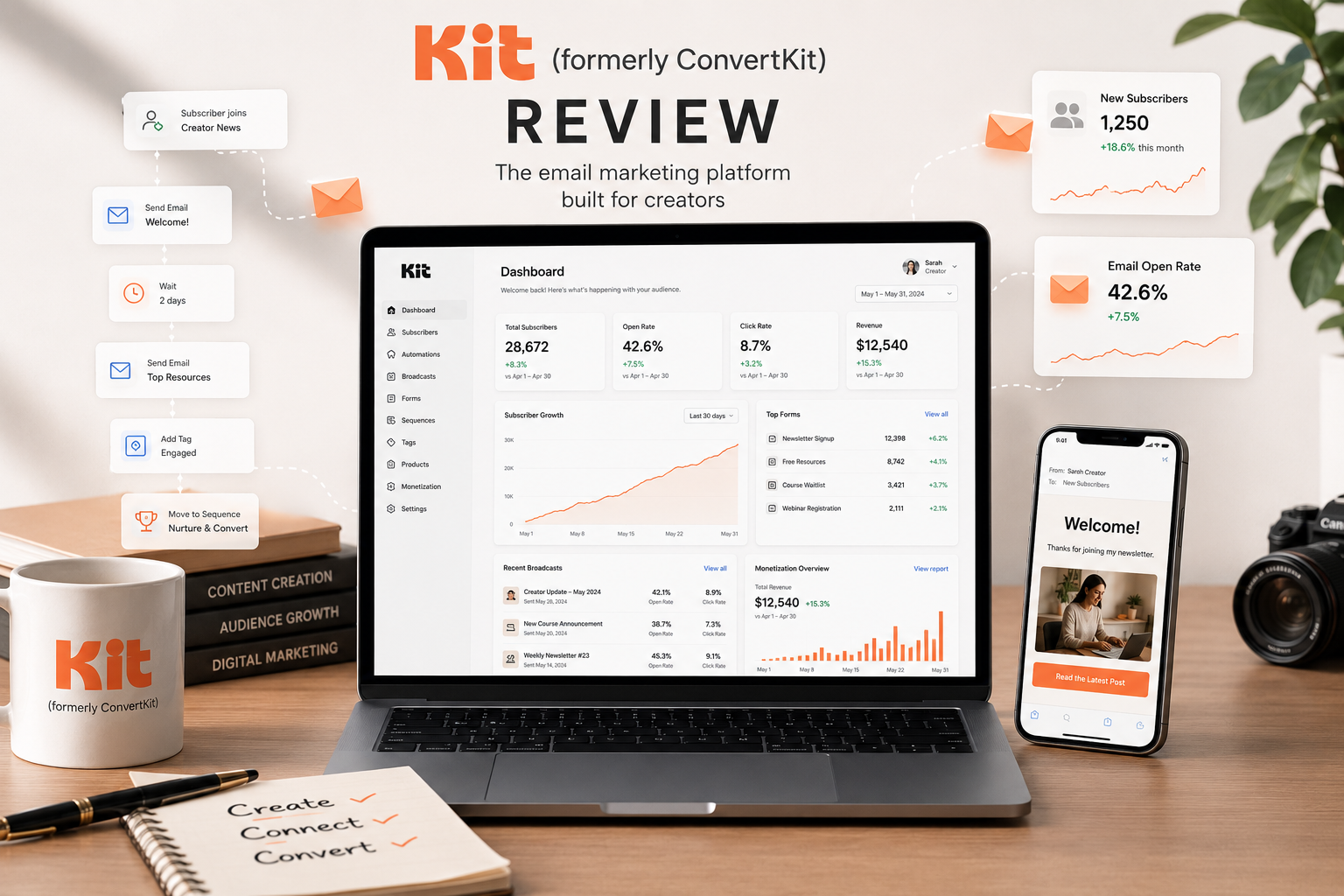 It was built exclusively for creators from day one.
Not for e-commerce brands. Not for enterprise sales teams. Not for agencies running 50 client accounts.
For people like you and me, bloggers, podcasters, YouTubers, authors, coaches, who need a tool that gets out of the way and lets us focus on creating.
The 2024 rebrand from ConvertKit to Kit wasn’t just a name change.
It signaled a bigger vision: Kit wants to be the operating system for the creator economy.
The new free plan (up to 10,000 subscribers), the Kit MCP for AI integration, and the expanded monetization tools are all part of that shift.
The bottom line: Kit is the best email marketing platform for content creators in 2026.
It’s not the cheapest once you scale past the free tier. It’s not the most visually flashy.
But for building an engaged list, running smart automations, and monetizing your audience without duct-taping five different tools together, nothing comes close.
What’s New in Kit in 2026
Kit hasn’t been sitting still.
Here’s what changed recently that actually matters:
Kit MCP (Model Context Protocol): Beta Launch. This is the biggest new feature. Kit now lets you connect AI tools like Claude, ChatGPT, and Gemini directly to your email account.
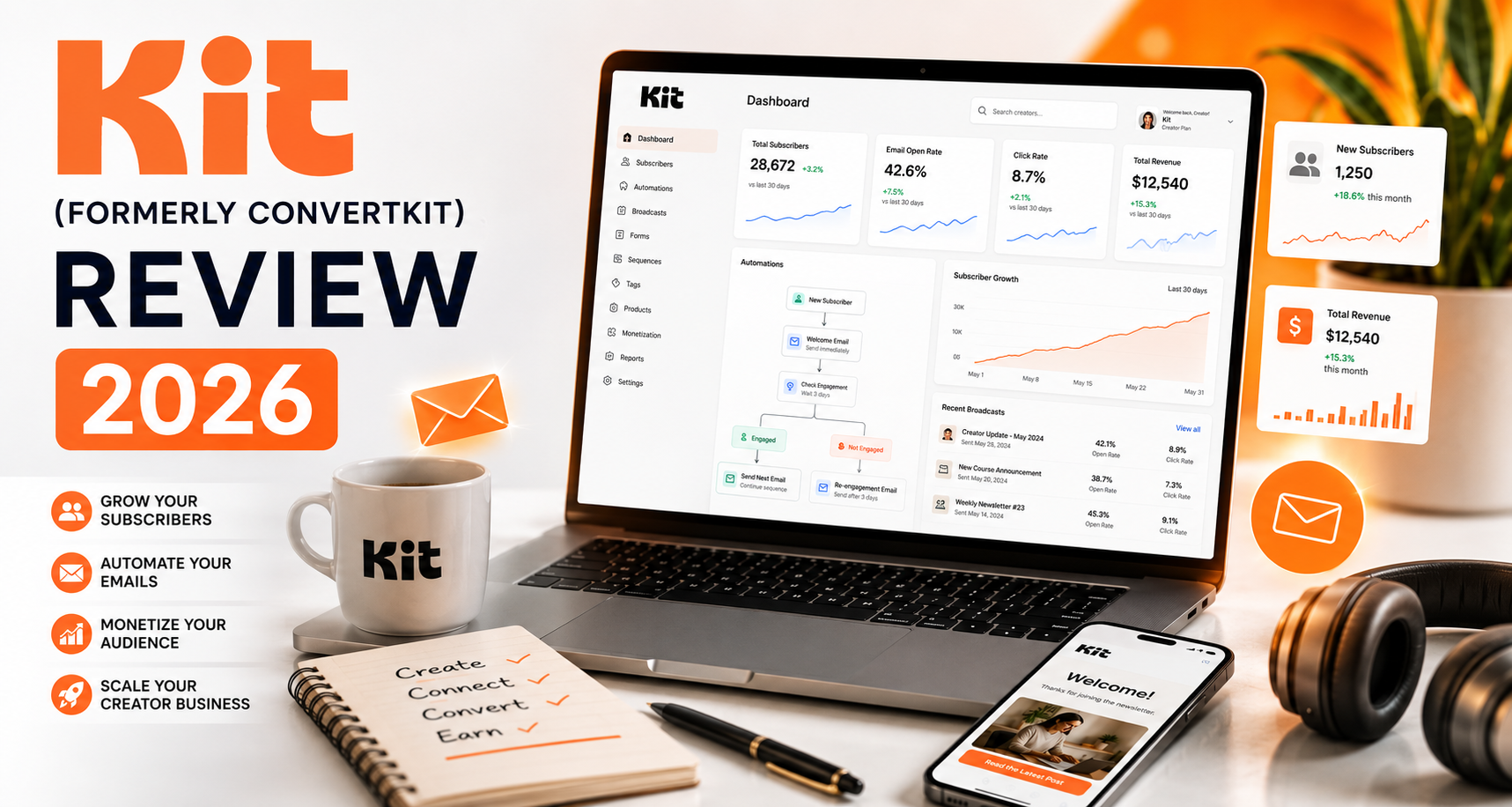 Your AI can pull real subscriber data, analyze your list, draft campaigns, and trigger automations based on your actual business, not generic examples. We’ve dedicated a full section to this below.
Free Plan Expanded to 10,000 Subscribers. This happened in late 2024 and it’s still one of the most generous offers in email marketing.
Unlimited broadcasts, landing pages, forms, and the ability to sell digital products, completely free up to 10k subs.
Paid Newsletter Features Improved. The paid newsletter (subscription) tools got a major upgrade.
You can now charge readers for access to your content with cleaner checkout flows and better subscriber management.
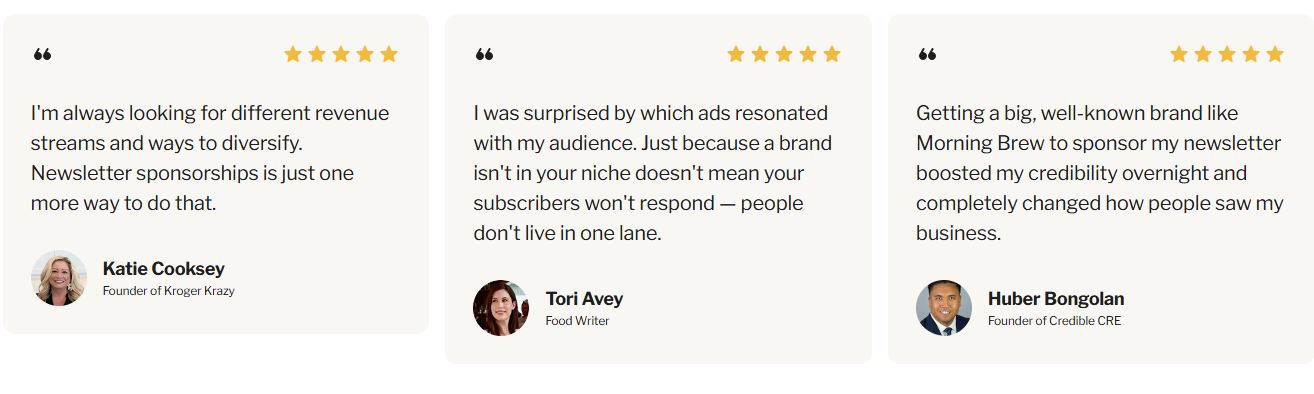
Sponsor Network Expansion. The network for monetizing your newsletter through sponsorships grew significantly.
If you have 10,000+ subscribers, Kit will source and place premium sponsors in your emails and handle the billing, taking a 23.5% cut.
Creator Network + Paid Recommendations. Creators can now pay to get recommended to other audiences and earn from recommending others.
It’s a growth engine built directly into the platform.
Kit Review at a Glance
| Feature | Rating | Notes |
|---|---|---|
| Ease of Use | 5/5 | Clean, intuitive, minimal learning curve |
| Email Automation | 5/5 | Best-in-class for creators |
| Deliverability | 5/5 | Consistently excellent |
| Landing Pages | 4/5 | Simple but effective |
| Email Templates | 4/5 | Creator-focused, not flashy |
| Monetization Tools | 5/5 | Commerce, tips, sponsors, paid newsletters |
| Integrations | 4/5 | 100+ native, Zapier for the rest |
| Analytics | 4/5 | Clean; advanced only on Pro |
| Pricing Value | 4/5 | Free tier excellent; paid gets pricey |
| Support | 4/5 | Chat/email on Creator; priority on Pro |
What Is Kit?
Kit is an email marketing platform built specifically for independent creators.
It does what every email tool does: helps you collect subscribers, send campaigns, and automate sequences.
But it does it in a way that actually fits how creators work.
Most email tools are designed for e-commerce businesses or enterprise sales teams.
You end up with bloated dashboards, confusing contact lists organized by who-bought-what, and features you’ll never touch.
Kit cuts all of that.
Everything is organized around subscribers, tags, and content, not transactions and pipelines.
The platform covers your full creator workflow: landing pages to collect subscribers, forms to embed in your content, automations to nurture new leads, broadcasts for newsletters, and commerce tools to sell digital products, all without leaving the platform.
It’s not a full website builder. It’s not a CRM in the traditional sense. It’s not a webinar platform.
But for email-first content businesses, it’s about as complete as it gets.
The Founder Story: Nathan Barry Built This for Himself
Nathan Barry didn’t stumble into building Kit. He needed it.
In 2012, Barry was a designer, blogger, and self-published author.
He launched a book called “Authority” and marketed it primarily through email.
 He had a modest list and limited tools, but the results were undeniable.
Email was his highest-converting channel by a massive margin.
The problem?
Every email tool at the time was either designed for giant corporations or too basic to do anything interesting.
Mailchimp looked like it was built for newsletter agencies.
AWeber felt like it hadn’t changed since 2005.
Barry wanted a platform that treated subscribers as individuals, tagging them based on behavior, serving them relevant content, and guiding them through funnels without manual work.
So he built it.
ConvertKit launched in 2013, nearly flopped in the early years, and then started growing after Barry invested heavily in creator partnerships and education.
The philosophy from day one: email should work for individual creators, not against them.
In 2024, the company rebranded to Kit to reflect its expanded vision, not just a tool for converting readers into buyers, but a full platform for building a creator business.
Today Barry remains CEO, is active on social media under his own brand, and frequently writes about the creator economy.
The “built by a creator for creators” DNA is still very much intact.
Who Kit Is For
Kit isn’t for everyone.
It’s specifically excellent for:
- Bloggers and Content Marketers. If you run a content-first business, Kit’s tagging system and landing pages are perfectly suited to your workflow. You can tag subscribers by content category and send targeted broadcasts based on what they actually care about.
- Authors and Course Creators. The automation sequences, digital product sales, and subscriber scoring (on Creator Pro) make Kit ideal for people who sell knowledge products. You can set up an entire book launch funnel from opt-in to sale without touching another tool.
- Podcasters and YouTubers. Kit integrates directly with RSS feeds for podcasts and offers strong tools for creators who primarily produce audio/video content and want email as their monetization backbone.
- Coaches and Consultants. The lead capture and nurture tools, combined with the paid newsletter features, work well for service-based creators who want to build an audience before selling high-ticket offers.
- Newsletter-First Businesses. If your main product IS the newsletter, whether free or paid, Kit’s broadcast tools, Creator Network, and Sponsor Network are probably the most sophisticated combination you’ll find anywhere.
- Affiliate Marketers Who Create Content. This is relevant to what I do. Kit’s segmentation makes it easy to build a list around a niche, tag subscribers based on their interests, and promote relevant tools (like the ones I review on this site) to the right people at the right time.
Five Real-World Use Cases
 1. The Newsletter + Product Business.
You run a weekly newsletter, build an audience around a topic, and sell digital products (courses, templates, ebooks) to that audience.
This is probably the most common Kit setup.
You use the free plan to grow your list to 10,000 subscribers with a lead magnet (a free guide, email course, or checklist).
Once you have an engaged audience, you create a digital product in Kit’s commerce section, set your price, and launch to your list.
The automation handles delivery, buyer tagging, and upsell sequences automatically.
You keep 99.5% of revenue on paid plans.
For a solo creator doing $2,000-$5,000/month in digital product sales, this is a lean, profitable operation with minimal tool overhead.
2. The Lead Magnet Machine.
You create a free guide, checklist, or mini-course to grow your list from content traffic.
Kit’s landing pages host the opt-in, the automation delivers the freebie immediately after signup, tags the subscriber based on which magnet they downloaded (telling you what they care about), and kicks off a welcome sequence that delivers value and builds toward an offer.
Zero code required.
The whole flow runs on Kit’s free plan until you hit 10,000 subscribers.
Many bloggers use this as their primary list-building strategy and let Kit handle the rest on autopilot.
3. The Book or Course Launch Funnel.
You have a product launching in 60 days.
You build a wait-list landing page in Kit.
Subscribers who join the wait-list go into a launch sequence: weekly value emails leading up to launch day, an early-bird offer email on launch day, and follow-up sequences for people who opened but didn’t buy.
Kit’s visual automation builder handles all of it visually.
You can see exactly where every subscriber is in the funnel and how many are approaching launch day.
4. The Paid Newsletter.
You charge readers monthly or annually for access to premium content.
Kit’s paid newsletter feature handles subscriptions, payment processing via Stripe, subscriber management, and content delivery.
Free subscribers and paid subscribers can coexist in the same list with different automation paths.
Free readers receive value-add content and conversion emails. Paid readers receive premium content and get excluded from sales campaigns.
You keep 96%+ of revenue, with Kit taking only a small transaction fee.
5. The Creator Network Growth Loop.
You join the Creator Network, set up your creator profile with a description and public posts, and enable paid recommendations.
When new subscribers join other newsletters in a related niche, Kit can show them your newsletter as a suggestion.
You pay a flat fee per new subscriber (you set the rate), and other creators can recommend you for free in exchange for you recommending them.
This creates a compounding growth loop.
Your list grows every day from the recommendations, and that growth funds more paid recommendation slots, which drives more growth.
Creators who use this strategy systematically report it becoming their largest subscriber acquisition channel within 6-12 months.
Kit Review – Pricing in 2026: Full Breakdown
Kit’s pricing is subscriber-based, which means you pay more as your list grows.
Here’s exactly what you’re looking at:
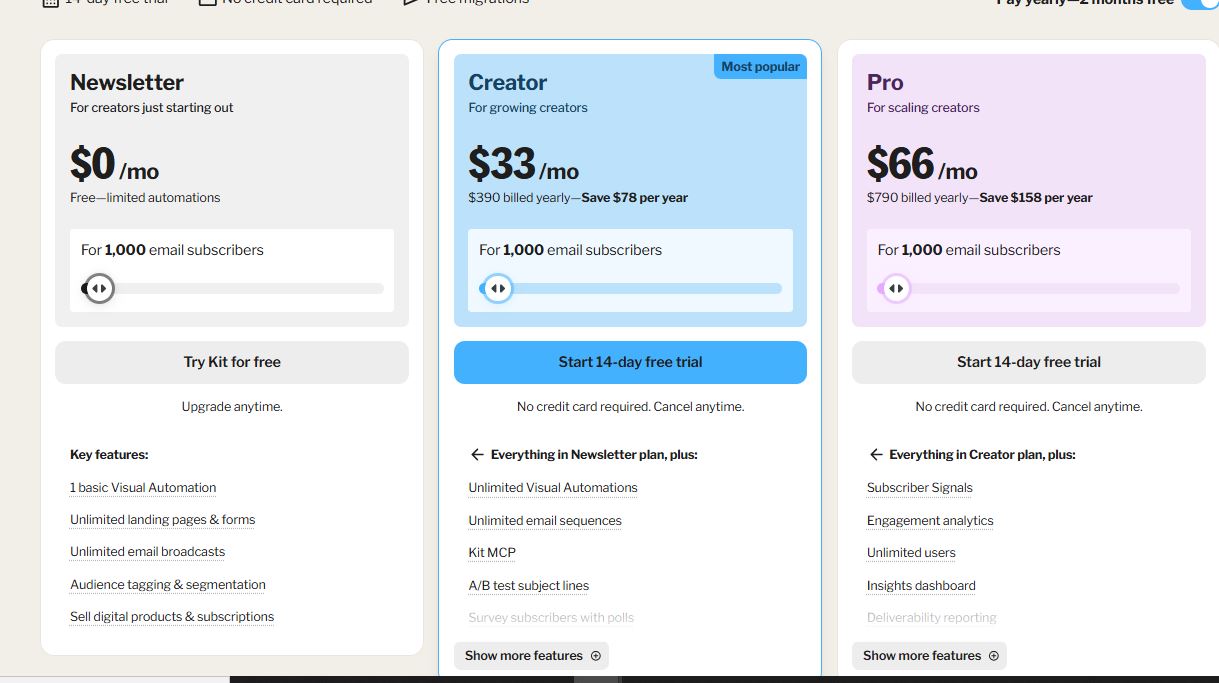 Newsletter Plan (Free)
Up to 10,000 subscribers, completely free.
No credit card required.
Includes: unlimited broadcasts, unlimited landing pages, unlimited forms, audience tagging and segmentation, 1 visual automation, 1 email sequence, digital product and subscription selling, community support.
What you don’t get: multiple automations, third-party integrations, live chat/email support, A/B testing, advanced reporting.
Who it’s for: Creators just starting out, anyone building their first 10k list, and anyone who wants to validate a newsletter idea before paying.
Creator Plan
Starts at $25/month for up to 300 subscribers (billed monthly).
Pricing scales with your list:
- Up to 1,000 subscribers: ~$33/month
- Up to 3,000 subscribers: ~$59/month
- Up to 5,000 subscribers: ~$89/month
- Up to 10,000 subscribers: ~$119/month
- Up to 25,000 subscribers: ~$199/month
Includes everything in the free plan, plus: unlimited visual automations, unlimited email sequences, A/B subject line testing, 100+ integrations, free migrations from other platforms, live chat and email support, one additional team member.
Annual pricing saves about 17%.
Creator Pro Plan
Starts at $50/month for up to 300 subscribers (billed monthly).
Same scaling structure.
Includes everything in Creator, plus: unlimited team members, advanced analytics and reporting, subscriber scoring, Facebook custom audiences, newsletter referral program (powered by SparkLoop), ability to edit URLs after sending, priority support.
The “edit URLs after sending” feature alone has saved entire campaigns. If you’ve ever sent an email with a broken link (and you will), this is worth the upgrade.
What Would You Pay to Build This Stack Separately?
| Feature | Standalone Cost |
|---|---|
| Email marketing (Mailchimp at 5k subs) | ~$75/month |
| Landing page builder (Leadpages) | ~$49/month |
| Marketing automation (Drip) | ~$79/month |
| Digital product sales (Gumroad at 5%) | Variable |
| Newsletter monetization (Beehiiv Grow) | ~$99/month |
| Total | ~$300+/month |
| Kit Creator Pro (at 5k subs) | ~$99/month |
That’s a 70% cost reduction for a comparable stack.
And the integration overhead alone (Zapier subscriptions, broken workflows, maintenance time) is worth something on top of that.
Kit’s Core Features: Deep Dive
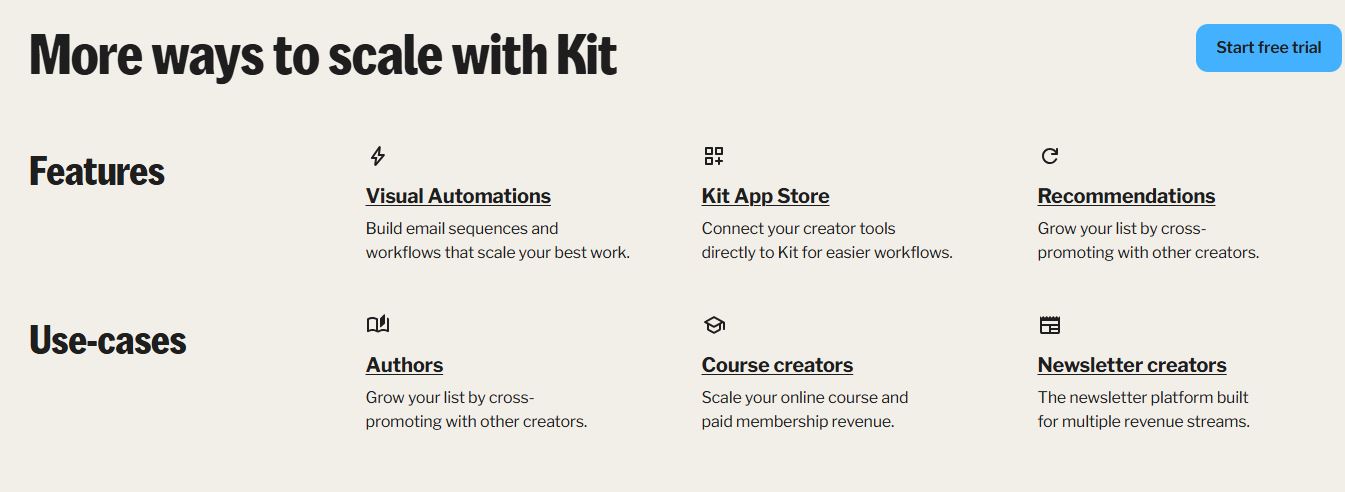
 1. Visual Automations
This is Kit’s most celebrated feature, and it earns the reputation.
The visual automation builder lets you create branching, logic-based email sequences without touching code.
You drag and drop events, conditions, and actions onto a canvas and connect them with lines.
The result looks like a flowchart, and that’s exactly what it is, except this one sends emails.
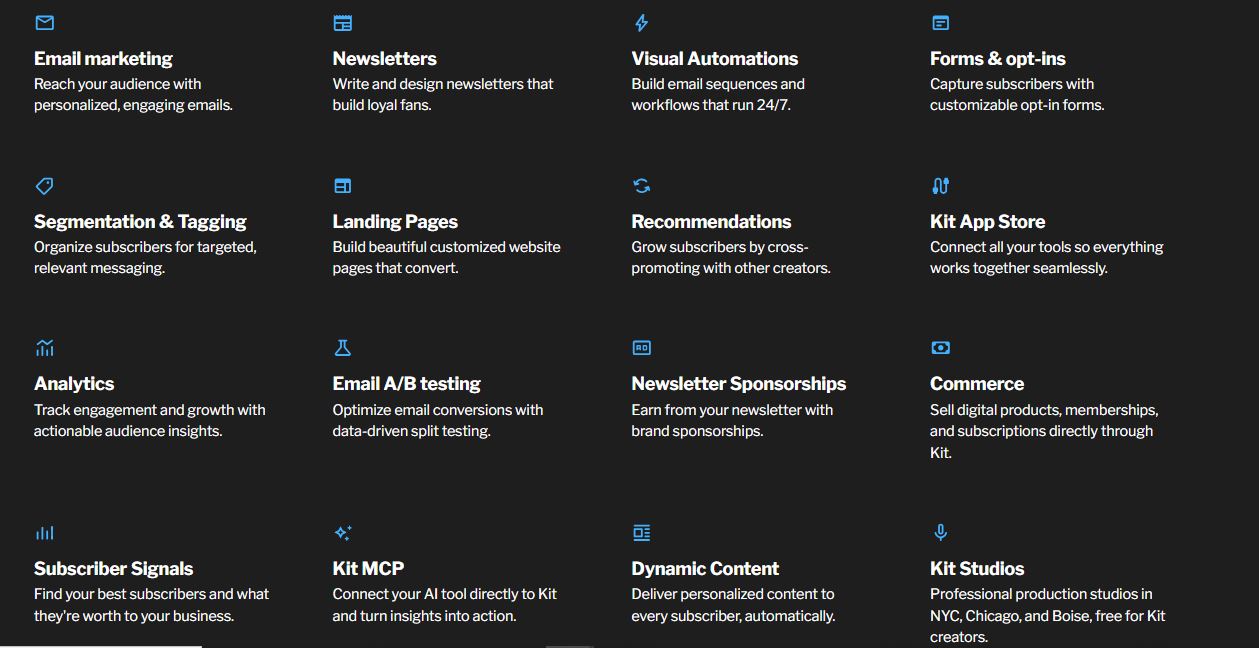
A typical welcome automation might look like this: subscriber joins via form, receives welcome email, waits 2 days, checks if they clicked a product link, if yes sends product email, if no sends value email, tags subscriber accordingly.
You can get that entire flow running in about 20 minutes if you already have your emails written.
What makes it stand out: the builder is genuinely beginner-friendly.
ActiveCampaign’s automation is more powerful, but it’s also significantly more complex.
Kit hits the sweet spot where you can do 95% of what most creators actually need without a learning curve.
Honest limitation: If you need nested logic five levels deep, CRM-style lead scoring baked into automation rules, or behavior-based triggers based on website activity (like cart abandonment), Kit isn’t the right tool.
ActiveCampaign or Drip handles that better.
2. Broadcast Emails
Broadcasts are one-time emails: your newsletter, a product launch, a quick update.
Kit offers three editor types:
The Starting Point (visual) editor is where most people live. Drag-and-drop blocks, image insertion, buttons, dividers, and reusable content snippets. Clean and modern without requiring design skills.
The Classic editor is a stripped-down text-based view. Good for personal, conversational emails that read more like a letter than a campaign.
Custom HTML is there for power users who want full layout control.
One underrated feature: you can resend a broadcast to non-openers with a different subject line.
If your initial open rate was 25%, you can potentially recapture another 15-20% of your list with a single click.
Research from Omnisend shows the average email open rate across industries sits around 21.5%.
Resending to non-openers is one of the fastest ways to push your effective reach well above that baseline.
3. Subscriber Tagging and Segmentation
Kit doesn’t use traditional “lists.”
Everyone goes into one master subscriber database and gets tagged.
Tags are labels: “downloaded guide,” “purchased course 1,” “clicked link: offer page,” “interested in: SEO.”
They’re applied automatically through forms, link triggers, and automation rules, or manually in bulk.
This matters because you can send hyper-targeted broadcasts.
Want to email only people who downloaded your lead magnet but never purchased your product? Easy. Want to exclude current customers from a sales campaign? Easy. Want to send different content to subscribers from different traffic sources? Easy.
It sounds basic but most platforms do this poorly.
Kit does it well.
4. Landing Pages
Kit’s landing page builder is functional and fast.
Dozens of templates for lead magnets, webinar sign-ups, product launches, wait lists, and newsletter sign-ups that you can customize in a simple editor.
What it’s good at: getting a clean, mobile-responsive page live in under 30 minutes without a web developer.
What it’s not good at: granular design control.
You can’t move elements freely around the page. You can’t add custom sections from scratch. It’s a template customizer, not a full page builder.
If you need something like Leadpages, ClickFunnels, or Instapage, Kit’s landing pages won’t replace them.
But for the 90% of use cases where a creator needs a simple opt-in page with a headline, image, and form, they’re more than enough.
5. Commerce and Digital Products
This is where Kit separates itself from pure email tools.
You can create a product listing, set a price, connect Stripe, and start selling digital downloads (ebooks, templates, courses, audio files) directly from Kit.
The checkout is clean, the fulfillment is automated, and buyers get tagged in your list so you can follow up.
Payment models: one-time, recurring subscriptions, and pay-what-you-want.
Kit’s transaction fee is 0.5% per transaction on paid plans.
Compare that to Gumroad’s 10% fee or Payhip’s 5%.
For anyone selling digital products at volume, that math matters enormously.
The Tip Jar feature lets you collect donations from your audience, simple, tasteful, and it works.
6. Creator Network and Paid Recommendations
When a new subscriber joins someone else’s list, Kit can show them your profile and suggest they subscribe to you too.
You can offer to pay a flat fee per new subscriber (paid recommendations), or exchange recommendations for free with other creators.
This is a list-building channel most platforms don’t offer at all.
It works especially well in overlapping niches where audiences share interests.
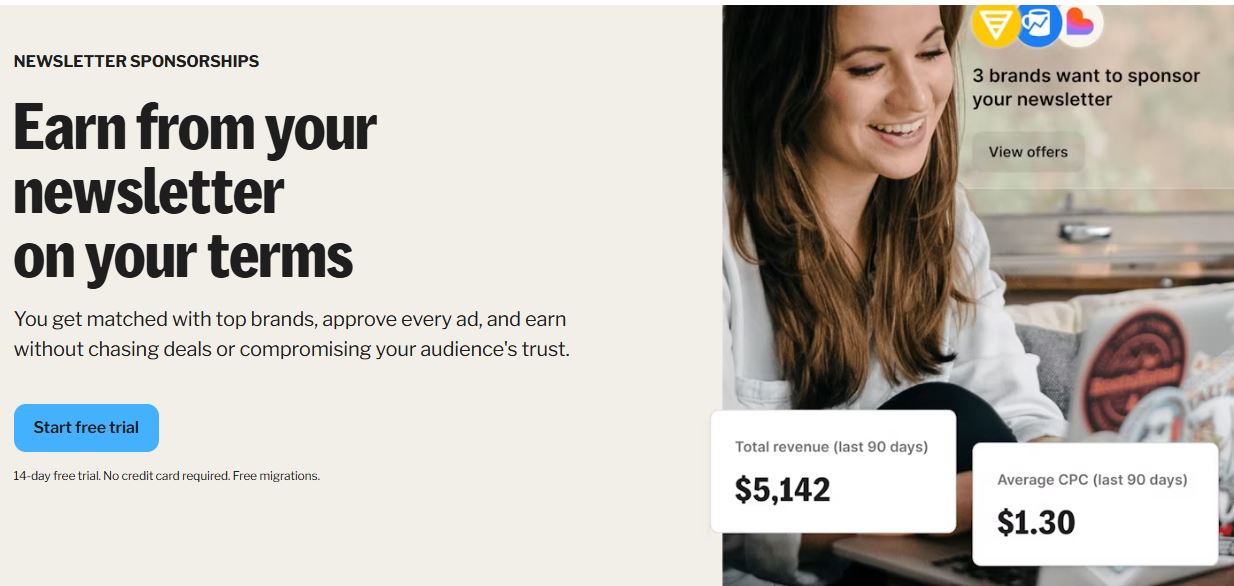
7. Sponsor Network
Kit sources sponsorship deals for creators with 10,000+ subscribers.
They bring the advertisers, negotiate the rates, and place the ads in your newsletter.
You get paid monthly. They keep 23.5%.
For creators who don’t want to spend time on sponsor outreach, this is genuinely useful.
The tradeoff is you give up some editorial control, though Kit gives you the ability to approve or reject campaigns.
8. Forms
Four types: inline (embedded in your content), modal (pop-up), slide-in, and sticky bar.
All connect directly to your subscriber database, trigger automations, and apply tags.
The form builder isn’t as feature-rich as OptinMonster or ConvertBox.
No exit-intent triggers, no multivariate testing, no advanced display rules.
But for most creators who just need a clean opt-in form that works, it’s more than enough.
9. Analytics and Reporting
Every broadcast shows open rate, click rate, unsubscribes, and deliverability data.
You can track individual link clicks, which is useful for testing CTAs.
The free and Creator plans have basic analytics.
Creator Pro adds advanced reporting with subscriber growth trends, revenue tracking, and more granular engagement data.
It’s not as data-heavy as Klaviyo or ActiveCampaign, but it covers what most creators actually look at on a daily basis.
10. Integrations
Kit connects natively with 100+ tools: Shopify, Teachable, Thinkific, Kajabi, MemberPress, WordPress (native plugin), Zapier, Stripe, Squarespace, Webflow, and more.
The WordPress plugin is clean and well-maintained.
Zapier fills the gaps for anything not natively connected.
The Kit MCP
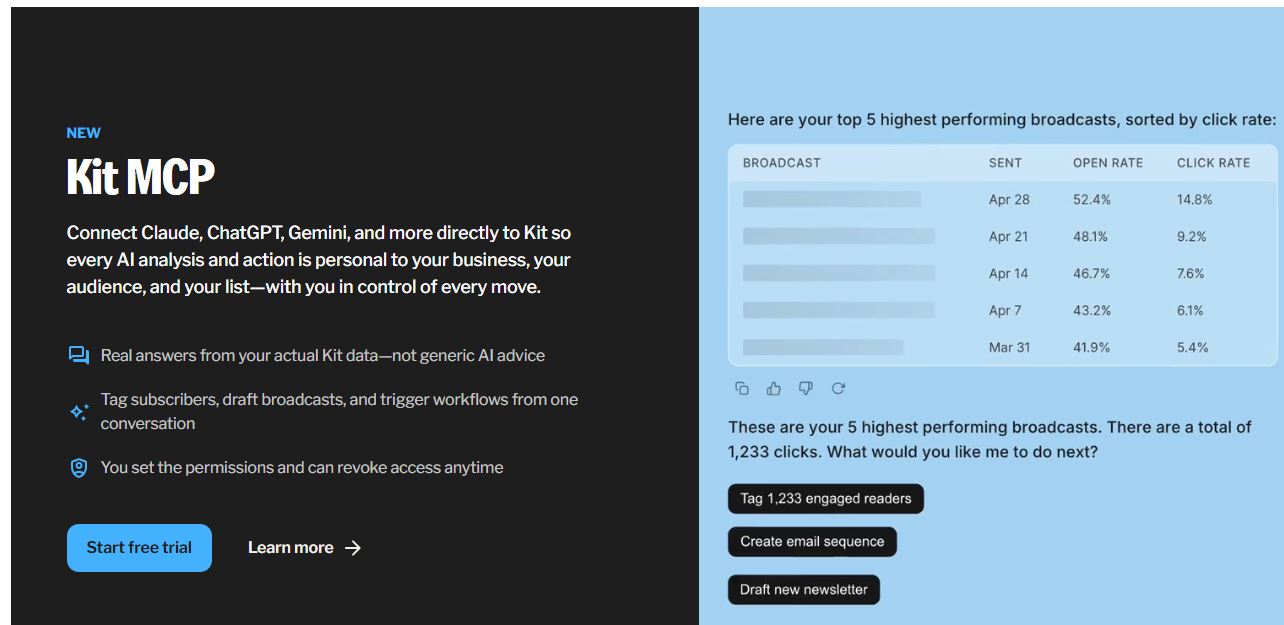 This is new in 2026 and it’s genuinely exciting for anyone who uses AI tools in their workflow.
Kit has launched a Model Context Protocol (MCP) server, currently in beta, that lets you connect AI assistants like Claude, ChatGPT, and Gemini directly to your Kit account.
What’s an MCP and Why Does It Matter?
MCP (Model Context Protocol) is an open standard created by Anthropic in November 2024 that gives AI tools a universal way to connect to external apps and services.
By 2026 it’s been adopted by Anthropic, OpenAI, Google DeepMind, and Microsoft, making it the de facto standard for AI-to-tool integration.
Think of it like USB-C for AI.
Before MCP, every AI-to-tool connection required a custom integration.
Developers had to build and maintain bespoke connectors for every combination of AI model and external service.
MCP solves that with a single standard.
For you as an email marketer, what this means practically is this: instead of describing your audience to an AI assistant in the abstract (“I have about 8,000 subscribers, mostly bloggers interested in SEO”), your AI can actually see your subscriber data.
It knows your real segments, your actual engagement rates, your specific automation flows.
Before Kit MCP, if you wanted AI help with your email marketing, you were copying and pasting subscriber data into a chat window, manually describing your automations, and hoping the AI’s suggestions made sense for your actual situation.
The advice you got was generic because the AI had no real context.
With Kit MCP, your AI assistant has live access to your actual Kit data.
The advice it gives you is specific to your business.
What Kit MCP Can Do for You
Once connected, your AI assistant can:
Pull subscriber insights in real time. Ask it to analyze which subscriber segments are most engaged, which tags have the highest click rates, or where subscribers tend to drop off in your automation sequences. It’s pulling real data, not making educated guesses.
Draft campaigns based on your actual audience. Instead of “write me a newsletter,” you can say “write a broadcast for my subscribers tagged as interested in affiliate marketing tools, based on my last three highest-performing emails.” The AI has the context to make that specific.
Identify automation gaps. Your AI can look at your current automation flows and point out where subscribers are leaking out of funnels, where delays might be too long, or where a follow-up sequence could be added.
Trigger actions programmatically. Set up workflows where your AI can initiate Kit actions: adding a tag, starting a sequence, moving a subscriber, or creating a broadcast draft, based on instructions you give it.
Generate content that sounds like you. Your AI can pull your past broadcasts to understand your writing style and voice, then produce new content that fits your newsletter’s tone. This is a significant time saver for creators who publish weekly.
Analyze performance trends. Ask your AI to identify which subject line patterns perform best for your specific list, which content topics drive the most clicks, and what day and time your audience is most likely to open. It can surface patterns that would take hours to find manually.
Setting Up Kit MCP
The setup process is straightforward for anyone comfortable with connecting apps:
- Start a free trial at eliteaffiliatehacks.com/convertkit or log into your existing Kit account
- Navigate to the integrations section and find the Kit MCP settings
- Generate your MCP connection key
- Add the Kit MCP server URL to your AI tool’s MCP configuration (varies by AI tool)
- Grant the permissions for what data your AI can access
Kit is clear that you stay in control.
The AI can suggest and draft, but no action happens without your approval.
Your data doesn’t leave your control.
The $25 Referral Opportunity
Here’s where it gets interesting for affiliate marketers.
Kit’s affiliate program pays 30% recurring commission for referred customers, with a 90-day cookie window.
When someone signs up through your Kit affiliate link and upgrades to a paid plan, you earn 30% of their monthly subscription for as long as they stay.
The Kit MCP page is a content goldmine right now because it’s a brand-new, high-intent feature with very little SEO competition.
Publishing content around “Kit MCP,” “ConvertKit AI integration,” or “Kit Model Context Protocol” is a real opportunity to capture traffic from creators who are actively researching this.
The math on the affiliate side: if you refer someone on Kit’s Creator plan at 5,000 subscribers ($89/month), you earn about $26.70 per month, every month they stay active.
Refer 10 people at that tier and that’s $267/month in recurring income, without touching it again.
That’s why we call it the “$25 referral opportunity.” (Offers ends on 31st June 20260
A single active referral to Kit’s paid plan pays close to $25 per month, month after month.
The 90-day cookie window is longer than most programs (many are 30 days).
Someone can click your link, think about it for two months, sign up, and you still get the commission.
Kit Deliverability: The Real Story
 Email deliverability is how often your emails actually land in the inbox vs. spam.
It’s the single most important metric in email marketing and the one most review sites skip over because it’s harder to screenshot than a UI.
Kit’s deliverability is consistently above the industry average, and there are structural reasons for that.
Shared IP reputation management. Kit actively monitors its sending infrastructure and enforces standards on accounts that damage shared IP reputation.
If you’re on a shared sending IP (which most creators on standard plans are), your deliverability is partly a function of how everyone else on that IP behaves. Kit’s enforcement keeps the neighborhood clean, which benefits all users.
Double opt-in encouragement. Kit defaults to single opt-in but actively promotes double opt-in as a best practice and makes it easy to enable per form.
For creators running paid ads to their opt-in pages, double opt-in is especially important. Ad traffic has significantly higher fake email and spam-trap rates than organic content traffic.
Tag-based list hygiene. Because Kit’s architecture makes it easy to see inactive subscribers and act on them, creators who understand the platform tend to run cleaner lists.
An inactive subscriber who hasn’t opened in 90+ days is a deliverability liability.
Kit makes segmenting them out and running a re-engagement or sunset sequence straightforward.
A decade-plus of sending reputation. Kit has been in the email business since 2013.
Their sending IPs and domains have over 10 years of positive sending history with major ISPs.
That accumulated reputation matters.
New platforms often struggle with deliverability simply because they haven’t built up the trust signals that Gmail, Outlook, and Yahoo use to score incoming mail.
Practical deliverability tips for Kit users:
- Use a custom sending domain, not Kit’s default, to build your personal sender reputation over time
- Enable double opt-in for any paid traffic or cold source
- Segment and re-engage (or remove) subscribers who haven’t opened in 90 days
- Avoid promotional language patterns in early emails to new subscribers
- Test with 10-20% of your list before broadcasting to everyone on important sends
In independent deliverability studies, Kit consistently scores in the 90-96% inbox placement range across Gmail, Outlook, and Yahoo Mail.
 That places Kit among the best in the industry, competitive with ActiveCampaign and meaningfully better than Mailchimp and Constant Contact in most head-to-head tests.
Kit Pros and Cons
Let’s be direct here.
Every tool has real strengths and real weaknesses, and I’m not going to pretend Kit is perfect.
What Kit Does Really Well
- The free plan is genuinely the best in the industry. 10,000 subscribers, unlimited sends, unlimited landing pages, unlimited forms, digital product selling, all free. Beehiiv’s free plan caps at 2,500. Mailchimp’s is 500. MailerLite’s is 1,000 contacts. Kit’s is the most generous offer in serious email marketing, and it’s not close.
- Automation is powerful without being overwhelming. The visual automation builder is exactly what solo creators need. It’s not as deep as ActiveCampaign or Drip, but for 95% of creator funnels, it does everything required without a technical learning curve. You can set up a full onboarding sequence, tag-based content targeting, and product launch automation in an afternoon.
- Deliverability is consistently excellent. This is the single most important metric for email, and Kit performs above the industry average consistently. Your emails actually land in inboxes.
- The Creator Network is a unique list-building channel. No other platform offers a native referral network that grows your list when other creators recommend you. Once set up, it runs on autopilot.
- Multiple monetization paths built in. Paid newsletters, digital product sales, tip jars, Sponsor Network, affiliate commissions. Kit gives creators more ways to generate revenue from their list inside a single platform than any competitor.
- Subscriber tagging is flexible and powerful. Tag-based architecture means one subscriber database, infinite segmentation flexibility. You can build incredibly targeted campaigns without creating duplicate contacts or managing multiple lists.
- Kit MCP is a genuine innovation. Connecting AI tools directly to your live subscriber data isn’t a gimmick. It’s a real workflow upgrade. No other major email platform offers this yet.
- Support and resources are creator-first. Kit University, certified experts, free migrations, and an active community. They clearly invest in creator success, not just product acquisition.
Kit Review Cons – Where Kit Falls Short
- Pricing escalates fast on paid plans. The free plan is exceptional, but once you need multiple automations and your list grows past 10k, costs jump meaningfully. At 25,000 subscribers on Creator, you’re looking at roughly $199/month. MailerLite would be around $109/month for the same list size. That gap adds up over a year.
- The email designer is functional, not flashy. If you’re coming from Flodesk or you’ve seen beautifully designed newsletters from brands like Morning Brew, Kit’s email templates look relatively basic. The focus on clean, text-forward emails is intentional and it actually performs better for deliverability. But it means you’re not getting a design-forward experience.
- Landing pages are template-limited. You can’t build a truly custom page layout. Elements are locked into container structures. For creators who need full drag-and-drop flexibility, Kit’s landing page builder will feel restrictive.
- Advanced automation has a ceiling. Nested conditional logic more than three or four levels deep gets clunky. Website behavior tracking, CRM-style pipeline automation, and complex lead scoring require different tools.
- No phone support on any plan. It’s chat and email only. That’s fine for most people, but worth knowing.
- The A/B testing is subject-line only on Creator. You can’t test different email body content, different CTAs, or different sending times without upgrading to Creator Pro.
- The Sponsor Network requires 10,000+ subscribers. A meaningful monetization tool that’s out of reach for newer creators until they hit that threshold.
Things You Won’t Notice Until You Start Using Kit
After spending real time in the platform, here are the small details that matter:
- The “resend to non-openers” button is addictive. You’ll use it on every broadcast. Most platforms charge extra for this feature or bury it. Kit has it right there on the broadcast page after sending. If your initial open rate was 28%, resending to non-openers with a tweaked subject line can get you another 12-15% of your list. That’s often the difference between a mediocre campaign and a solid one.
- The subscriber profile view is genuinely useful. You can click on any subscriber and see their entire history: every form they signed up from, every email they opened, every link they clicked, every automation they’re currently in, and every tag they carry. When you’re troubleshooting why someone didn’t receive a particular email or why a funnel isn’t converting, this view tells you exactly what happened.
- Snippets save serious time. Create reusable content blocks once: your CTA, your signature, your sponsor disclosure, your social links section, and drop them into any email with a click. Update the snippet once and it updates retroactively everywhere you’ve used it. For creators who include the same CTA in every broadcast, this is a real time-saver.
- The visual automation editor shows live subscriber counts at each node. You can see exactly how many people are sitting at each step of your funnel right now. How many are waiting in the 2-day delay step. How many have completed the sequence. How many exited at the conditional branch. No other platform I’ve used makes this as visible and intuitive. It makes diagnosing funnel problems dramatically easier.
- Kit doesn’t count duplicate subscribers. Some platforms charge you twice for the same person if they signed up via two different forms. Kit’s tag-based architecture means one subscriber equals one contact, regardless of how many times they’ve signed up. You only pay for each unique person once.
- The URL-editing-after-send feature on Pro is a genuine lifesaver. You’ll appreciate it the first time you send an email with the wrong link to your entire list. On Creator Pro, you can go back and correct any URL in a sent email. Subscribers who click the link after the correction will land at the right destination. No other platform in this price range offers this.
- The RSS-to-email automation is set-and-forget for bloggers. Connect your blog’s RSS feed to a Kit automation and every new post automatically triggers a notification email to your list. You write the post, Kit handles the distribution. One-time setup, runs forever.
- The “scheduled send” shows you estimated reach before you send. Kit will tell you approximately how many subscribers you’re about to email based on your current segment filters. You see the number before you hit send, not after. Simple feature, but it saves you from accidentally emailing 3,000 people when you meant to email 300.
- Custom fields let you personalize beyond first name. Most creators only use the first name merge tag. But Kit lets you create custom fields for anything: someone’s podcast name, the city they’re in, what product they bought, and reference those in your emails. “Hey Sarah, based on your interest in funnels, here’s what I’d suggest” hits differently than “Hey Sarah.”
- The link triggers feature is underused. You can tag subscribers based on which specific link they click inside an email. Someone clicks the “I’m interested in SEO” link in your newsletter? They get tagged as interested in SEO and enter a targeted sequence. No survey required. You learn subscriber intent from their behavior.
Common Mistakes People Make With Kit
1. Ignoring the Creator Network.
Most new Kit users never set up their creator profile or enable recommendations.
This is free list-building that runs automatically.
The moment someone subscribes to another creator in Kit’s network, they can see a suggestion to subscribe to you too.
I’ve seen creators add 200-300 subscribers per month through this alone without publishing a single piece of content or running a single ad. Enable it on day one.
2. Using the free plan and not setting up that one automation.
The free plan gives you one visual automation.
Most people don’t use it. They sign up, set up a form, and then just manually send newsletters.
But one well-built welcome sequence (deliver freebie, wait 1 day, value email, wait 2 days, nurture email, wait 3 days, soft offer email) can be the difference between a 0.5% subscriber-to-customer conversion rate and a 5% one. That single automation can pay for Kit multiple times over.
3. Over-tagging.
Some people create a new tag for every single variation of subscriber behavior.
You end up with 200 tags, many of which overlap, none of which are used consistently, and all of which create confusion when you try to build targeted broadcasts.
Keep your tag taxonomy simple: source tags (where they came from), interest tags (what they’ve shown interest in), and status tags (where they are in your funnel). Everything else is noise.
4. Not warming up a new list before importing.
If you’ve been collecting subscribers in a spreadsheet for months and you import all of them to Kit and immediately blast your whole list, you’ll hurt your deliverability scores.
Start by emailing your most recently engaged segment first.
Send to 20% of the list, monitor open rates, wait a few days, then expand. It feels slow but it protects the long-term health of your sending reputation.
5. Skipping A/B testing.
It’s available on the Creator plan and takes about 30 seconds to set up.
You write two subject lines, choose what percentage of your list receives each version, and Kit picks the winner after a set window.
Creators who A/B test consistently see 3-8 percentage point improvements in open rates over time. Over a year of sending, that compounds significantly.
6. Not using subscriber scoring on Creator Pro.
If you’re on Pro, Kit’s subscriber scoring lets you assign numeric scores to subscribers based on their engagement.
High scorers get prioritized for re-engagement campaigns.
Low scorers get cleaning campaigns or sunset sequences. Keeping your list quality high protects deliverability and keeps costs down as you scale.
7. Building landing pages without UTM tracking.
Kit gives you great opt-in analytics at the page level.
But if you’re running traffic from multiple sources (blog, social, ads, podcast), you need UTM parameters on your links to know which source is actually converting.
Set this up from the beginning. It tells you where to double down on your traffic efforts.
8. Forgetting to enable double opt-in for ad traffic.
If you’re running paid ads to a Kit landing page, turn on double opt-in for that form.
Ad traffic has a higher spam-signup rate than organic traffic, and unverified emails hurt your deliverability.
The slight friction of a confirmation email is worth it to keep your list clean.
9. Treating sequences and broadcasts as the same thing.
Sequences are for the automated evergreen flow: welcome, nurture, product introduction.
Broadcasts are for time-sensitive, one-off sends: weekly newsletter, launch announcement, new post notification. Mixing these up creates timing conflicts and confusing subscriber experiences.
10. Not monetizing until the list is “big enough.”
There’s no magic subscriber number at which you suddenly start making money.
A list of 300 engaged subscribers in the right niche can generate more revenue than a list of 5,000 disengaged ones.
Start testing monetization early, even if it’s just a low-ticket digital product or a paid newsletter, because the habits and systems you build matter more than the size.
 Kit Review : Support and Community
Creator Plan gets you live chat and email support.
Response times are typically within a few hours during US business hours.
The support team is knowledgeable and creator-oriented.
They understand how creators use the tool and aren’t reading from a generic support playbook.
Creator Pro gets priority support: faster response times and more direct handling for complex account issues.
For high-volume creators where email downtime has real revenue impact, the priority access is worth the premium.
Kit University at learn.kit.com is a full free learning platform.
Video courses, written guides, and tutorials covering everything from setting up your first form to building advanced automation funnels and monetizing your audience.
The production quality is good and the content stays current.
If you’re new to email marketing, the Kit University onboarding course covers the full platform in a few hours and saves a lot of trial-and-error.
Kit Community Forum is an active creator community.
You can ask questions, share automation templates, get landing page feedback, and learn from creators who are further along.
It’s more niche-specific and useful than most email platform communities because everyone in it is a creator, not a corporate marketing manager.
Certified Kit Experts are vetted via Contra (Kit’s freelance marketplace partner).
These are consultants, copywriters, and agencies who can handle list migrations, custom automation builds, email sequence writing, and full funnel strategy.
If you want professional infrastructure built rather than DIY, this is the referral directory to check.
Free Migration Service. If you’re currently on Mailchimp, MailerLite, ActiveCampaign, Drip, or most other major platforms, Kit’s team handles the migration of your subscribers, tags, and basic segments at no extra charge on any paid plan.
This is a genuine differentiator.
Migrations are stressful and most platforms either charge for them or leave you to figure it out alone.
Kit for Affiliate Marketers: Why This Platform Makes Sense for Our Niche
Since you’re reading this on Elite Affiliate Hacks, let’s get specific about why Kit makes particular sense if you’re building an affiliate marketing content business.
The affiliate marketing model is fundamentally an email-first business.
You create content, build an audience, collect emails, and monetize via recommendations.
Kit is almost perfectly designed for this workflow.
Segmentation by offer interest. The biggest challenge in affiliate marketing via email is relevance.
You don’t want to promote your GoHighLevel affiliate link to someone who signed up because they were interested in ebook writing.
Kit’s tag system lets you build segments around specific interests and promote only relevant offers to each segment. This dramatically improves click rates and reduces unsubscribes.
Link tracking at the subscriber level. When you include an affiliate link in a broadcast, Kit shows you exactly which subscribers clicked it.
Over time, you build a picture of which subscribers are your buyers and which are passive readers.
You can create a segment of “buyers” (people who’ve clicked your product links) and prioritize promoting to them.
Automation sequences for product launches. When you’re promoting a product launch as an affiliate, timing matters.
A 5-email launch sequence (teaser, value email, social proof, cart open, close + urgency) running on automation ensures you hit every subscriber at the right time regardless of when they joined your list.
Digital products as a list qualifier. One strategy that works well for affiliate marketers: create a low-cost digital product (a guide, template, or mini-course) that pre-qualifies buyers before you promote your main affiliate offers.
Kit’s commerce tools let you do this in the same platform without adding Gumroad or ThriveCart to your stack.
The affiliate opportunity on top of Kit itself. Here’s the meta-angle: Kit pays 30% recurring commission.
If you write about email marketing, creator tools, or online business, Kit’s affiliate program is one of the best recurring income opportunities in the space.
The 90-day cookie, the generous free plan (which makes it easy to refer people because there’s no barrier to starting), and the quality of the product mean high conversion and high retention once referred.
My GoHighLevel review goes deep on an all-in-one platform comparison.
And my Systeme.io review covers the free-tier all-in-one option. But for building an email-first content business with affiliate income as the primary revenue model, Kit is the tool I’d build around.
Head-to-Head: Kit vs. The Competition
Kit vs. Mailchimp
Mailchimp has massive brand recognition and is usually the first tool people try.
But it’s designed more for small businesses than creators, and the pricing gets complicated fast, especially with their move to charging per contact sent rather than per subscriber.
Kit’s tagging system is more flexible than Mailchimp’s list-based architecture.
And Kit’s automation builder is dramatically easier to use than Mailchimp’s.
According to EmailToolTester’s deliverability tests, Kit consistently outperforms Mailchimp on inbox placement rates.
Winner: Kit, unless you’re an e-commerce brand that needs Mailchimp’s transactional email integrations and design templates.
Kit vs. MailerLite
MailerLite is the most serious budget alternative to Kit.
It’s cheaper at every subscriber tier, has a more generous free plan (full automation on the free tier), and a better drag-and-drop email designer.
Where Kit wins: the Creator Network, better monetization tools, stronger affiliate program, and a more creator-focused community.
Winner: It’s genuinely close for budget-conscious creators. MailerLite for pure email at lower cost. Kit for the full creator ecosystem.
You can also compare Kit to some of the all-in-one platforms I’ve reviewed.
Check out my GoHighLevel review to see how a full CRM + email platform stacks up, or my Systeme.io review if you want a more affordable all-in-one option.
Kit vs. ActiveCampaign
ActiveCampaign is the most powerful email automation platform on this list.
If you need CRM-style deal pipelines, lead scoring tied to website behavior, and 50-step automation sequences with complex conditional logic, ActiveCampaign wins.
But it’s significantly more expensive, more complex, and clearly designed for sales teams rather than solo creators.
Winner: Kit for creators. ActiveCampaign for sales-driven businesses with larger teams.
Kit vs. Beehiiv
Beehiiv is the newest serious competitor and it’s built specifically for newsletter businesses.
If your primary product is a publication-style newsletter, Beehiiv’s editorial tools, ad network, and native paid subscription features are excellent.
Kit beats Beehiiv on automation depth, digital product sales, and the breadth of integrations.
Winner: Beehiiv if you’re a newsletter publisher first. Kit if you’re a creator with multiple revenue streams.
Kit vs. Systeme.io
Systeme.io is the budget all-in-one platform for funnel builders.
It includes email marketing, landing pages, course hosting, and sales funnels, all starting from a genuinely free plan with no subscriber cap.
Kit beats Systeme.io on email deliverability, automation sophistication, and the overall quality of the email experience.
Systeme.io beats Kit on funnel building and the sheer volume of features at zero cost.
For a full breakdown, see my Systeme.io review.
Winner: Kit for email-first creator businesses. Systeme.io for budget funnel builders who need everything in one place.
Kit vs. ClickFunnels
ClickFunnels is a funnel builder with email marketing bolted on, not the other way around.
If your primary use case is high-converting sales funnels for info products, ClickFunnels 2.0 is worth considering.
But email is a secondary consideration in ClickFunnels.
In Kit, it’s the primary function.
Winner: Kit if email marketing and audience building are your focus. ClickFunnels if conversion-optimized sales funnels are your primary need.
Kit vs. GoHighLevel
GoHighLevel is not really an email marketing tool.
It’s a full business operating system built for agencies and service-based businesses.
It does email, SMS, CRM, pipelines, calendars, funnels, websites, reputation management, and client account management, all under one roof.
So comparing it to Kit is a bit like comparing a Swiss Army knife to a chef’s knife.
Kit wins on email quality, deliverability, creator-specific features, and ease of use.
GoHighLevel wins on sheer breadth, the ability to replace 10 tools at once, and the agency white-label model that lets you resell the whole platform to clients.
Where GoHighLevel falls short for creators is that it wasn’t built for you.
The interface is dense.
The learning curve is steep.
The pricing starts at $97/month with no meaningful free tier.
And the email marketing piece, while functional, doesn’t have the depth of automations, the Creator Network, or the monetization tools that Kit offers natively.
If you’re a solo blogger, podcaster, or course creator, Kit is the better daily driver.
If you’re building an agency, managing client campaigns, or running a service business that needs CRM and sales pipeline features alongside email, GoHighLevel is in a different category entirely.
My full breakdown is in my GoHighLevel review if you want to go deeper on that comparison.
Quick Comparison Table
| Kit | Mailchimp | MailerLite | ActiveCampaign | Beehiiv | |
|---|---|---|---|---|---|
| Free Plan | 10k subs | 500 subs | 1k subs | 14-day trial | 2.5k subs |
| Automation | 5/5 | 3/5 | 4/5 | 5/5 | 3/5 |
| Creator Network | Yes | No | No | No | Yes |
| Digital Products | Yes | No | No | No | No |
| Sponsor Network | Yes | No | No | No | Yes |
| MCP/AI Integration | Yes (Beta) | No | No | No | No |
| Deliverability | 5/5 | 3/5 | 4/5 | 5/5 | 4/5 |
| Starting Price (paid) | $25/mo | $13/mo | $9/mo | $29/mo | $39/mo |
How to Get Started with Kit
Getting started is genuinely quick.
Here’s the exact sequence that gets you from zero to a working email list setup:
Step 1: Create Your Account Head to eliteaffiliatehacks.com/convertkit and click “Start free trial” or “Sign up for free.”
Enter your email, create a password, and complete the short onboarding questions about your creator type and goals.
Kit uses these answers to recommend templates and features relevant to your situation.
Step 2: Create Your Lead Magnet Landing Page Before building your list, you need a reason for people to subscribe.
The fastest path: go to Grow, then Landing Pages and Forms, then Create New, then Landing Page.
Choose a template that fits your use case (Kit has specific templates for free guides, mini-courses, wait lists, newsletters, and more). Customize the headline, body copy, and image. This takes 20-30 minutes the first time.
Step 3: Set Up Your Welcome Automation Go to Automate, then Visual Automations, then New Automation.
Your first automation should do four things: confirm the subscription, deliver your lead magnet (via email with a download link or redirect URL), tag the subscriber with their interest and source, and queue them into a 3-5 email welcome sequence.
The sequence should introduce you, deliver value, and build toward your first offer or call to action.
Step 4: Write Your Welcome Sequence Go to Send, then Sequences, then New Sequence.
Write 3-5 emails that run over 7-14 days. Email 1: Welcome and deliver the promised freebie. Email 2 (day 2-3):
Your most valuable piece of content. Email 3 (day 5): Your story or origin and why you do what you do.
Email 4 (day 7-8): Your primary offer or resource. Email 5 (day 10-14): Soft ask or segmentation question.
Step 5: Connect Your Website Install the Kit WordPress plugin (search “Kit” in your plugin directory). Or copy the embed code from your form or landing page and paste it into your site.
The WordPress plugin is the easier route for most bloggers.
Step 6: Set Up Your Creator Profile and Enable Recommendations Go to Network, then Creator Profile.
Fill in your newsletter name, description, and content focus.
Enable the Recommendations feature so Kit shows your newsletter to subscribers joining other creators’ lists.
This costs nothing and starts building your list from day one.
Step 7: Plan Your First Broadcast Once you have your setup live and your first few subscribers coming in, write your first broadcast.
It doesn’t have to be long.
A short, genuine introduction to who you are and what your newsletter covers performs well.
This also confirms that your email system is working end-to-end before you’re sending to hundreds of people.
You can have this entire setup live within a few hours if you already know what your lead magnet and content focus are.
That’s not an exaggeration.
Kit’s onboarding is genuinely one of the smoother ones in the email marketing space.
Who Should NOT Use Kit
Kit isn’t the right fit for everyone. Skip it if:
You’re running a large e-commerce store. Klaviyo owns this space.
Cart abandonment automations, product recommendation emails based on purchase history, dynamic content blocks that show different products to different segments, and deep Shopify/WooCommerce integration are Klaviyo’s specialty.
Kit doesn’t compete seriously here and isn’t trying to.
You need a full B2B CRM. If you have a sales team managing pipelines, a need to track prospects through a multi-stage sales cycle, and email that connects to deal records, use ActiveCampaign, HubSpot, or GoHighLevel. Kit is subscriber-centric, not deal-centric.
My GoHighLevel review covers that space in depth.
You’re heavily focused on visual email design. If you need beautiful, pixel-perfect branded email templates with complex multi-column layouts, mastheads, and rich HTML design, Flodesk or Campaign Monitor have better design tools.
Kit’s aesthetic is clean and text-forward by design, which actually outperforms heavy-design emails on deliverability, but it won’t satisfy someone who wants gorgeous branded newsletters.
You’re on a very tight budget with a large list. Once you exceed 10,000 subscribers and need full automation, Kit’s pricing is among the higher end.
MailerLite is meaningfully cheaper at scale: roughly $109/month for 25,000 subscribers compared to Kit’s $199/month.
If budget is your primary constraint and you’re managing a large list, that difference adds up fast.
You want a complete website + funnel + email stack in one tool. Systeme.io covers email marketing, funnel building, course hosting, membership sites, and blogging, all starting from a genuinely free plan with no subscriber cap. GoHighLevel adds CRM, calendar booking, SMS, and agency-level features.
Kit does email and creator monetization extremely well, but it doesn’t replace a funnel builder.
My Systeme.io review compares that option in detail.
You’re a large media company or agency managing 50+ client accounts. Kit doesn’t have strong agency features or white-labeling. It’s designed for individual creators or small creator teams, not agencies running email for multiple clients at scale.
Kit Review :Final Verdict
Kit is the best email marketing platform for content creators in 2026.Full stop.
The free plan is the most generous in the industry.
The automation builder is the right balance of power and simplicity.
The Creator Network is a unique growth channel.
The monetization tools (paid newsletters, digital products, tip jars, Sponsor Network) make it possible to build real income directly inside your email platform.
The new Kit MCP feature is early but genuinely exciting.
Connecting your AI tools directly to your email data is a real workflow improvement, not a gimmick.
Where does it fall short? Pricing escalates quickly past the free tier.
The email editor isn’t as visually flexible as Flodesk or even Mailchimp. Advanced segmentation and CRM features aren’t at the level of ActiveCampaign.
But if you’re a creator (blogger, podcaster, author, YouTuber, coach), those aren’t the things you care most about.
You want a tool that makes it easy to grow your list, stay in touch with your audience, and get paid.
Kit does all three better than anyone.
Category Scores
| Category | Score |
|---|---|
| Ease of Use | 9.5 / 10 |
| Automation | 9 / 10 |
| Deliverability | 9.5 / 10 |
| Monetization | 9 / 10 |
| Value for Money | 8.5 / 10 |
| Support | 8.5 / 10 |
| Overall | 9.1 / 10 |
Start Your Free Kit Account Here
Frequently Asked Questions
Got questions about Kit? Here are the ones I get asked most, along with straight answers.
Is Kit really free?
Yes, up to 10,000 subscribers.
The free Newsletter plan includes unlimited broadcasts, unlimited landing pages and forms, tagging, segmentation, one visual automation, one email sequence, digital product selling, and community support.
No credit card required.
It’s the most generous free plan in serious email marketing right now.
What’s the difference between Kit Creator and Creator Pro?
Creator unlocks unlimited automations, third-party integrations, live chat support, A/B testing, and one extra team member.
Creator Pro adds unlimited team members, advanced analytics, subscriber scoring, Facebook custom audiences, the newsletter referral program, priority support, and the ability to edit links after sending.
For solo creators, Creator is usually enough. Pro makes sense when you have a team or are doing volume.
Did ConvertKit change its name?
Yes. In October 2024, ConvertKit officially rebranded to Kit.
The URL changed from convertkit.com to kit.com.
All existing accounts transferred seamlessly.
The affiliate program still works through the same link structure.
How good is Kit’s deliverability?
It’s genuinely excellent.
Kit consistently scores above 90% inbox placement in independent tests.
Their infrastructure, IP reputation management, and the tag-based architecture (which encourages list hygiene) all contribute to strong deliverability.
Can I sell digital products directly through Kit?
Yes. You can create products, set prices (one-time, subscription, or pay-what-you-want), connect Stripe, and sell digital downloads directly through Kit.
Transaction fees are 0.5% on paid plans.
For straightforward digital product sales without needing a separate platform like Gumroad or ThriveCart, it works well.
Yes, on Creator Pro.
It’s powered by SparkLoop and lets you reward subscribers for referring new subscribers.
You set the incentive, Kit tracks the referrals.
What is the Kit Sponsor Network?
The Sponsor Network connects creators with 10,000+ subscribers to advertisers.
Kit sources the sponsors, places ads in your newsletter, and pays you monthly.
They take a 23.5% commission.
It’s a passive income option for larger newsletters that don’t want to manage sponsor relationships themselves.
What is Kit MCP?
Kit MCP (Model Context Protocol) is a new beta feature that lets you connect AI tools like Claude, ChatGPT, and Gemini directly to your Kit account.
Your AI gets live access to your subscriber data, automation flows, and campaign performance, allowing it to give advice and take actions based on your actual business data.
Access it at eliteaffiliatehacks.com/kit-mcp.
How does Kit’s affiliate program work?
Kit pays 30% recurring commission on all paid plan revenue from referred customers, with a 90-day cookie window.
There are three status tiers (Bronze, Silver, Gold) based on number of active referrals.
Higher tiers earn recurring commission for the lifetime of the customer, not just 12 months.
Sign up through your Kit account under the affiliate program section.
Is Kit good for e-commerce?
Not really.
Kit is built for creators and content businesses, not e-commerce.
If you’re running a product store with inventory, abandoned cart flows, and customer lifecycle campaigns, Klaviyo is the better choice.
Can I migrate from Mailchimp to Kit?
Yes, and Kit does it for free on any paid plan.
Their migration team will transfer your subscribers, tags, and segments.
The process typically takes a few days.
How does Kit compare to Substack?
Substack is simpler and has a built-in publication feel with a reader discovery network.
But you don’t own your list on Substack the same way you do on Kit.
The segmentation and automation options are basically nonexistent.
And you can’t build the kind of multi-product creator business that Kit enables.
Kit is the upgrade path when you outgrow Substack.
Kit Review : Conclusion
If you’re a content creator still using Mailchimp because it’s what you started with, or still hesitating because you’re not sure email marketing is worth the effort, this is your sign.
Email marketing remains the highest-ROI digital marketing channel available to creators, with returns that consistently outperform social media, paid ads, and SEO on a per-dollar basis.
Kit’s free plan at 10,000 subscribers removes every financial excuse for not getting started.
The platform is genuinely easy to use. The automations work. The deliverability is strong. And the Creator Network gives you a list-building channel that doesn’t exist anywhere else.
When you’re ready to grow beyond the free plan, the monetization features (paid newsletters, digital products, the Sponsor Network) give you multiple ways to turn that list into revenue without cobbling together four different tools.
And if you’re already a Kit user and haven’t explored the new Kit MCP beta feature, that’s worth a look right now.
Connecting your AI workflow directly to your email account is the kind of upgrade that saves real time.
Start free. Build your list. Get paid.
Start Your Free Kit Account (Up to 10,000 Subscribers Free)
Explore Kit MCP: AI-Powered Email Marketing
Thanks for reading my Kit Review 2026.



 Live Bootcamp with a HighLevel Coach





 : Free Bootcamp