
This Syllaby.io Review 2026 is for anyone who knows they should be posting video every day and keeps finding a reason not to.
You’ve got the ideas.
You just don’t have the hours to script, voice, edit, and schedule every single clip.
Syllaby says it fixes that by putting the whole pipeline behind one login.
Ideas, scripts, faceless videos, avatars, a content calendar, and publishing.
The pitch sounds almost too clean, and the credit system is where that pitch gets tested.
So here’s the full picture: what Syllaby does well, where the credits bite, what each plan really gets you, and who should walk away.
Disclosure: This post contains affiliate links. If you buy through them, I may earn a commission at no extra cost to you. It never changes my verdict.
Syllaby Product Snapshot
 Product: Syllaby
Category: AI video creation, scheduling, and publishing platform
Founded: 2023
Website: syllaby.io
Headquarters: Durham, North Carolina
CEO and Co-Founder: Austin Armstrong
Starting Price: $9 per month (Starter, 100 credits)
Free Trial: Conflicting: none on the pricing page, seven days in the help center
Best For: Creators, marketers, and small businesses who publish faceless short-form video every week
Biggest Strength: Idea to schedule video in one place
Biggest Catch: Credits drain faster than the sticker price suggests
G2 Rating: 4.8 out of 5 from 47 reviews
Product Hunt Rating: 4.7 out of 5 from 25 reviews
My Rating: 4.9 out of 5
Syllaby.io Review: Executive Summary
 Video stopped being optional a while ago.
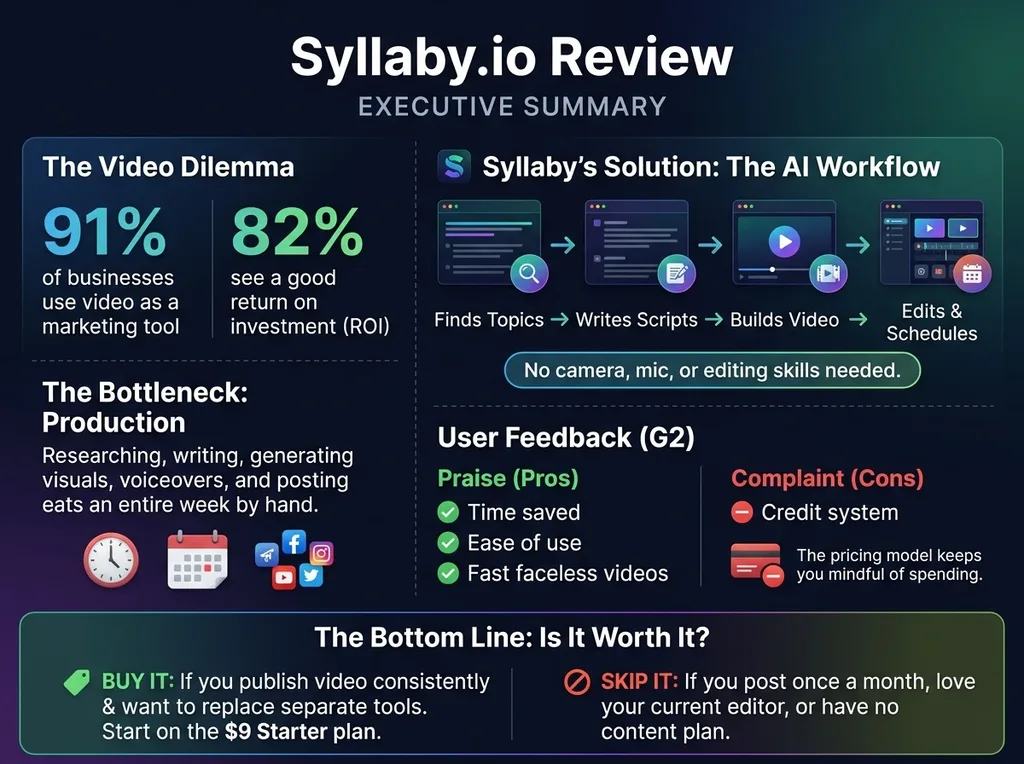
Wyzowl’s 2026 State of Video Marketing survey found that 91% of businesses use video as a marketing tool.
The same survey reports that 82% of video marketers say it has given them a good return on investment.
The demand is clear.
The bottleneck is production.
Researching a topic, writing a hook, generating visuals, adding a voiceover, fixing captions, and posting on four platforms eats an entire week if you do it by hand.
Syllaby attacks that bottleneck directly.
It finds trending topic ideas, writes the script, builds the video, lets you edit it, and schedules it to your social accounts.
You don’t need a camera, a microphone, or editing skills.
The user feedback backs the core promise.
On G2, the most repeated praise is time saved, ease of use, and how fast faceless videos come together.
The most repeated complaint is the credit system.
That split tells you almost everything about this product.
The workflow is genuinely good, and the pricing model keeps you mindful of your spending.
The bottom line: Syllaby is worth it if you publish video consistently and want to replace a pile of separate tools.
Start on the $9 Starter plan, track how fast your credits disappear, and upgrade only after you know your real usage.
Skip it if you post video once a month, love your current editor, or have no content plan yet.
What’s New in 2026
 Syllaby has changed a lot since its early days, so older reviews can mislead you.
Here’s what matters right now.
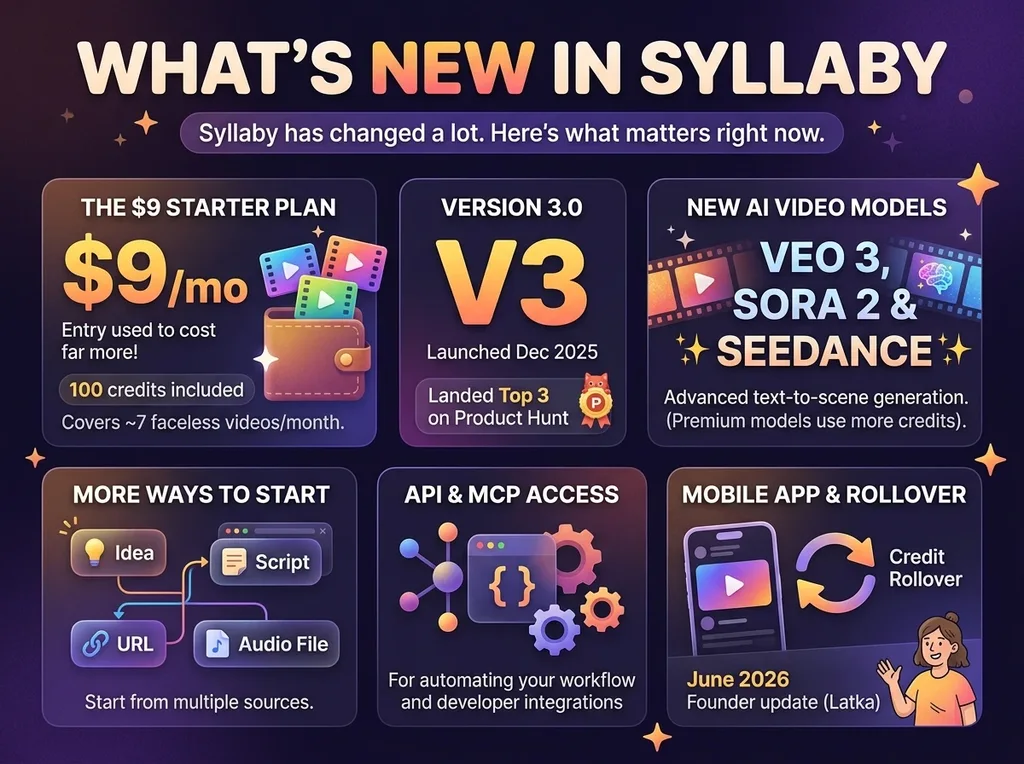
A $9 Starter plan. Entry used to cost far more.
Starter now gives you 100 credits, which Syllaby says covers about seven faceless videos a month.
Version 3.0. Syllaby launched V3.0 in December 2025 and landed in the top three on Product Hunt that day.
Newer AI video models. Text-to-scene generation now runs on models like Veo 3, Sora 2, and Seedance.
Premium models cost far more credits per second, which I’ll break down below.
More ways to start a video. You can begin from an idea, a script, a URL, or an audio file.
API and MCP access. Syllaby now offers an API and an MCP integration, which matters if you like automating your workflow.
A mobile app and credit rollover. In a June 2026 founder interview on Latka, Armstrong said the team was working on credit rollover, a new mobile app, and the MCP integration.
Syllaby Review at a Glance
| Category | Verdict |
|---|---|
| Overall rating | 7.5 out of 10 |
| Ease of use | Excellent |
| Idea research | Strong |
| Faceless video creation | Strong |
| Built-in editor | Good, not advanced |
| Scheduling and analytics | Good |
| Credit transparency | Needs work |
| Starting price | $9 per month |
| Free trial | Conflicting: none on the pricing page, seven days in the help center |
| Best for | Weekly faceless video publishers |
| Skip if | You post rarely or need pro-level editing |
What Is Syllaby?
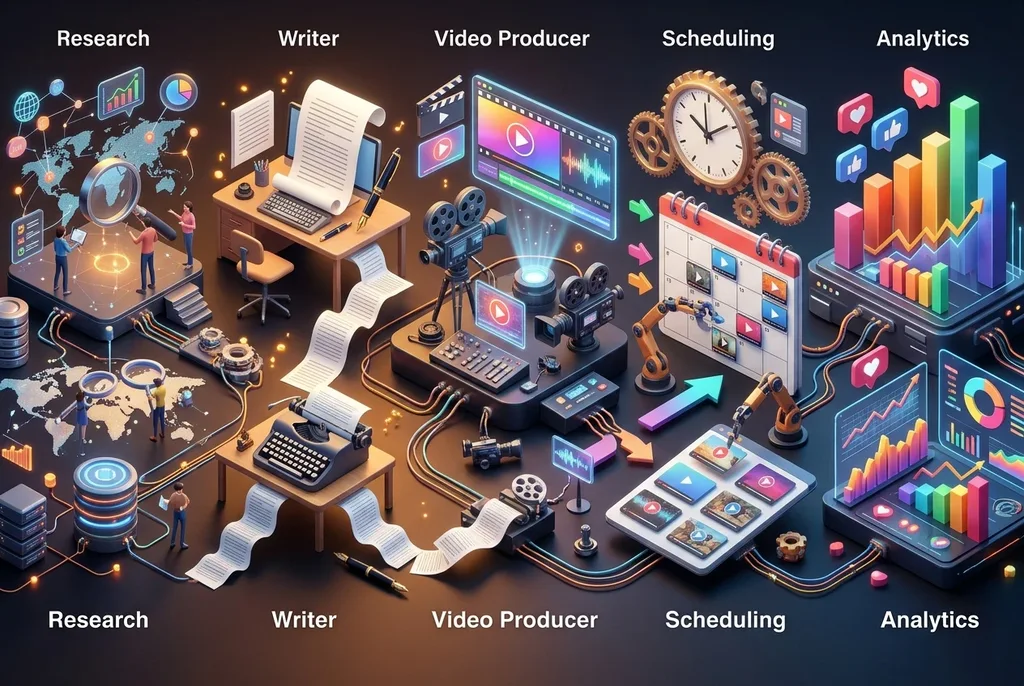 Syllaby is an AI platform that takes you from a content idea to a finished, scheduled video.
Think of it as a small content team packed into one dashboard.
The research person finds topics people are searching for.
The writer turns a topic into a script.
The video producer builds the clip with stock footage, AI visuals, a voiceover, and captions.
The social media manager schedules it on a calendar and posts it.
Then an analytics view shows how it performed.
Most AI video tools only handle one slice of that chain.
Syllaby’s whole point is that you never leave the platform.
That’s the real selling feature, more than any single AI trick.
The Story Behind Syllaby
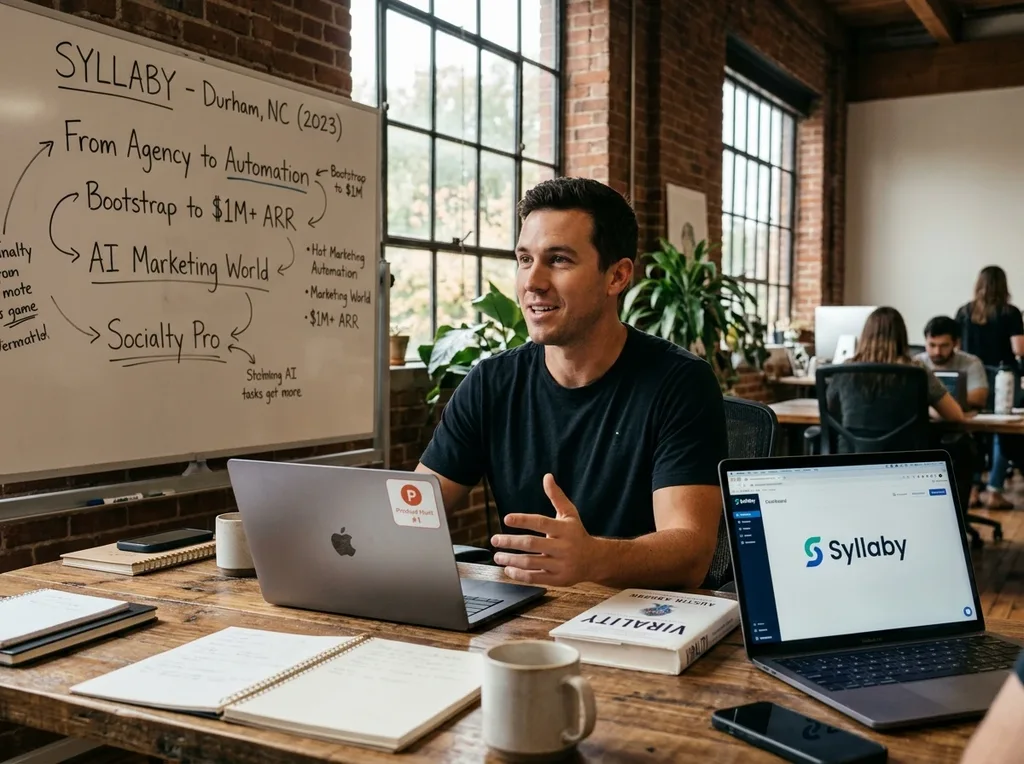 Syllaby was founded in 2023 in Durham, North Carolina.
Austin Armstrong is the CEO and co-founder.
He’s a longtime digital marketer, the author of Virality, and a co-founder of the AI Marketing World conference.
He also runs Socialty Pro, a social media agency.
That agency background explains the product.
Armstrong spent years doing the exact work Syllaby automates.
WRAL TechWire reported that he bootstrapped Syllaby past $1 million in annual recurring revenue in just over six months, largely by using his own social following.
The same report notes he intended Syllaby to replace the kind of agency work his own company sells.
That’s an unusual thing for a founder to say out loud, and it tells you who the product is built for.
It’s built for people who can’t afford an agency but still need to show up on camera-free video every week.
Syllaby also took the top spot on Product Hunt in November 2023, which gave it an early burst of attention.
Who Syllaby Is For
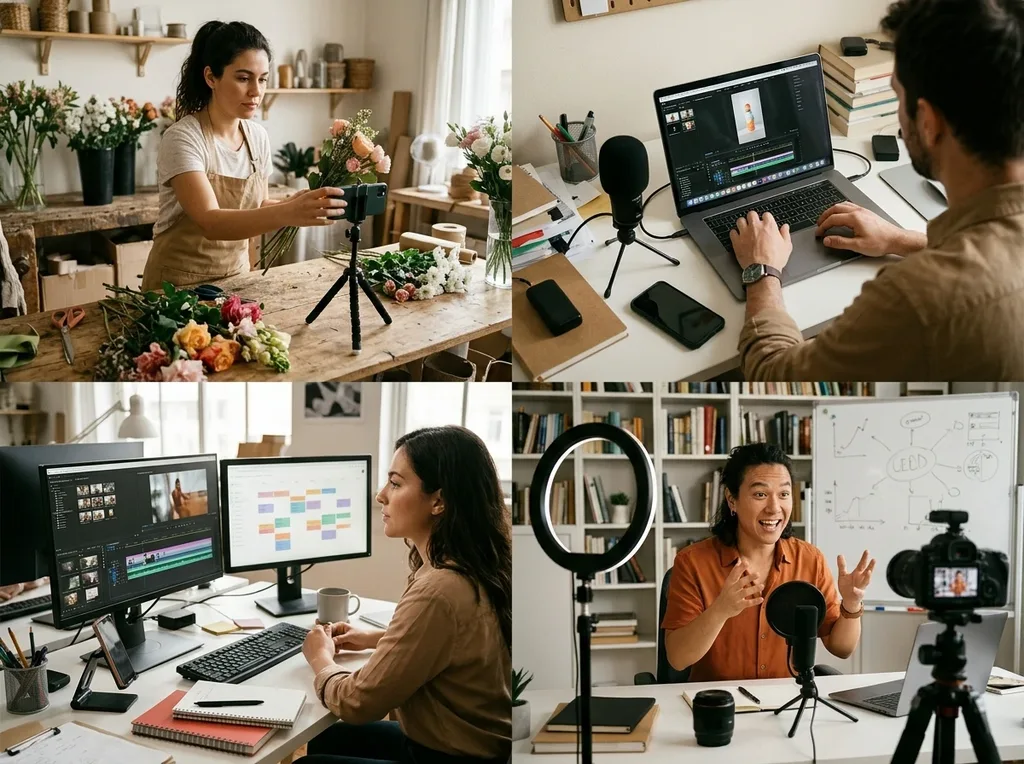 Syllaby fits you best if one of these sounds familiar.
You want a faceless YouTube Shorts, TikTok, or Reels channel and don’t want to appear on camera.
You run a small business and need steady social video without hiring anyone.
You’re an affiliate marketer who wants short review and explainer clips pointing at your content.
You manage social accounts for clients and need a repeatable production line.
You’re a coach or course creator who wants to turn ideas into clips quickly.
The common thread is volume.
Syllaby rewards people who post often, because the time savings stack up with every video.
Five Real-World Use Cases
1. The Faceless Channel Builder
You pick a niche, pull trending topic ideas, generate scripts, and batch a week of Shorts in one sitting.
G2 reviewers describe exactly this, including one who calls it great software for running a faceless YouTube channel.
2. The Affiliate Marketer
You take a product you already review on your blog and turn each article into a 45- to 60-second video.
The URL-to-video route helps here, since your article is already the source material.
You post the clips, then point viewers to your written review.
3. The Local Business Owner
A dentist, accountant, or gym owner can post educational clips without filming anything.
One Product Hunt reviewer, an accounting firm, said the tool helped them show up online without losing their mind and led to better questions from clients.
4. The Social Media Freelancer
You use the content calendar to plan a month of posts per client.
The voice clone and character features help keep each client’s videos consistent, though those need a paid tier above Starter.
5. The Coach or Course Creator
You turn lesson ideas into short teaser videos that drive people to your offer.
The idea research tells you which angles people already care about.
Syllaby Pricing Breakdown
Syllaby runs on credits.
Every plan gives you a monthly credit allowance, and each action spends some of it.
Here are the plans as listed when I checked on November 10, 2026.
| Plan | Monthly Price | Credits per Month | Voice Clones | Storage |
|---|---|---|---|---|
| Starter | $9 | 100 | None | 1 GB |
| Basic | $29 | 500 | 1 | 5 GB |
| Standard | $78 | 1,500 | 3 | 10 GB |
| Premium | $153 | 5,000 | 5 | 20 GB |
| Enterprise | Custom | Custom | Custom | Custom |
Basic and Standard also come in higher-credit versions.
Basic with 1,000 credits runs about $53 per month, and Standard with 2,000 credits runs about $102.
Annual billing cuts the price by roughly 15%.
Starter is monthly billing only.
Syllaby’s help center says credits don’t roll over to the next month.
A Syllaby newsletter has claimed annual plans keep unused credits until the term ends, so confirm which rule applies to your plan.
What Things Cost in Credits
| Action | Credit Cost |
|---|---|
| One-minute AI script | 1 credit |
| Faceless video | 13 credits per generated minute |
| Trending idea discovery | 15 credits |
| AI avatar video | 30 to 50 credits per minute (Syllaby’s own pages disagree) |
| Premium text-to-scene clips (Sora 2 Pro) | Around 780 credits for 60 seconds |
That avatar line is worth a note.
Syllaby’s credit guide lists 50 credits per avatar minute, but that page hasn’t been updated in almost two years, and the pricing summary shows 30, so check the live number in your account before planning a big avatar batch.
A few other credit rules from that guide are worth knowing.
Faceless videos are billed in whole minutes, so a 5-minute, 13-second video is charged as 6 minutes.
The first three image regenerations are free, and each one after that costs 1 credit.
Thumbnails cost 1 credit for every 3 generated.
Exporting an avatar video costs 6 credits per minute, while exporting a faceless video is free.
The same guide describes idea discovery as 15 credits per idea generated, so confirm in your account whether that means each search or each idea.
The Free Trial Situation
Don’t count on a standard free trial.
The current web pricing page says there’s no free trial and points you to the $9 Starter plan.
Syllaby’s help center describes a seven-day trial that asks for payment details upfront, and its terms say trials are offered at the company’s discretion.
A few Product Hunt reviewers also complained that a card was required for the trial and that cancelling was a hassle.
The practical move is simple.
Treat the $9 Starter plan as your trial, and read the checkout screen carefully before you pay.
Cost to Replicate With Separate Tools
The real value question is what Syllaby replaces.
Here’s the job list a faceless video creator normally pays separate tools for.
| Job | What You’d Normally Use | Inside Syllaby? |
|---|---|---|
| Topic research | A keyword or trend research tool | Yes |
| Script writing | A general AI writing assistant | Yes |
| Voiceover | A text-to-speech subscription | Yes |
| Voice cloning | A dedicated voice cloning tool | Yes (Basic and above) |
| Video assembly | An AI video generator | Yes |
| Editing and captions | A video editor | Yes, basic to moderate |
| Scheduling | A social scheduling app | Yes |
| Performance tracking | Native analytics per platform | Yes, in one view |
I’m not putting dollar figures on that list because each tool’s price changes often.
The point is the count.
If you’re already paying for three or four of those separately, the $29 Basic plan can come out ahead.
If you only need one of them, it won’t.
Syllaby Core Features Analyzed
1. Trending Idea Discovery
This is where Syllaby starts, and it’s one of its better ideas.
You enter a niche or topic, and it surfaces angles people are already engaging with.
If your biggest struggle is knowing what to make, this feature earns its place.
Honest limitation: Each idea search costs 15 credits.
One G2 reviewer called that out sharply, pointing out that you can brainstorm topics in a free chatbot.
That’s a fair criticism if you’re only after a topic list.
The value is in the trend data attached to the ideas, so use the credits when you want that data.
2. AI Script Generation
Scripts are cheap, at about one credit per minute of script.
You pick a topic, choose a tone and length, and get a structured draft with a hook, body, and call to action.
Honest limitation: AI scripts still sound like AI scripts.
The first draft is a solid skeleton, but the best-performing videos need your voice in the hook.
Budget five minutes per script for edits.
3. Faceless Video Creation
This is the feature most people buy Syllaby for.
You paste or generate a script, pick visuals and a voice, and Syllaby assembles the video with captions.
G2 reviewers repeatedly describe producing faceless videos in minutes.
It costs 13 credits per generated minute.
Honest limitation: First renders rarely land perfectly.
Some scenes will miss the mark, and regenerating costs more credits.
That’s why the math in the next section matters.
4. Text-to-Scene With Premium AI Models
Syllaby plugs into newer AI video models, including Veo 3 Fast, Seedance Lite, and Sora 2 on the Basic plan.
This lets you generate cinematic clips from a text prompt instead of relying only on stock footage.
Honest limitation: Premium models are expensive in credits.
A single 60-second Sora 2 Pro clip reportedly costs around 780 credits.
That’s more than the entire monthly allowance on the Basic plan.
Use premium models for a hero shot, not a whole video.
5. AI Avatars and Voice Clones
If you’d rather have a presenter, Syllaby offers AI avatars and voice cloning.
Starter includes no voice clones or characters.
Basic gives you one voice clone, Standard gives you three, and Premium gives you five.
Honest limitation: The avatar credit cost is inconsistent across Syllaby’s own pages, at 30 credits in one place and 50 in others.
Confirm the live price in your account before committing to a batch.
6. Built-In Video Editor
You can adjust scenes, swap visuals, tweak captions, and change the voiceover without leaving the platform.
For simple social clips, that’s enough.
Honest limitation: It isn’t a professional editor.
G2 feedback includes mentions of bugs, particularly around voice script generation during editing, and some users want stronger editing tools.
If you do heavy motion graphics or detailed audio work, you’ll still want a dedicated editor.
7. Content Calendar and Scheduling
You can plan posts on a calendar and schedule them to YouTube, TikTok, Facebook, LinkedIn, Instagram, and Threads.
This is the quiet hero of the platform.
Creating a video fast doesn’t help much if finished files sit in a folder for two weeks.
Honest limitation: Scheduling limits and storage grow with each plan, so heavy publishers need a higher tier.
Check the live plan table for exact scheduling numbers, since they differ between Syllaby’s own pages.
8. Analytics
Once posts are live, Syllaby’s analytics area lets you compare performance.
That closes the loop, because you can see which topics and formats deserve a second round.
Honest limitation: Platform-native analytics still go deeper on audience detail.
Treat Syllaby’s view as the quick scoreboard.
9. API and MCP Integration
Syllaby offers an API and an MCP integration.
That’s useful if you want to plug video creation into automations or AI workflows.
Honest limitation: This is a power-user feature.
If you’re a beginner, you won’t touch it for months, and that’s fine.
How Far Your Credits Actually Go
The credit system deserves its own section, because it’s the number one complaint on G2.
Here’s the math if you spent every credit on faceless video at 13 credits per minute.
| Plan | Credits | Roughly How Many Faceless Minutes |
|---|---|---|
| Starter | 100 | About 7 |
| Basic | 500 | About 38 |
| Standard | 1,500 | About 115 |
| Premium | 5,000 | About 384 |
Those are best-case numbers.
Ideas, scripts, thumbnails, avatars, and regenerations all take their own bites.
So plan on getting less.
Here’s how I’d size it.
If you want three 60-second videos a week, you need roughly 13 credits times three times four weeks, which is about 156 credits for the video generation alone.
Add ideas and scripts, and you’re near 200 credits.
That makes Basic the sensible floor for a weekly schedule, and Starter a test drive.
A Realistic Monthly Usage Example
Here’s what a creator publishing 20 one-minute faceless videos a month would spend.
| Activity | Monthly Credits |
|---|---|
| 20 one-minute faceless videos at 13 credits | 260 |
| 10 trending idea searches at 15 credits | 150 |
| 20 one-minute scripts at 1 credit | 20 |
| Total | 430 |
That fits inside Basic’s 500 credits with 70 to spare.
It’s an illustration built from the credit costs above.
It leaves out regenerations, avatars, premium models, and thumbnails, so real usage will run higher.
How Many Videos Each Plan Realistically Covers
For this table, I assumed each one-minute video costs 17 credits: 13 for the video, 1 for the script, and about 3 for its share of an idea search.
| Plan | Credits | Realistic One-Minute Videos per Month |
|---|---|---|
| Starter | 100 | About 5 |
| Basic | 500 | About 29 |
| Standard | 1,500 | About 88 |
| Premium | 5,000 | About 294 |
The numbers drop fast if you use premium models or avatars.
Syllaby for Affiliate Marketers
This is the angle most reviews skip.
If you run a content site, you already have the hardest part of video done.
You have written reviews with real structure, real pros and cons, and real keywords.
Here’s a simple weekly workflow.
Pick one published review.
Turn its main points into a 45- to 60-second script.
Generate the faceless video with captions.
Schedule it across YouTube, TikTok, Facebook, LinkedIn, Instagram, and Threads.
Put your link in the description or the comments, depending on the platform.
One article becomes a week of short clips.
The cost of experimenting is low, since Starter is $9.
The catch is the same as with any affiliate content.
Video gets attention, but the trust still comes from the review it points to.
If you’re building out that review library, my affiliate marketing tools and resources guide covers the rest of the stack.
Is There a Syllaby Lifetime Deal?
Syllaby has run lifetime offers.
A past lifetime offer page listed Basic at $799 one-time and Premium at $3,999 one-time, with Premium giving you 5,000 credits a month.
Treat those as historical prices, since the offer isn’t guaranteed to be open today.
The terms include a Limited Lifetime Plan section for the Basic tier.
It defines lifetime as the operating life of the Syllaby platform, not your own lifetime.
It says lifetime purchases are non-refundable except where the terms or the law say otherwise.
Credits reset monthly and don’t roll over under that plan.
Syllaby can also modify or withdraw features and models, and lifetime access ends if the platform shuts down.
I’d think hard before paying that much upfront for any AI tool in a space moving this fast.
Monthly pricing keeps you flexible when better models arrive.
Syllaby Social Media Publishing Limitations
Scheduling is one of Syllaby’s biggest selling points, so here’s what it does and where it stops.
Syllaby posts directly to your connected accounts.
It isn’t just a reminder tool.
You connect each platform from the Accounts page, and Syllaby sends you to that platform’s login screen to grant posting permission, as its account linking guide explains.
The scheduler covers YouTube, TikTok, Facebook, LinkedIn, Instagram, and Threads.
Instagram has an extra requirement.
The account must be set to Professional or Business and linked to a Facebook Page.
The Bulk Scheduler guide says you can override titles, tags, and AI descriptions per platform for TikTok, Instagram, YouTube Shorts, and LinkedIn.
You can also design and apply thumbnails from the scheduling timeline.
The calendar flags videos set to go live at the same time, and you fix it by dragging one to an open slot.
Scheduling limits depend on your plan, and Syllaby’s own pages disagree on the exact numbers, so check the pricing table before you buy.
Syllaby Commercial Rights and Content Ownership
If you plan to make money from your videos, read this part twice.
The short answer is that you can use what Syllaby generates commercially, but the ownership language contradicts itself.
Syllaby’s terms and conditions say you don’t retain ownership of the scripts and videos generated.
They describe those outputs as products of the platform that fall under Syllaby’s copyright.
The same clause says Syllaby doesn’t restrict their use, and you’re free to use them as long as they don’t violate copyright laws.
Syllaby’s blog guide to commercial use says the opposite: that users retain ownership of the content they create.
The terms are the binding agreement, so I’d go by them and treat the blog as a summary, not the contract.
Can You Use Syllaby Videos Commercially?
Yes.
The terms don’t restrict use of generated scripts and videos beyond copyright law.
The blog guide adds that you can publish and monetize on YouTube, Instagram, and TikTok as long as you follow each platform’s rules.
Can Affiliate Marketers Use Them in Promotions?
Nothing in the terms prohibits promotional use.
Follow the terms’ content restrictions, which ban unlawful, misleading, and infringing content, and keep your affiliate disclosures on every post.
Are Monetized YouTube Channels Restricted?
Syllaby doesn’t block it.
YouTube’s own policies are separate, so read its rules on AI-generated content before you build a channel around it.
Can You Use Videos for Client Projects?
The terms neither carve out client work nor ban it.
Because Syllaby claims copyright in the output, get written confirmation before you promise a client exclusive ownership.
Who Owns Cloned Voices and Custom Avatars?
The terms don’t say who owns the resulting voice model.
They do require explicit written consent from every identifiable person in the files you upload for voice cloning.
They also make you responsible for anything created from files you don’t own or have the right to use.
Does Copyright Protect AI Videos?
Syllaby’s own blog notes that fully AI-generated work may not qualify for copyright without human authorship.
Make meaningful edits, and keep records of your prompts and changes.
One More Clause Worth Knowing
Under the terms, using Syllaby grants the company a license to use your company name, trademarks, and logos for marketing.
Brands and agencies should know that before signing up.
Syllaby Cancellation, Refunds, and Billing Policies
Billing complaints show up in user reviews, so here’s what Syllaby’s own documents say.
How do I Cancel Syllaby.io Account
Open Settings, find the Subscription box, click Manage Subscription, scroll to the bottom, and click Cancel Subscription.
Syllaby then offers to downgrade your plan, pause your subscription, or book a demo.
If none of those fit, choose “None of these work for me,” fill in the short feedback form, and click Confirm Cancellation.
Cancellation takes effect at the end of your billing cycle, and you keep full access until then.
The Pause option stops payments and keeps your saved scripts and ideas.
Check your exact expiration date under Manage Subscription after you cancel.
Renewals and Reminders
The terms say subscriptions are billed in advance and renew automatically on the same conditions unless you cancel.
They promise reasonable notice before fee changes, but they don’t promise a renewal reminder email.
Set your own calendar reminder a few days before renewal.
Refunds
The terms say paid subscription fees are non-refundable except where the law requires, and that some requests may be considered case by case at Syllaby’s discretion.
Syllaby’s refund policy adds one concrete promise: it will refund unused credits within the first 30 days of a subscription.
Refunds are usually processed within 14 days.
To request one, email customerrequest@syllaby.io or use the live chat, and include your full name, registered email, and the last four digits of your card.
Annual subscriptions don’t get a separate refund rule in Syllaby’s documents, so the general policy applies.
Credits and Extra Charges
Credits used on a successful render are non-refundable, even if you dislike the result.
Credits are refunded only when a render fails because of a verified technical error on Syllaby’s side.
If you use more credits than your plan includes, the terms let Syllaby charge you for additional credits at the current rate.
The help center says unused credits don’t roll over, and the documents don’t promise to keep them after you cancel.
Free Trials
When a trial is offered, you may need to enter billing details upfront.
The terms say you’re charged automatically on the last day of the trial unless you cancel first.
More Things Buyers Ask About
Supported Languages
They are Arabic, Czech, Danish, Dutch, English, Filipino, Finnish, French, German, Greek, Hindi, Hungarian, Indonesian, Italian, Japanese, Mandarin, Persian, Polish, Portuguese, Russian, Spanish, Swedish, Turkish, and Vietnamese.
You pick the language when you generate ideas or scripts.
Syllaby for Agencies
The Bulk Scheduler guide names digital marketing agencies as a core use case, managing many client portfolios and queuing a month of content in an afternoon.
There’s also a custom Enterprise plan.
White-label isn’t described on the plan pages, so ask Syllaby before you promise it to clients.
Data and Storage
Storage runs 1 GB on Starter, 5 GB on Basic, 10 GB on Standard, and 20 GB on Premium.
The terms say Syllaby makes regular backups but doesn’t guarantee against loss or corruption, and they tell you to keep your own copy of everything.
The privacy policy covers how your data is handled.
Syllaby Pros and Cons
Pros
- – All-in-one content creation. Syllaby brings content research, idea generation, scriptwriting, AI video creation, scheduling, and analytics together in one platform. You don’t have to jump between several tools to manage your content workflow.
- – Beginner-friendly interface. The platform is relatively easy to learn, even if you have little video editing experience. G2 reviewers frequently highlight its ease of use, time-saving features, and simple faceless video creation process.
- – Affordable starting price. The $9 Starter plan makes it relatively inexpensive to test the platform and see whether it fits your content creation needs.
- – Positive user ratings. Syllaby has a 4.8/5 rating on G2 from 47 reviews. That’s encouraging, although the sample size is still relatively small.
- – Create videos without appearing on camera. Its faceless video and AI avatar features make it easier to produce content if you’re uncomfortable recording yourself or don’t have the equipment to create traditional videos.
- – Regular product updates. Syllaby continues to introduce new AI models and features, including API access and MCP integration. This shows that the platform is actively evolving.
Cons
- – Credits can run out quickly. This is one of the biggest things to consider before subscribing. Video generation, trending idea research, scripts, and premium AI models all consume credits. If you plan to publish videos frequently, your monthly allowance may not go very far.
- – The Starter plan has limitations. At $9, you get 100 credits, but voice cloning isn’t included. You also get limited storage and fewer features than the higher-tier plans. It’s suitable for testing, but serious content creators may outgrow it quickly.
- – Premium AI models can be expensive. Some advanced models consume significantly more credits than standard video generation. For example, generating one minute with Sora 2 Pro can use around 780 credits, which is more than the entire monthly allowance on the Starter plan.
- – Some users have raised billing concerns. There are reports of difficulties with cancellations and confusion around trial requirements. I’d recommend checking the subscription and cancellation terms before entering your payment details.
- – The video editor has limitations. Syllaby works well for creating and managing short-form social media content, but its editing capabilities may feel basic if you’re used to professional video editing software.
- – Pricing and feature information isn’t always consistent. Some details differ across Syllaby’s own pages, particularly trial availability and AI avatar credit costs. This makes it harder to calculate exactly what you’ll spend before subscribing.
My take: Syllaby has a useful set of features, especially if you want to manage your video content from one dashboard.
However, don’t judge it by the $9 starting price alone.
Pay attention to the credit system because that’s where your actual costs can increase.
Things You Won’t Notice Until You Start Using Syllaby
A few details only show up once you’re inside.
Credits get spent on thinking, not just rendering, because idea searches cost 15 each.
The cheapest plan skips voice clones and characters, so a consistent brand voice starts at Basic.
AI model choice changes your budget more than video length does.
Credits reset each billing cycle, and sources disagree on whether annual plans roll them over.
Trial language differs between the pricing page, the help center, and the app listing.
Storage limits matter more than you’d expect once you batch-create, and G2 reviewers mention storage issues.
Under the terms, credits used on a successful render are non-refundable even if you dislike the result.
If you go over your plan’s credits, the terms let Syllaby charge you for additional credits at the then-current rate.
Common Mistakes to Avoid
- Buying Premium on day one. Prove your usage on Starter or Basic first.
- Spending credits on premium models for every clip. Save them for scenes that need to look special.
- Skipping the script edit. A flat hook kills a video no matter how clean the visuals are.
- Creating without a posting plan. Batch five videos, then schedule them the same day.
- Forgetting about renewal. Set a calendar reminder so you decide on purpose, since billing and cancellation are the sore spots in some reviews.
- Expecting the tool to supply a strategy. Syllaby speeds up execution, but you still need a reason to publish.
Syllaby Support and Community
Syllaby has a help center with articles on plans, credits, and what happens when credits run out.
Annual buyers can also book a demo call, and Syllaby’s own newsletter has mentioned extra discounts unlocked through those calls.
The community side is active.
In a June 2026 interview, Armstrong reported a Facebook group of about 73,000 members.
The company also runs the AI Marketing World conference, which had around 450 attendees in 2025.
Support experiences vary.
Some Product Hunt reviewers praise the interface and results, while others describe frustration with cancelling and with getting a quick reply.
My advice is simple.
Screenshot your plan and billing date when you sign up, and keep your support emails in one thread.
Syllaby vs the Competition
Syllaby isn’t the right answer for every video job.
Here’s how it stacks up, and my best AI tools roundup covers more options.
Syllaby vs Pictory. Pictory shines when you already have scripts, blog posts, or URLs to convert into video.
Syllaby is stronger when you’re starting from a blank page and need ideas first.
Pictory also has a higher entry price than Syllaby’s $9 Starter.
Syllaby vs Quso.ai. Quso.ai is built for repurposing long videos like podcasts and webinars into short clips.
If you already record long content, Quso.ai fits better.
If you create from scratch, Syllaby does.
Syllaby vs Simplified. Simplified bundles design, writing, social publishing, and video.
It’s a better buy when video is only one slice of a bigger marketing workload.
Syllaby vs HeyGen and VEED. G2 lists HeyGen, VEED, and Simplified among Syllaby’s top-rated alternatives.
HeyGen leans toward avatar-led presenter video, and VEED leans toward editing.
Syllaby vs MakerAI. MakerAI focuses on product images and UGC-style video built from your product photos, which suits e-commerce brands.
Syllaby suits explainers and faceless content.
Syllaby vs. GoHighLevel. These aren’t direct rivals.
GoHighLevel is the business system with the CRM, funnels, email, and automations, while Syllaby makes the content that feeds it.
| Tool | Best For | Main Catch |
|---|---|---|
| Syllaby | Idea to scheduled faceless video | Credits drain fast |
| Pictory | Turning scripts and articles into video | Higher entry price |
| Quso.ai | Clipping long videos into shorts | Weaker if you create from scratch |
| Simplified | Video plus design and social tools | Broader than you may need |
| HeyGen | Avatar-led presenter video | Narrower workflow |
| MakerAI | Product visuals and UGC-style ads | Built for e-commerce, not explainers |
| GoHighLevel | CRM, funnels, and automation | Not a video tool |
Starting Prices Compared
These starting prices were reported in October 2026, so verify each on the vendor’s page before you buy.
| Tool | Starting Price | Starts From | Built-In Scheduling |
|---|---|---|---|
| Syllaby | $9 per month (Starter) | An idea or script | Yes |
| Pictory | $29 per month (Starter) | Scripts, articles, and URLs | Not its main focus |
| Quso.ai | Free plan; Lite at $29 per month | Long videos to clip | Better tools on higher plans |
| Simplified | Free basics; paid from $79 per month | Design, video, and writing | Yes, social publishing |
MakerAI and GoHighLevel price on different models, so check their own pages.
How to Get Started With Syllaby
Start small and treat the first month as a test.
Head to Syllaby through my link and check the live plan table before you pay.
Pick Starter at $9 to test the workflow, or Basic if you already know you’ll post weekly.
Choose one niche and one platform.
Generate ten ideas, pick three, and write three scripts.
Build the videos, edit them, and schedule them in one sitting.
Watch how many credits that batch used.
That number tells you which plan you actually need.
Who Should NOT Use Syllaby
Skip Syllaby if you post video once a month or less.
Skip it if you already have an editing and scheduling setup you love.
Skip it if you need advanced, frame-level editing.
Skip it if credit-based pricing makes you anxious, because the meter will annoy you.
Skip it if you don’t know what you want to publish yet.
Faster production only helps once you have a plan worth producing.
Final Verdict
| Category | Score |
|---|---|
| Ease of use | 9 out of 10 |
| Idea research and scripts | 8 out of 10 |
| Video creation | 8 out of 10 |
| Editing | 6.5 out of 10 |
| Scheduling and analytics | 7.5 out of 10 |
| Value for money | 7.5 out of 10 |
| Credit transparency | 6 out of 10 |
| Billing and support | 6.5 out of 10 |
| Overall | 7.5 out of 10 |
Syllaby earns a recommendation with conditions.
The workflow is the real product, and it genuinely cuts hours out of a weekly video routine.
The credit system is the real catch, and it punishes anyone who buys blind.
Test on Starter, measure your usage, and scale only when the numbers justify it.
Syllaby FAQ
These are the questions people ask most before they pay for Syllaby.
Is Syllaby legit?
Yes.
It holds a 4.8 out of 5 rating on G2 from 47 reviews and a 4.7 out of 5 on Product Hunt from 25 reviews, and it has been covered by WRAL TechWire.
Both are small samples, so treat them as a signal and not proof. A few reviewers report billing and cancellation frustrations, so read the checkout terms carefully.
Does Syllaby have a free trial?
The main web pricing page says no.
Syllaby’s help center describes a seven-day trial that needs payment details, and the terms say you’re charged automatically when a trial ends unless you cancel. Check what you see at checkout.
How much does Syllaby cost?
Starter is $9 per month for 100 credits.
Basic is $29, Standard is $78, and Premium is $153 per month, with annual billing cutting roughly 15%.
How many videos can I make on Starter?
Syllaby says about seven faceless videos a month.
Ideas, scripts, and regenerations use credits too, so your real number may be lower.
Do Syllaby credits roll over?
According to Syllaby’s help center, credits don’t roll over to the next month.
A Syllaby newsletter claims annual plans differ, so confirm that on your own plan before counting on it.
Is Syllaby good for beginners?
Yes.
Ease of use is one of the most praised themes in G2 reviews.
You’ll still need to learn what makes a strong hook and topic.
Yes.
It includes a content calendar and scheduling for YouTube, TikTok, Facebook, LinkedIn, Instagram, and Threads.
Does Syllaby replace a video editor?
For simple AI-generated social clips, mostly yes.
For advanced editing, you’ll still want a dedicated editor.
Does Syllaby have an API?
Yes.
Syllaby offers an API and an MCP integration for automation workflows.
Is there a Syllaby lifetime deal?
Syllaby has run lifetime offers, with Basic listed at $799 and Premium at $3,999 on its lifetime page.
Availability changes, so confirm before planning around it.
Syllaby or Pictory, which should I pick?
Pick Syllaby if you start from a blank page and want ideas, scripts, video, and scheduling in one place.
Pick Pictory if you already have articles or scripts to convert into video.
Does Syllaby own the videos you create?
The terms say the generated scripts and videos fall under Syllaby’s copyright, but Syllaby doesn’t restrict your use of them.
Its blog says users retain ownership, so the two documents conflict.
Can you monetize Syllaby videos on YouTube?
Syllaby doesn’t block it.
You still have to follow YouTube’s own policies on AI-generated content.
Can you use Syllaby for affiliate marketing?
Yes.
Nothing in the terms bars promotional use, so keep your disclosures on every post.
Can Syllaby clone your voice?
Yes, through its voice cloning feature on paid plans from Basic up.
You must have explicit written consent from every identifiable person in the files you upload.
Can you cancel Syllaby anytime?
Yes, from Settings and Manage Subscription.
You keep access until the end of your current billing cycle.
Does Syllaby offer refunds?
Subscription fees are generally non-refundable.
Syllaby will refund unused credits within the first 30 days, and other requests are decided case by case.
What happens when you run out of credits?
You can upgrade your plan or buy additional credits.
The terms say that if you exceed your included credits, Syllaby can charge you for more at the current rate.
Which languages does Syllaby support?
It supports 24 languages, including English, Spanish, French, German, Arabic, Hindi, Japanese, and Mandarin.
Is Syllaby suitable for marketing agencies?
Its Bulk Scheduler is built with agencies in mind, and a custom Enterprise plan exists.
Ask about white-label options before promising them to clients.
Does Syllaby own the videos you create?
This is one area where I’d pay attention to the terms and conditions.
Syllaby states that users do not retain ownership of AI-generated scripts and videos because they are considered products of its platform.
However, it also says users are free to use those videos as long as they don’t violate copyright laws.
So, you can use the videos, but I wouldn’t describe that as owning the copyright.
Can you monetize Syllaby videos on YouTube?
Yes, you can use Syllaby videos on a monetized YouTube channel.
However, using an AI video generator doesn’t automatically make your content eligible for monetization.
YouTube still expects content to provide original value.
Avoid publishing large volumes of repetitive, low-effort videos.
Add your own commentary, insights, storytelling, or useful information to make each video worthwhile.
Can you use Syllaby for affiliate marketing?
Yes. You can create product explainers, software reviews, tutorials, comparison videos, and promotional content for affiliate offers.
For example, you could create a faceless video explaining how a particular software works, highlight its benefits, and direct viewers to your affiliate link.
Just make sure your claims are accurate and that you disclose your affiliate relationship where required.
Does Syllaby add watermarks?
Syllaby’s video creation instructions include an option to add your own custom watermark.
However, I couldn’t verify a clear official statement confirming whether every exported video is watermark-free by default.
I’d recommend checking the export settings before purchasing, especially if you want to publish videos under your own brand.
Can you upload your own voice?
Yes. Syllaby allows you to upload a voice sample for its voice cloning feature. Its website specifies a 30-second sample.
You can also choose from its library of AI-generated voices if you don’t want to use your own.
Can Syllaby clone your voice?
Yes. Syllaby offers AI voice cloning, allowing you to create a digital version of your voice and use it in generated videos.
The number of voice clones depends on your subscription.
The current pricing page lists one clone on Basic, three on Standard, and five on Premium.
Starter doesn’t include voice cloning.
Only upload voices you own or have permission to use.
Yes. Syllaby lets you connect social media accounts and schedule content through its dashboard.
Its documented integrations include YouTube, TikTok, Facebook, and Instagram, among other supported services.
You can manage connected accounts and schedule posts without manually uploading every video.
However, the exact number of accounts you can connect isn’t clearly specified in the available documentation.
I’d confirm that limit with support if you’re managing several brands.
Can you cancel Syllaby anytime?
Yes. Syllaby states that you can cancel your subscription at any time.
You can manage your subscription through your account’s billing settings. Just remember that cancelling a subscription and receiving a refund are two different things.
Does Syllaby offer refunds?
Syllaby’s refund information needs a closer look because its published policies aren’t entirely consistent.
Its pricing page mentions a 30-day refund request window.
However, its Help Center says paid subscription fees are generally non-refundable, while unused credits may be eligible for a refund within the first 30 days.
The terms and conditions also state that subscription fees are generally non-refundable, subject to applicable laws and certain exceptions.
My advice is to contact support before subscribing if the refund policy is important to your decision.
Don’t assume that cancelling automatically qualifies you for a refund.
Is Syllaby suitable for marketing agencies?
Yes. Syllaby can be useful for agencies managing video content for multiple clients.
You can use it to research content ideas, generate scripts, create faceless videos, and schedule posts. Its higher-tier plans also offer more voice clones and storage.
The Premium plan is positioned for agencies and high-volume users.
However, I’d check the available social account limits, client management features, and workflow requirements before making it your agency’s main video production tool.
What happens when you run out of credits?
When your credits reach zero, you can still access your account and previously created work.
However, credit-based features become unavailable.
This includes generating new scripts, researching trending ideas, creating faceless videos, generating images, and producing other AI content.
You can purchase additional credits, upgrade your plan, or wait for your next credit allocation.
One thing worth remembering is that Syllaby charges 13 credits per minute for a standard faceless video. More advanced video models can cost considerably more.
Is Syllaby better than HeyGen for faceless videos?
It depends on the type of videos you want to create.
Syllaby is particularly useful if you want to research content ideas, generate scripts, create faceless videos, and schedule content from one platform.
It is designed around a complete social media content workflow.
HeyGen is particularly strong for AI avatars, digital presenters, voice cloning, and presenter-led videos.
It also supports faceless video workflows, but its main strength is creating videos featuring AI presenters.
My take: If your priority is producing faceless social media content consistently, Syllaby is worth considering.
If you want realistic AI presenters, digital twins, and avatar-led marketing videos, HeyGen is the stronger option.
Neither tool is automatically better for every creator. Choose based on the type of content you intend to publish.
Syllaby.io Review: Conclusion
Syllaby is a content engine.
It turns ideas into scheduled video faster than almost any all-in-one tool at its price.
What it doesn’t do is build the business around those videos.
That’s where your next move matters.
If you sell physical products and want ad-ready visuals and UGC-style video from a single product photo, read my MakerAI review next.
If you want the CRM, funnels, email, and automation system that turns video views into customers, read my GoHighLevel review.
So here’s my honest take after this Syllaby Review.
Start on the $9 plan, track your credits for a month, and upgrade only when your numbers prove it.
That’s the smartest way to use Syllaby without overpaying.
Thanks for reading my Syllaby.io Review 2026.




 Live Bootcamp with a HighLevel Coach






 : Free Bootcamp
